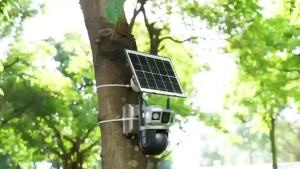
Lighting & Monitoring in One: Q15 360° Rotate Light Bulb Shape Auto Tracking Smart Camera
Lighting & Monitoring in One: Q15 360° Rotate Light Bulb Shape Auto Tracking Smart Camera
Introduction to the Q15 360° Rotate Light Bulb Shape Auto Tracking Smart Camera
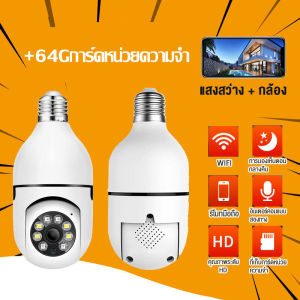
The Q15 360° Rotate Light Bulb Shape Auto Tracking Smart Camera is a cutting-edge surveillance solution that combines lighting and monitoring capabilities into one sleek and efficient device. This camera offers unparalleled features, making it a perfect choice for home security enthusiasts looking to enhance their safety and convenience.
Key Features & Specifications
The Q15 360° Rotate Light Bulb Shape Auto Tracking Smart Camera boasts an impressive array of features:
- Resolution: 100W pixels, H.264
- Recording: Supports cloud recording and TF card recording
- Connection: Compatible with both Wi-Fi and AP hotspot connections
- Audio: Equipped with two-way voice intercom and voice alarm capabilities
- Night Vision: Infrared LEDs for night vision and built-in IR-CUT for day and night mode switching
- Video Compression: Utilizes H.265 video compression format
- Motion Detection: Automatically detects motion and sends alerts
- WiFi Connection: Reliable 2.4G WiFi connection
- Dimensions: 68mm * 68mm * 190mm; Weight: 200g
- Power Supply: E27(26) lamp holder AC110-220V power supply
- Accessories: Mounting set, User Manual
Compatibility & Connectivity
The Q15 360° Rotate Light Bulb Shape Auto Tracking Smart Camera is compatible with both iOS and Android devices, allowing you to easily monitor your home from anywhere in the world. The camera supports Wi-Fi and AP hotspot connections, ensuring a seamless experience for remote monitoring.
Setting Up Your Q15 Camera
Installation Process
Installing the Q15 360° Rotate Light Bulb Shape Auto Tracking Smart Camera is straightforward and can be completed in just a few steps. First, ensure that you have a suitable location for the camera, such as a corner of a room or hallway. Next, attach the mounting set to the desired location and screw the camera onto the mount. Finally, plug in the power supply and connect the camera to your Wi-Fi network.
Connecting to Wi-Fi & App
Once the camera is installed, download the app for your device and follow the on-screen instructions to connect the camera to your Wi-Fi network. After connecting, you can access the camera's features through the app, including automatic object tracking, motion detection, and two-way audio intercom.
How to Use Your Q15 Camera
Automatic Object Tracking
The Q15 360° Rotate Light Bulb Shape Auto Tracking Smart Camera automatically tracks moving objects within its field of view. This feature ensures that you never miss a moment, whether it's a pet wandering through your home or a visitor at your door.
Motion Detection & Alerts
The camera's motion detection feature automatically detects movement within its field of view and sends alerts to your mobile device. This allows you to stay informed about any activity in your home, even when you're away.
Two-Way Audio Intercom
The Q15 360° Rotate Light Bulb Shape Auto Tracking Smart Camera comes equipped with two-way audio intercom capabilities, allowing you to communicate with anyone in your home remotely. This feature is perfect for checking in on pets, children, or elderly family members.
Enhancing Security with the Q15 Camera
Cloud Recording & Storage
The Q15 360° Rotate Light Bulb Shape Auto Tracking Smart Camera supports cloud recording and storage, ensuring that your footage is always safe and secure. This feature is ideal for homeowners who want to keep a record of their home's activity over time.
Night Vision & Day/Night Mode Switching
The camera's infrared LEDs provide excellent night vision, while the built-in IR-CUT switch allows for seamless day/night mode switching. This ensures that you can monitor your home around the clock, regardless of lighting conditions.
Mobile Phone Remote Monitoring
With the Q15 360° Rotate Light Bulb Shape Auto Tracking Smart Camera, you can easily monitor your home from anywhere in the world using your mobile phone. Simply download the app and connect to the camera's Wi-Fi network to access all of its features and settings.

Helen 1620988809
You May Also Like
JOOAN Waterproof Dual Lens CCTV/IP Smart Camera cctv security cameras W3-U 2K+6MP/Night vision/360° Horizontal View/Move Detection/Automatic Cruise

Hikvision 2MP / 4MP HiWatch Series With EXIR Network Outdoor Fixed Dome Camera IP67 Waterproof
XD WIFI 1080P Mini Camera Built-in Battery IP Remote Monitoring Camcorders IR Night Vision Body Cam Invisible Espia Cam
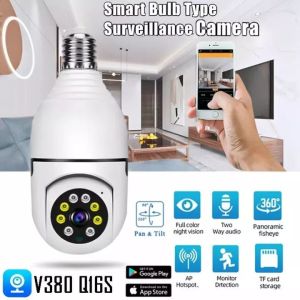
V380 Pro buy 1 take 1 CCTV Camera Quickly Connect Cellphone 8MP Smart HD 1080P Bulb Camera 360°PTZ Control two-way audio and speaker night vision Motion Detection Baby Monitor waterproof remote surveillance camera Video Playback IP Camera indoor outdoor
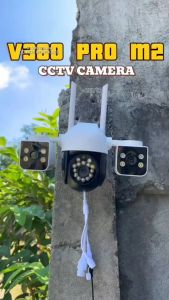
V380 PRO Q29 Three Lens CCTV Camera 6MP PTZ Control AI human motion Tracking alarm night vision Two-way voice outdoor Waterproof Security CCTV Camera
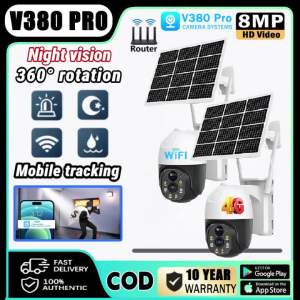
V380 PRO Solar CCTV Camera BUY1TAKE1 Outdoor Wireless With Wifi Connect 360 Connect Cellphone Waterproof 4G Surveillance Color Night Vision Two-Way Audio Auto Tracking IP Security Cameras

Rover Systems CCTV Endura VGA Extender: A High-Performance Passive VGA Balun Pair
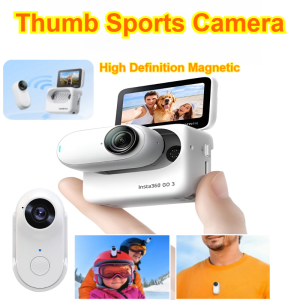
HD Thumb Sports Camera Mini Portable Pocket Action Vlogging Camera
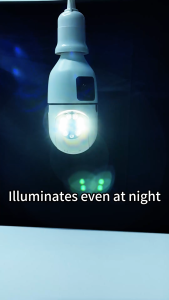
V380 Pro CCTV Camera no need Internet Bulb Camera CCTV Camera Connect Cellphone 8MP cctv camera wifi connect Two-Way Auto Tracking Night Vision Wireless Indoor Outdoor CCTV IP Security Camera - Lazada
Outdoor 4Mp WIFI Solar Security Camera BP9 With Dual Lens Dual Screen10X Zoom HD 360 Degree PTZ AI Humanoid Detection Motion TrackingIntelligent Light And Sound Alarm
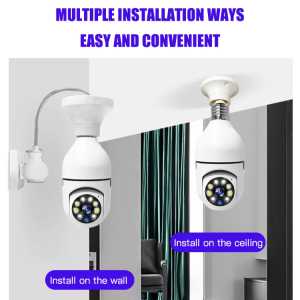
Remote Monitoring security surveilance Camera 360 Degree Panoramic Smart HD Bulb Camera