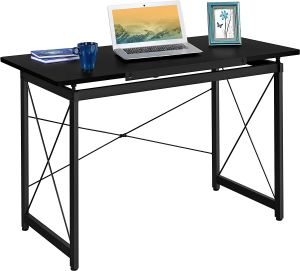
Drawing Table for Engineering or Architecture 80° Tiltable with Ledge | LUMISPARK DIO107 Metal Adjustable Angle
Drawing Table for Engineering or Architecture 80° Tiltable with Ledge | LUMISPARK DIO107 Metal Adjustable Angle
Introduction to LUMISPARK DIO107 Metal Adjustable Angle Drawing Table
The LUMISPARK DIO107 Metal Adjustable Angle Drawing Table is a professional-grade solution for engineers and architects who require a reliable and versatile work surface. This high-quality table boasts a robust metal frame, adjustable angle settings, and a convenient ledge for storing tools and documents.
Key Features of LUMISPARK DIO107
- Adjustable Angle: The table's top can tilt up to 80°, allowing users to find the perfect angle for their work.
- Metal Frame: A sturdy metal frame provides stability and durability.
- Ledge Storage: A built-in ledge offers convenient storage space for tools, documents, and other essentials.
- Size Options: Available in multiple sizes to suit different workspace requirements.
Benefits of Using LUMISPARK DIO107 for Engineers & Architects
- Improved Ergonomics: The adjustable angle feature allows users to maintain proper posture and reduce strain on their neck and back.
- Increased Productivity: With its versatile design, the LUMISPARK DIO107 enables users to work efficiently and effectively.
- Enhanced Creativity: The ability to adjust the table's angle can inspire new ideas and approaches to problem-solving.
How to Choose the Right Drawing Table for Your Needs
When selecting a drawing table, consider the following factors:
- Space Requirements: Measure your workspace to ensure the table fits comfortably.
- Angle Adjustability: Determine if you require a table with adjustable angles to accommodate different tasks.
- Storage Options: Consider whether you need built-in storage for tools and documents.
- Weight Capacity: Verify that the table can support the weight of your equipment and materials.
Comparing LUMISPARK DIO107 with Other Models
The LUMISPARK DIO107 stands out among other drawing tables due to its robust metal frame, adjustable angle settings, and convenient ledge storage. Compared to other models, the LUMISPARK DIO107 offers superior stability, versatility, and functionality.
Maximizing Efficiency with LUMISPARK DIO107 Drawing Table
To get the most out of your LUMISPARK DIO107, follow these tips:
- Set Up Your Workspace: Position the table in a well-lit area with ample space for movement.
- Adjust the Angle: Experiment with different angles to find the most comfortable and efficient position for your work.
- Organize Your Tools: Utilize the built-in ledge to keep your tools and documents within reach.
Best Practices for Using LUMISPARK DIO107 in Engineering & Architecture Workflows
- Maintain Proper Posture: Keep your back straight and your shoulders relaxed while working at the table.
- Take Breaks: Regularly take breaks to rest your eyes and stretch your muscles.
- Stay Organized: Keep your workspace tidy and organized to minimize distractions and maximize productivity.
Maintenance & Care for LUMISPARK DIO107 Drawing Table
To keep your LUMISPARK DIO107 in top condition, follow these cleaning and storage tips:
- Clean Regularly: Wipe down the table surface and frame with a soft cloth and mild detergent.
- Store Properly: When not in use, store the table in a dry, cool place away from direct sunlight.
Troubleshooting Common Issues with LUMISPARK DIO107
If you encounter any issues with your LUMISPARK DIO107, refer to the troubleshooting guide included in the product manual. For further assistance, contact the manufacturer's customer support team.

Synchronicity
You May Also Like
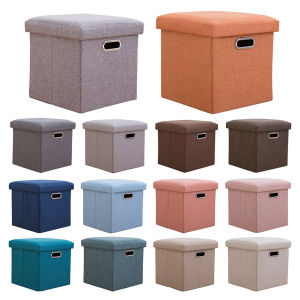
Folding Storage Ottoman Cube Chest 11.81x11.81x11.81inch Foldable Small Ottoman Foot Rest Comfortable Seat for Room Dorm
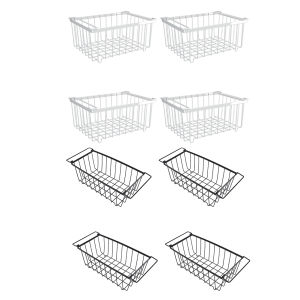
【Free Shipping】 4 Pcs Stackable Wire Baskets Muti-Purpose Vegetable Fruit Basket Storage Bin for Pantry Organizers and Storage
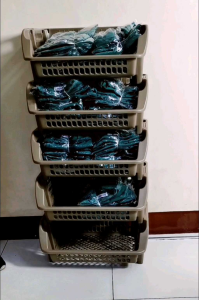
Uniglobal Utility Rack: A Comprehensive Guide to 3-Layer Detachable Storage Solution
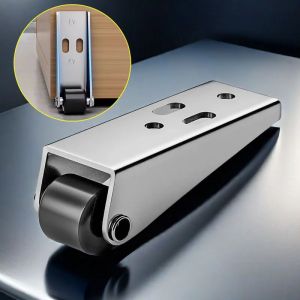
Door Bottom Wheel & Simple Fixed Roller: A Comprehensive Guide

KIDDIE PLASTIC CHAIR CHILDREN STOOL/KIDS CHAIR/STUDY CHAIR/UPUAN/SILYA/SMALL CHAIR
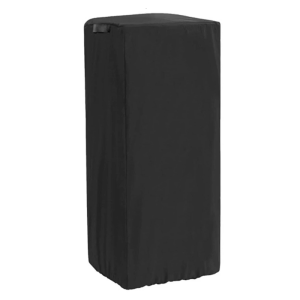
Adjustable Drawstrings Popcorns Cart Storage Bag Waterproof Dust Cover Convenient for Workshop Daily Use
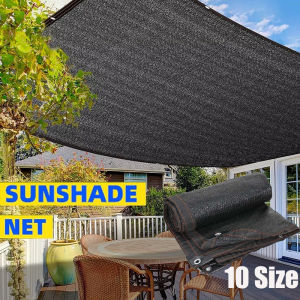
Anti-UV Sun Shade Net: Black Sunshade Fabric for Outdoor Garden Shade
Foldable Mahjong Table Portable Table Mahjong Table Wood Foldable For Fun Portable Dual-use Simple Chinese Style Chess and Card Game Table for Home Use
Bamboo Display Cabinet Acrylic 5Layers 65/80cm Black/Grey Figure Storage Cabinet Transparent Storage Rack Organizer Home and Living Book Shelf
RRH Bamboo Flower Bookshelf Organzier 5/6Layers 70/90CM Anti-corrosion Living Room Open Bookcase Display Rack Bookshelves

Multi Size Rubber Footing Round Square L-shaped Tubular Round Square Tubular Plastic Plug Table Foot Caps Protector