ORICO 2.5 Inch HDD Enclosure: A Tool-Free Super Speed Solution
ORICO 2.5 Inch HDD Enclosure: A Tool-Free Super Speed Solution
What Is the ORICO 2.5 Inch HDD Enclosure?
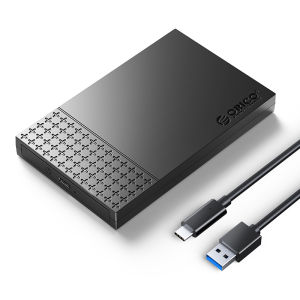
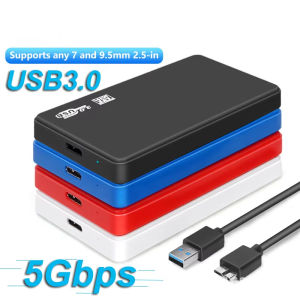
The ORICO 2.5 inch HDD enclosure is a compact, versatile, and user-friendly external hard drive box that supports both SSD and HDD storage devices. This innovative tool-free solution allows users to easily convert their internal 2.5-inch SATA drives into high-speed, external storage solutions compatible with USB3.1 and SATA3.0 interfaces.
Key Features & Benefits
The ORICO 2.5 inch HDD enclosure boasts several key features that make it an attractive choice for users seeking a reliable and efficient external storage solution:
- Tool-free installation: No screws or tools required to install your drive, making setup quick and easy.
- High-speed transfer rates: Compatible with USB3.1 and SATA3.0 interfaces, providing up to 5Gbps data transfer speeds.
- Versatile compatibility: Supports both SSD and HDD storage devices with thicknesses ranging from 7mm to 9.5mm.
- Support for large capacity drives: Can accommodate drives up to 4TB in size.
Included Accessories
Each ORICO 2.5 inch HDD enclosure comes with a comprehensive set of accessories, including:
- 1 x HDD Enclosure
- 1 x Data Cable (Type-C to USB-A)
- 1 x User Manual
- 1 x Service Card
How to Use the ORICO 2.5 Inch HDD Enclosure
Using the ORICO 2.5 inch HDD enclosure is simple and straightforward. Follow these steps to get started:
Installing Your Drive
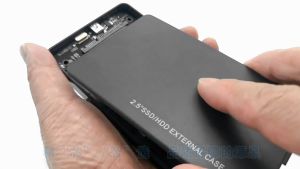
- Open the ORICO 2.5 inch HDD enclosure by gently pressing the release button on the side.
- Insert your 2.5-inch SATA drive (SSD or HDD) into the enclosure, ensuring proper alignment with the connector.
- Close the enclosure by pressing the sides together until it clicks into place.
Connecting to Your Computer
- Connect the included Type-C to USB-A data cable to your computer's USB port.
- Insert the other end of the cable into the ORICO 2.5 inch HDD enclosure.
- Wait for your computer to recognize the connected device and install any necessary drivers.
Troubleshooting Tips
If you encounter any issues while using the ORICO 2.5 inch HDD enclosure, try the following troubleshooting tips:
- Ensure that the drive is properly installed and aligned within the enclosure.
- Check that the data cable is securely connected to both the enclosure and your computer.
- Restart your computer and reconnect the enclosure to see if the issue persists.
Why Choose the ORICO 2.5 Inch HDD Enclosure Over Competitors?
When compared to similar products on the market, the ORICO 2.5 inch HDD enclosure stands out for several reasons:
Compatibility & Versatility
The ORICO 2.5 inch HDD enclosure supports both SSD and HDD storage devices, making it a versatile solution for users with varying needs. With support for drives up to 4TB in size and thicknesses ranging from 7mm to 9.5mm, this enclosure offers broad compatibility across a wide range of devices.
Performance & Reliability
With USB3.1 and SATA3.0 interfaces, the ORICO 2.5 inch HDD enclosure provides fast data transfer rates of up to 5Gbps, ensuring efficient performance for users who demand speed and reliability. Additionally, the tool-free installation process makes setup quick and easy, reducing the risk of damage to your drive during installation.
Price & Value
At an affordable price point, the ORICO 2.5 inch HDD enclosure offers excellent value for its features and performance. When compared to similar products on the market, the ORICO 2.5 inch HDD enclosure stands out as a cost-effective solution that delivers high-speed performance and versatile compatibility.

Orico Online Store
You May Also Like
![[COD] REMAI0 Sniffe For TF Card Adapter Plate Universal 1pc MicroSD Sniffe TF Card Adapter Plate Compatible With ARDUINO](https://img.lazcdn.com/g/p/3d2dc5c71afce7910e4e8e33054d5697.jpg_300x300q80.jpg)
[COD] REMAI0 Sniffe For TF Card Adapter Plate Universal 1pc MicroSD Sniffe TF Card Adapter Plate Compatible With ARDUINO
High Speed External HDD Box: A Comprehensive Guide
♥Limit Free Shipping♥ HP MetalUSB 2.0 2TB Rotating Flash Drive Micro Memory Stick Pendrive for Android Smart
SanDisk OTG Flash Drive 32GB: A Versatile & High-Speed Data Storage Solution
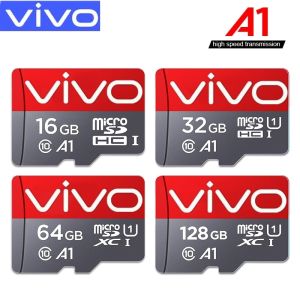
💞【Readystock】 + FREE Shipping+ COD 💞 100% original authentic Vivo Class 10 High Speed Memory Card Ultra MicroSd A1 UHS-1 512GB / 256GB / 128GB / 64GB / 32GB / 16GB / 8GB Micro TF Card
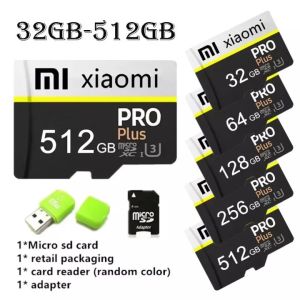
Xiaomi Micro SD Card 128GB 256GB 512GB Memory Card Xiaomi Mi 10T Pro 256Gb 256 Gb Micro Sd - Lazada

Classic Cantonese And Chinese Music Car USB Drive High Quality Lossless Old Song DJ Mix USB Flash Drive for Vehicle Entertainment
Toshiba External Hard Drive: High Capacity Plug-and-play Connectivity 2.5 Inch USB3.0

FREE+COD Vivo 1024GB 512GB 256GB 128GB High Speed Memory Micro SD Card XC Microsd Mobile TF Card C10V
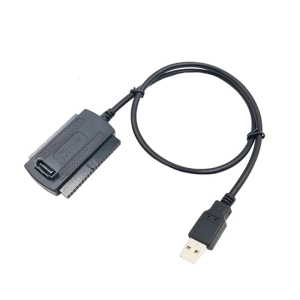
MultiFunction USB to IDE Cable for 2.5 3.5Inch HDDs and Optical Drives with Power Supply IDE Adapter
Kebidumei USB 3.0 HDD Hard Drive Case Enclosure 2.5" SATA HDD SSD External Hard Drive Case 5Gbps High Speed External Hard Drive Disk Box for PC Laptop PS5