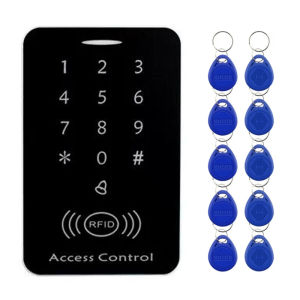
125KHZ RFID Card Access Control System Intercom Device Machine Electronic Door Lock
Product FeaturesHigh quality and high securitySensitive for quick responseSupports 1000 standard usersSupports card password, card plus password & password plus card.Can add card number and delete card number as needed.Classical design with useful function.Professional design is great for home and office. Includes user manuals for home and office useProduct SpecificationsUWorking voltage: DC 12 VUnlock current: Static current: Card read distance: 0-5 cmRF type: 125KHZ EM cardWorking temperature: -10 ~ 70℃Working humidity: 10% to 90%3-option door opening procedure (admin user selectable): Card (key tag) & password / Card (key tag) only / Password onlyThree Unlocking MethodsRFID Card or Password or RFID Card+PasswordHigh -quality PVC materialUse high -quality fireproof PVC casting, resistance toabrasion resistance, keys are sensitive.Two user management models,adjust the switch more convenient management.Step 1: Power off, dial the S1 switch to the 1 -end, re -power the power, the green light flashes after three long sounds, and the programming password restores the factory value.Step 2: Power off, dial the S2 switch to the 2 -end, and finally re -power the power. The programming password is initialized and the management card is added. (Programming password 3 ~ 6 digits)Function introduction1.Indicator light2.Digital/setting area:0-9 numbers, use the“#" as the settings key when setting the password or pressing the door to open the door, use it to set the card or password function.3.Doorbell button:Can external doorbell4.RFID card induction areaWiring DiagramPlease note the power supply, electric locks, exit buttonis not included in the package, need to buy extra. ACCESS CONTROL MACHINE PROGRAMMINGProgramming Instructions*The program value of the programming password is: 123456 All passwords can be 3 ~ 6 digits.1. Modify the programming passwordPress#Programming password#0 New password (3 to 6 digits)#Repeat new password#Explanation: If you forget the programming password, you can solve it by initialization (please refer to the seventh step of the programming password settings).When entering the error, press the "Doorbell" key to exit and re -enter.2. Add user card1. Swipe card: Press# Programming password# 1 The card to be added#Note: 1 If you need to add multiple user cards, swipe your card continuously.2 The user card number automatically generated when adding a user card consists of 4 digits, starting from 0001. For details, see 5. User number description.2. Enter the card number: Press the#programming password#23 Manual input card number#(The card number is 10 digits on the left on the card or 8 digits on the right, the machine automatically recognizes).3. Increase public passwords and personal passwords1. Public password: Press#Programming Password#21 New Password (3 to 6 digits)#(the factory value is empty)Note: The public password does not occupy the user number. If you need to modify, repeat the operation.2. Personal password: Press#Programming Password#22 New Password#Password Opening: Press "Password" and press "#" to open the door.Note: The personal password cannot be modified, and it can only be deleted and re -increased. For details, please refer to 5. User number description.

Security System Provider
You May Also Like
12PCS Diamond Drill Bit Set 6-35mm Hole Saw Cutting Tool Kit with Hand Tools for Glass Marble Stone Granite Tile & Ceramic
Password Rotary Switch Door Bolt Lock for Universal Cabinet Door 3 Digit Code Combination Latch Lock
Myzone Stainless steel double lock for main door Silver Mirror surface door knobs for main door set

【Fast Shipping】 4Inch 5Inch Grinding Machine Woodworking Disc Grooving Machine Chains Disc Wood Carving Cutting Disc Angle Grinder Chain Disc
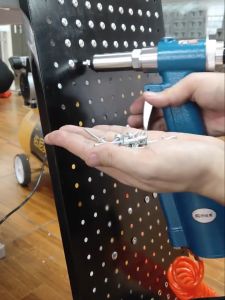
Heavy Duty Air Hydraulic Riveter Pneumatic Rivet Gun Nut Guns Nail Gun Pop Rivet Nail Riveting Tools
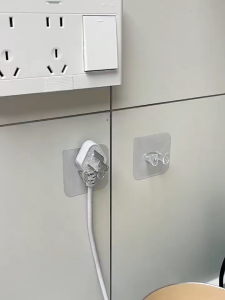
20Pcs Transparent Power Plug Hooks Strong Paste Plug Hook Multi-functional Paste Hook for Home
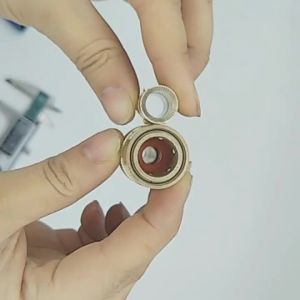
Hanson8 2PCS Mold Accessories SK Brass Quick Connector JS Female Cooling Water Nozzles Connection Joints 4P7H5
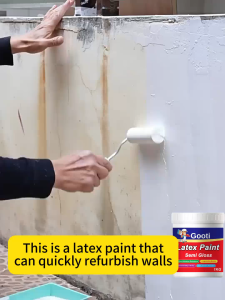
GOOTI Semi Gloss Latex Paint Odorless Eco-Friendly Wear Stain Resistant Moisture-proof Interior Exterior Use For Cement Wall Paint
mv1 Applicable to HR1607 1608 1321 1625 1627 egg beater connecting shaft accessories R5P7Q

270mm Multi-function Claw Hammer 8oz Orange ( High -Carbon Steel/Soft Rubber Rubber Handle )
GTRIC Photoelectric Sensor Through-beam M18 Series 10-30V NPN PNP Visible Spot 2mm Sensing Distance 30M Adjustable