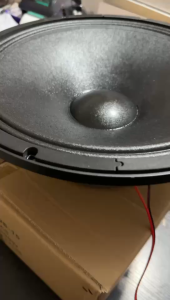
3.7V Bluetooth Amplifier Board for Square Dance Speakers: Features & Setup
3.7V Bluetooth Amplifier Board for Square Dance Speakers: Features & Setup
Introduction to the 3.7V Bluetooth Amplifier Board
A 3.7V Bluetooth Amplifier Board is a compact and versatile audio amplifier designed specifically for square dance speakers. This innovative device combines a Bluetooth module with a powerful amplifier to deliver crystal-clear sound quality for your square dance events. The 3.7V Bluetooth Amplifier Board supports various audio sources, including Bluetooth devices, TF-card U-disks, and auxiliary inputs.
What is a 3.7V Bluetooth Amplifier Board?
A 3.7V Bluetooth Amplifier Board is a small electronic board equipped with a Bluetooth module and an amplifier circuit. It allows you to connect and play music from Bluetooth devices, TF-card U-disks, and auxiliary inputs. The amplifier board is compatible with 5-8 inch speakers and provides up to 30W of power, making it ideal for square dance events.
Key Features & Components
- Bluetooth Connectivity: Connect to Bluetooth-enabled devices such as smartphones, tablets, and laptops for wireless audio playback.
- TF-Card U-Disk Support: Play audio files stored on TF-cards or USB flash drives.
- Auxiliary Input: Connect external audio sources using a 3.5mm auxiliary input.
- Remote Control: Control playback, volume, and other functions using the included remote control.
- Power Output: Supports up to 30W power output for clear sound quality.
- Speaker Compatibility: Compatible with 5-8 inch speakers.
Setup & Installation Guide
Follow these steps to set up and install your 3.7V Bluetooth Amplifier Board:
How to Connect the Amplifier Board
- Connect the amplifier board to your speaker using the included speaker wires.
- Connect the radio antenna to the amplifier board.
- Power the amplifier board using a compatible power source (not included).
How to Install the Remote Control
- Insert the included battery into the remote control.
- Turn on the amplifier board by pressing the power button.
- Press the 'Source' button on the remote control to select the desired audio source (Bluetooth, TF-card U-disk, or auxiliary input).
Setting Up TF-Card U-Disk Support
- Insert a TF-card or USB flash drive containing audio files into the corresponding slot on the amplifier board.
- Press the 'Source' button on the remote control to switch to the TF-card U-disk audio source.
- Use the remote control to navigate through the audio files and select the desired track.
Tips & Tricks for Using Your Amplifier Board
Maximize the performance of your 3.7V Bluetooth Amplifier Board with these tips and tricks:
Optimizing Sound Quality
- Ensure the amplifier board is powered by a stable power source.
- Adjust the volume levels to avoid distortion or clipping.
- Experiment with different speaker placements to achieve the best sound coverage.
Recording & Playback
- Record audio files onto a TF-card or USB flash drive for easy playback at square dance events.
- Organize audio files into folders for quick access and navigation.
Troubleshooting Common Issues
- If the amplifier board fails to connect to a Bluetooth device, restart both the amplifier board and the Bluetooth device.
- If the TF-card U-disk audio source fails to work, ensure the card or drive is properly inserted and formatted.
- If the sound quality is poor, check the power source and adjust the volume levels accordingly.

MEDM STORE
![[COD/Original]3.7V Amplifier Board Bluetooth Module Square Dance Speaker Support Bluetooth Aux TF-Card U-Disk Recording 5-8inch 30W Speaker Amplifier](https://img.lazcdn.com/g/p/964660824bf27b352ccccf65d36076a5.jpg_300x300q80.jpg)
You May Also Like
Xtrike Me Backlit Stereo Gaming Headset GH-890 - Black
V2S PB900pro TWS Portable Wireless Bluetooth Super Bass Trolley Speaker With Wireless Mic Support FM Radio
Baby Headphones Noise Cancelling Headphones for Babies for 0-2+ Years Toddler Fireworks Concert Noise Reduction
Headphone Holder Aluminium Headsets Holder Silicone Earphone Hanger for Hanging Gaming Headphones Black
DISOUR Original QKZ SK8 Earphone: A Comprehensive Guide to Wire-Controlled Gaming Headphones
Sakura AV-737 1400W X 2 Stereo Echo Mixing Amplifier Sakura Av 737 700W Amplifier - Lazada
DBAUDIO Torpedo R6 6 inch Woofer Speaker 300W Rechargeable Power Bluetooth l FM Tuner l AUX Port
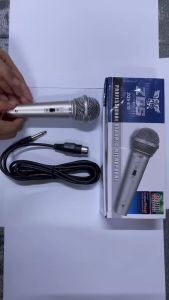
✅100% Original UME ZQS-610 Microphone Karaoke Microphone
Multi Functional Rechargeable RGB Speaker & Magnetic Phone Holder
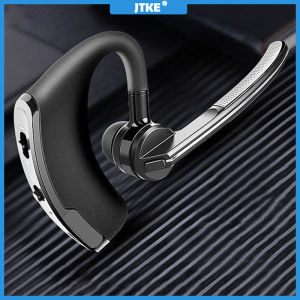
JTKE V8 Wireless Bluetooth Earphone Business Handsfree Headphones Stereo Music Headset with Mic for Smart Phones
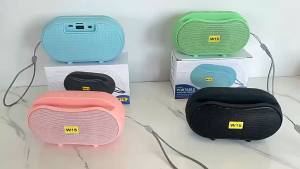
Wireless Outdoor Bluetooth Speaker - Portable Mini Subwoofer for Home Desktop