Tri Color RGB LED Downlight: A Comprehensive Guide
Tri Color RGB LED Downlight: A Comprehensive Guide
Introduction to Tri Color RGB LED Downlight
Tri Color RGB LED Downlights are versatile lighting solutions that provide customizable color options for your living space. These lights are perfect for creating a warm, inviting atmosphere in your home, office, or any other room. This guide will help you understand the product, its key features, and benefits.
Understanding the Product
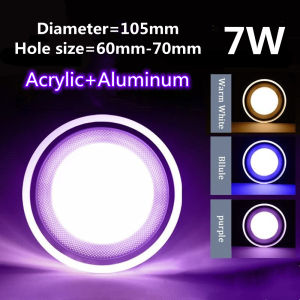
The Tri Color RGB LED Downlight, also known as the Tri Color Ceiling Light, is a recessed round panel light that comes in two sizes: 4-inch and 5-inch. These lights are available in various colors, including white, warm white, purple, and blue. They are ideal for living rooms, bedrooms, and other areas where you want to create a relaxing ambiance.
Key Features & Benefits
- Customizable Colors: With RGB technology, you can choose from millions of colors to suit your mood or decor.
- Energy Efficiency: LED lights consume less energy than traditional bulbs, reducing your electricity bills.
- Long Lifespan: LED lights have a longer lifespan than conventional bulbs, making them a cost-effective investment.
- Easy Installation: These downlights are easy to install and can be connected to smart home systems for added convenience.
Installation & Setup
Installing Tri Color RGB LED Downlights is a simple process that can be completed in a few steps. Here's how to get started:
Choosing the Right Light
Before purchasing, ensure you select the right size and color options for your space. Consider the room's dimensions, ceiling height, and desired ambiance.
Step-by-Step Installation Process
- Prepare the Area: Turn off the power supply to the area where you'll be installing the downlight.
- Remove the Old Light: Carefully remove any existing light fixtures.
- Install the New Light: Follow the manufacturer's instructions to install the Tri Color RGB LED Downlight.
- Connect the Wires: Connect the wires according to the manufacturer's instructions.
- Test the Light: Turn on the power supply and test the light to ensure it's working correctly.
Connecting to Smart Home Systems
To connect your Tri Color RGB LED Downlights to smart home systems, follow these steps:
- Check Compatibility: Ensure your downlights are compatible with your chosen smart home system.
- Install the App: Download and install the app associated with your smart home system.
- Add the Device: Follow the app's instructions to add your downlights to the system.
- Control the Lights: Use the app to control the color, brightness, and other settings of your downlights.
Customization & Control
Customizing and controlling your Tri Color RGB LED Downlights is simple and intuitive. Here's how to get started:
Setting Up Different Color Modes
To set up different color modes, follow these steps:
- Select the Mode: Choose from the available color modes using the remote control or mobile app.
- Adjust the Settings: Customize the color, brightness, and other settings according to your preferences.
- Save the Settings: Save your custom settings for future use.
Creating Ambiance with RGB LED Downlights
Creating ambiance with RGB LED Downlights is easy. Experiment with different colors and settings to find the perfect atmosphere for your space.
Using Remote Controls & Mobile Apps
Remote controls and mobile apps offer convenient ways to control your downlights. Use them to adjust the color, brightness, and other settings from anywhere in the room.
Maintenance & Troubleshooting
Maintaining and troubleshooting your Tri Color RGB LED Downlights is essential for their longevity and optimal performance. Here are some tips:
Cleaning & Care Tips
To keep your downlights looking their best, follow these cleaning and care tips:
- Dust Regularly: Use a soft cloth to dust the light fixtures regularly.
- Avoid Harsh Chemicals: Do not use harsh chemicals or abrasive materials to clean the lights.
- Store Properly: Store the remote control and any other accessories in a safe place when not in use.
Common Issues & Solutions
Here are some common issues and solutions for Tri Color RGB LED Downlights:
- Issue: Lights flicker or don't turn on.
- Solution: Check the power supply and ensure the wires are connected correctly.
- Issue: Remote control doesn't work.
- Solution: Replace the batteries or check if the remote is compatible with your downlights.
Extending the Lifespan of Your Downlight
To extend the lifespan of your Tri Color RGB LED Downlights, follow these tips:
- Use Proper Voltage: Ensure the voltage supplied to the lights is within the recommended range.
- Avoid Overheating: Allow the lights to cool down before turning them off and on again.
- Follow Manufacturer's Instructions: Follow the manufacturer's instructions for installation, maintenance, and troubleshooting.

NOCNEX OFFICAL STORE
Review
You May Also Like

LED Linear Track Lights Spotlight 220V Track Chandeliers Ceiling Lights Living Room House Mall
![[COD] zhangyuqing Fengshui Lucky Turtle Pendant Japan Sensoji Temple en Tortoise Keychain Money-biting Turtle Ornaments Decor Longevity Protection Financial Stability Lucky Charm](https://img.lazcdn.com/g/p/36d3928e4c996e399a33d51a9ff16905.jpg_300x300q80.jpg)
[COD] zhangyuqing Fengshui Lucky Turtle Pendant Japan Sensoji Temple en Tortoise Keychain Money-biting Turtle Ornaments Decor Longevity Protection Financial Stability Lucky Charm

【10 years warranty 】TEP LED Panel Light Recessed Office Kitchen Bathroom Ceiling Panel Light Aluminum buckle Modern ceiling light Ultra-thin panel dimmable light embedded dining room circular panel light 25W/50W/70W

Gold Mountain & Silver Mountain: Enhancing Home Living Room Fengshui
LED Night Light Three-Color Stick Tap Push Lamp Night Light Rechargeable Stick-On Push Light

【Cozyhome2】Diamond Painting Nine Running Horses Full Round Drill Mosaic Kit Decor 100x50cm
Modern Simple LED Ceiling Light Luxury Personality Corridor Light Ring Light Chandelier Ceiling Light Pendant Lamp Acrylic Square Flush Mount Drop Light Ceiling for Living Study Room Light Bedroom Dining Room Corridor At Night

DIYMO 12-inch wooden wall clock luminous silent clock creative luminous fluorescent clocks
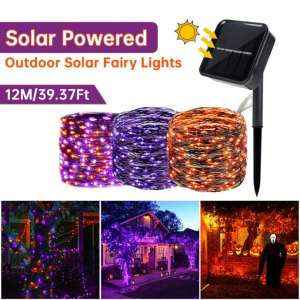
2 Pack/Set Halloween 240LED Black Copper Wire Solar Lamp With 8 Modes Purple Orange Lights For Home Garden Halloween Party Decor
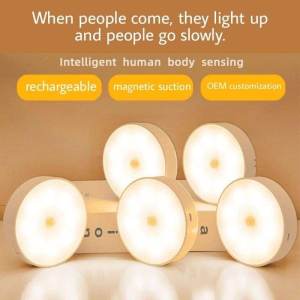
Philippines no.1 USB Rechargeable Wall Light Led Wireless Motion Sensor Night Light Bedroom Staircase Wardrobe Light
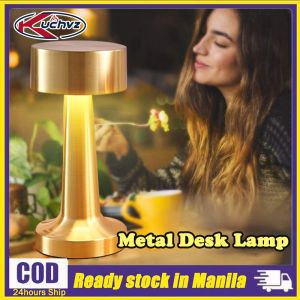
KUCHVZ LED Table Lamp: A Stylish Lighting Solution for Your Home & Cafe