Celestron Astromaster 130 EQ: A Comprehensive Guide
Celestron Astromaster 130 EQ: A Comprehensive Guide
Understanding the Celestron Astromaster 130 EQ
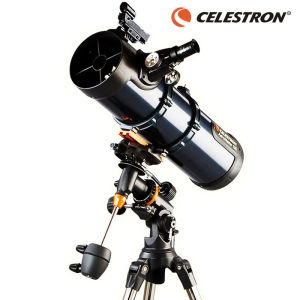
The Celestron Astromaster 130 EQ is a Newtonian reflecting telescope designed for amateur astronomers who want to explore the night sky. This telescope comes with a caliber of 130mm, a focal length of 650mm, and a focal ratio of F5. It includes two eyepieces, a 10mm eyepiece providing 65x magnification and a 20mm eyepiece offering 32.5x magnification. The telescope is equipped with a red dot finderscope, aluminum coating, and a CG-3 equatorial mount. The tripod is made of adjustable steel, and the field of view is 1.5 degrees. With a light collection force of 345X, the Celestron Astromaster 130 EQ is a powerful tool for astronomical observation.
Key Features & Specifications
- Optical System: Newtonian reflecting telescope
- Caliber: 130mm
- Focal length: 650mm
- Focal ratio: F5
- Eyepiece 1: 10mm (65 times)
- Eyepiece 2: 20mm (32.5 times)
- Finderscope: Red Dot finderscope
- Optical Coating: Aluminum coating
- Base: CG-3 equatorial mount
- Tripod: 1.25 inch adjustable steel tripod
- Field of View: 1.5 degrees
- Light Collection force: 345X
How It Compares to Other Astronomy Telescopes
Compared to other astronomy telescopes, the Celestron Astromaster 130 EQ offers a powerful combination of features and affordability. Its 130mm caliber and F5 focal ratio make it ideal for observing deep-sky objects like galaxies and nebulae. The telescope's CG-3 equatorial mount allows for smooth tracking of celestial objects, and the adjustable steel tripod provides stability during observation sessions. The Celestron Astromaster 130 EQ is a great choice for amateur astronomers who want a reliable and versatile telescope at an affordable price.
Setting Up Your Celestron Astromaster 130 EQ
Setting up your Celestron Astromaster 130 EQ is a straightforward process. Follow these step-by-step instructions to get started:
- Unpack the telescope and assemble the tripod.
- Attach the CG-3 equatorial mount to the tripod.
- Install the primary mirror onto the dovetail plate locking fixed connection.
- Attach the eyepieces to the telescope's focuser.
- Align the red dot finderscope.
Aligning the EQ Mount Telescope
To align the Celestron Astromaster 130 EQ mount telescope, follow these steps:
- Level the tripod.
- Point the telescope towards Polaris, the North Star.
- Adjust the altitude and azimuth settings until the telescope is aligned with Polaris.
- Tighten the locks on the altitude and azimuth adjustments.
Using the Red Dot Finderscope
The red dot finderscope is a valuable tool for locating celestial objects. To use it, follow these steps:
- Attach the red dot finderscope to the telescope's accessory tray.
- Adjust the finderscope's alignment using the adjustment screws.
- Turn on the red dot finderscope and locate the desired celestial object.
- Center the object in the red dot finderscope's field of view.
Getting Started with Astronomical Observation Equipment
Once your Celestron Astromaster 130 EQ is set up, it's time to start exploring the night sky! Here are some tips to help you get started:
Choosing the Right Eyepieces
Selecting the right eyepieces can make a big difference in your observation experience. Consider the magnification power and field of view when choosing eyepieces. For example, the 10mm eyepiece provides higher magnification and a narrower field of view, while the 20mm eyepiece offers lower magnification and a wider field of view.
Maximizing Light Collection Force
To maximize the light collection force of your Celestron Astromaster 130 EQ, consider using a larger primary mirror or a telescope with a faster focal ratio. Additionally, ensure that the telescope's optics are clean and free from dust or debris.
Exploring the Night Sky with the Celestron Astromaster 130 EQ
The Celestron Astromaster 130 EQ is a versatile telescope that can be used to observe a wide range of celestial objects. Here are some suggestions for what to look for:
- Planets: Mars, Jupiter, Saturn, and Venus
- Deep-sky objects: Galaxies, nebulae, star clusters, and double stars
- Solar system objects: Moons of Jupiter and Saturn, asteroids, and comets
Maintaining Your Celestron Astromaster 130 EQ
To keep your Celestron Astromaster 130 EQ in good condition, follow these maintenance tips:
Cleaning and Storage Tips
- Store the telescope in a dry, cool place away from direct sunlight.
- Clean the optics regularly using a soft, lint-free cloth.
- Store the eyepieces in their protective cases.
Troubleshooting Common Issues
If you encounter any issues with your Celestron Astromaster 130 EQ, refer to the troubleshooting guide included with the telescope. Common issues include misalignment of the red dot finderscope, problems with the tripod's stability, and issues with the telescope's tracking capabilities.
Extending the Lifespan of Your Telescope
To extend the lifespan of your Celestron Astromaster 130 EQ, follow these tips:
- Store the telescope properly.
- Clean the optics regularly.
- Keep the telescope's mount aligned.
- Follow the manufacturer's recommendations for maintenance and repairs.

AstroPH
Review
You May Also Like
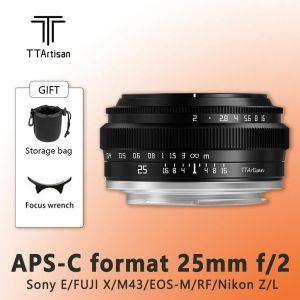
TTArtisan 25mm F2 Camera Lens For Sony E Mount A6400 Fujifilm XA XT4 XT30 Panasonic Olympus M43 Nikon Z30 Z50
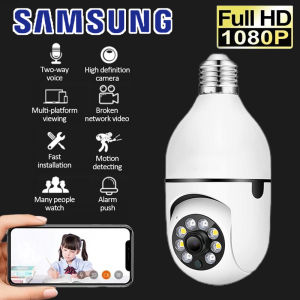
Samsung CCTV Camera Connect Cellphone CCTV With No Wifi Needed Auto Tracking 360° Rotation 3D Panoramic Security 1080p Two Way Audio Voice Bulb PTZ IP Camera 10M Night Vision CCTV With E27 Standard Lamp Holder Wireless CCTV
WYZE Cam V4 Security Camera - CCTV + Baby Monitor
Rover Systems 16.7 cm x 13.9 cm x 10 cm L-type Wall Mount Metal CCTV Camera Bracket
RunCam Scope Cam 2: A Comprehensive Guide to the 4K Airsoft Camera

tp-link Tapo C200C Pan/Tilt Home Security Wi-Fi Camera | TP-Link Tapo by EJD
USCAMEL 10x42 Binoculars & High Power HD Telescope: Outdoor Mountaineering Tour & Concert
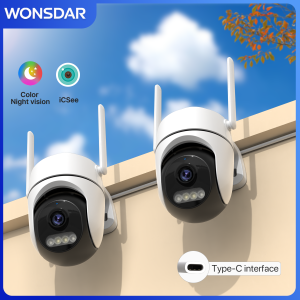
WONSDAR 2pcs Quantity HD IP Camera PTZ WiFi Camera Video Surveillance Home Security Protection Type-C Detection iCsee
AHD to HDMI/VGA/Composite Video Converter: Your Multi-Format Solution
8MP 4G Sim Card Solar WiFi Dual CCTV Camera: A Comprehensive Guide
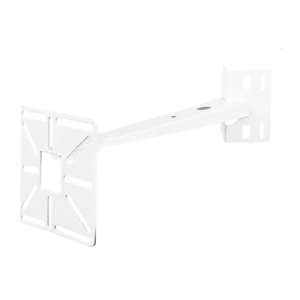
Adjustable Security Camera Bracket For Most CCTV Cameras For Secure Installation Rack