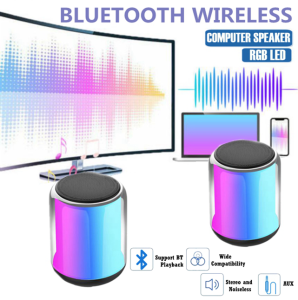
NBY221 V5.2 Computer Speaker HiFi Bass with AUX In and RGB Cool LED Light Effect Widely Compatible
NBY221 V5.2 Computer Speaker HiFi Bass with AUX In and RGB Cool LED Light Effect Widely Compatible
The NBY221 V5.2 Computer Speaker is a high-quality audio device designed to provide a superior listening experience. With its HiFi bass capabilities, AUX in connectivity, and RGB cool LED light effect, this speaker offers a versatile solution for both gaming and music enthusiasts. This article will guide you through setting up and maximizing your experience with the NBY221 V5.2 Computer Speaker.
What is the NBY221 V5.2 Computer Speaker?
The NBY221 V5.2 Computer Speaker is a compact audio device that delivers rich, clear sound with powerful bass response. It is equipped with AUX in connectivity, allowing you to connect various audio devices, including smartphones, tablets, and gaming consoles. Additionally, the speaker features RGB cool LED light effects, which add a vibrant visual element to your listening experience.
Key Features
- HiFi Bass: Experience deep, rich bass with the NBY221 V5.2 Computer Speaker.
- AUX In Connectivity: Connect your audio device via AUX cable for versatile compatibility.
- RGB Cool LED Light Effect: Enjoy a colorful visual display with customizable RGB lighting.
- Widely Compatible: Works with various audio devices, including smartphones, tablets, and gaming consoles.
Compatibility
The NBY221 V5.2 Computer Speaker is compatible with a wide range of audio devices, including:
- Smartphones
- Tablets
- Gaming Consoles
- Laptops
How to Set Up Your NBY221 V5.2 Computer Speaker
Setting up the NBY221 V5.2 Computer Speaker is simple and straightforward. Follow these steps to get started:
Connecting the Speaker
- Connect the included AUX cable to the speaker's AUX input port.
- Plug the other end of the AUX cable into your audio device's output port.
- Power on the speaker using the power button located on the top of the unit.
Configuring the RGB LED Light Effect
To customize the RGB LED light effect, follow these steps:
- Press the RGB button located on the top of the speaker.
- Cycle through the available lighting modes by pressing the button repeatedly.
Setting Up HiFi Bass
To activate the HiFi bass mode, press the bass boost button located on the top of the speaker. This will enhance the bass response, providing a richer audio experience.
Maximizing Your Experience with the NBY221 V5.2 Computer Speaker
To get the most out of your NBY221 V5.2 Computer Speaker, follow these tips:
Adjusting Sound Settings
- Experiment with different sound settings to find the perfect balance for your listening preferences.
- Adjust the volume level to suit your environment.
- Customize the RGB LED light effect to match your mood or gaming experience.
Troubleshooting Common Issues
If you encounter any issues with your NBY221 V5.2 Computer Speaker, refer to the troubleshooting guide included in the user manual. Some common issues and solutions include:
- No sound: Check that the speaker is powered on and connected properly to your audio device.
- Flickering RGB LED lights: Restart the speaker by turning it off and back on again.
- Poor sound quality: Adjust the sound settings to improve audio clarity.
User Manual Overview
The NBY221 V5.2 Computer Speaker comes with a comprehensive user manual that provides detailed instructions on setup, operation, and troubleshooting. Be sure to read through the manual before using the speaker to ensure optimal performance.

IOS Electronics
Review

You May Also Like
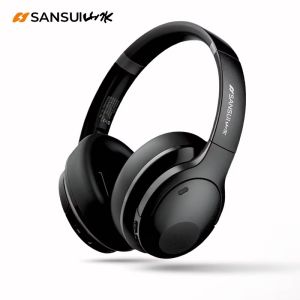
SANSUI TD46 Gaming Headset Dual Connection Wireless Headphone Bluetooth V5.4 ANC+ENC Mode Music Noise Reduction With Mic
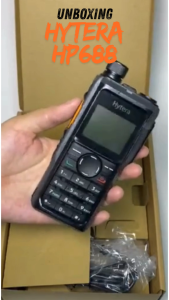
HYTERA HP688 Single Band DMR Radio Digital Two way radio
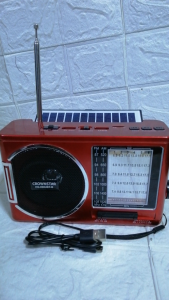
CROWNSTAR HG-098UBT-B AM/FM/SW Solar Radio with USB/TF with LED Light
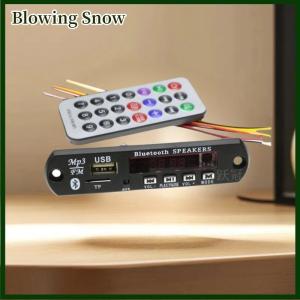
Blowing 1 Set 12V Wireless Bluetooth 5.0 120W Amplifier MP3 Player Decoder Board Car Audio USB TF FM Radio Recording Call For Speaker
NANATECH Jabra Elite 75t True Wireless Earbuds Bluetooth 5.0 Earphones with Active Noise Cancellation & Long Battery Life
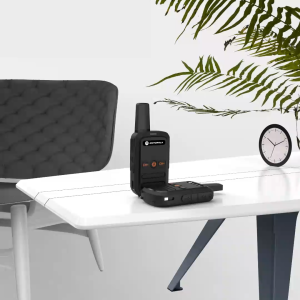
Motorola Walkie Talkie C51 Mini Two Way Radio Long Range 10KM 5W 16 Channels UHF 8800mAh high-capacity battery IP54 waterproof 400-470mhz Walkie-Talkies
【Free Shipping】 Wireless Lapel Microphone with LED Power Display for Smartphones Compact Magnetic Microphone for Karaoke and Video Recording
Portable Bluetooth Speaker Colorful Lights New Karaoke Wireless Speaker with Free Microphone 3D Stereo Home KTV Speaker Subwoofer
600W Smart Digital HIFI Bluetooth Stereo Audio Amplifier: A Comprehensive Guide
Wired Headphones Universal In-Ear with HIFI Sound Surround Bass Built-in Noise-cancelling Microphone 3.5mm Headphones
![[COD] jiameitan 50Pcs 12inch Clear Vinyl Record Protecter LP Vinyl Record Self Adhesive Bag Plastic Outer Sleeves For CD Tape Protect Sleeves](https://img.lazcdn.com/g/p/e392c40c8af57b7fc3c1cff498bf8649.jpg_300x300q80.jpg)
[COD] jiameitan 50Pcs 12inch Clear Vinyl Record Protecter LP Vinyl Record Self Adhesive Bag Plastic Outer Sleeves For CD Tape Protect Sleeves