



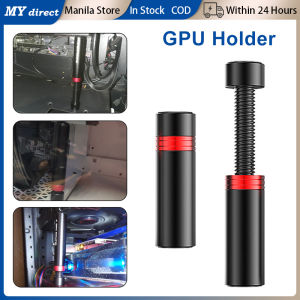
Magnetic Graphics Card Brace GPU Support Bracket: Aluminum Alloy Video Card Telescopic Stand Holder
Magnetic Graphics Card Brace GPU Support Bracket: Aluminum Alloy Video Card Telescopic Stand Holder
Introduction to Magnetic Graphics Card Braces
What is a Magnetic Graphics Card Brace?
A magnetic graphics card brace, also known as a magnetic GPU support bracket, is a specialized hardware accessory designed to provide additional support and stability for your graphics card. Made from aluminum alloy, this telescopic stand holder ensures that your video card remains securely in place, reducing the risk of damage caused by vibrations, thermal expansion, or accidental bumps.
Benefits of Using Magnetic Graphics Card Braces
There are several advantages to using a magnetic graphics card brace:
- Improved cooling efficiency: By keeping the graphics card securely in place, the magnetic bracket allows for better airflow, reducing the risk of overheating and improving overall performance.
- Increased stability and reliability: The magnetic graphics card brace provides a stable foundation for your video card, minimizing vibrations and preventing accidental disconnections.
- Optimized cable management: By positioning the graphics card in a more optimal location, the magnetic bracket allows for better cable routing and organization, resulting in a cleaner build.
How to Choose the Right Magnetic Graphics Card Brace
When selecting a magnetic graphics card brace, consider the following factors:
- Compatibility: Ensure that the magnetic bracket is compatible with your graphics card and motherboard.
- Stability: Look for a magnetic graphics card brace that offers a secure fit and can withstand the weight of your video card.
- Design: Choose a magnetic bracket with a sleek and modern design that complements your build.
Installation and Setup of Magnetic Graphics Card Braces
Tools Needed for Installation
Before installing a magnetic graphics card brace, gather the following tools:
- Screwdriver: For removing screws from the graphics card and motherboard.
- Magnetic bracket: The aluminum alloy magnetic graphics card brace.
- Mounting screws: For securing the magnetic bracket to the motherboard.
Step-by-Step Installation Guide
Follow these steps to install a magnetic graphics card brace:
- Remove the graphics card from the motherboard.
- Attach the magnetic bracket to the graphics card using the mounting screws.
- Align the magnetic bracket with the appropriate mounting points on the motherboard.
- Secure the magnetic bracket to the motherboard using the mounting screws.
- Reinsert the graphics card into the motherboard.
Tips for Proper Installation and Setup
To ensure a successful installation, keep the following tips in mind:
- Double-check compatibility: Verify that the magnetic graphics card brace is compatible with your graphics card and motherboard.
- Handle with care: Be gentle when attaching the magnetic bracket to avoid damaging the graphics card or motherboard.
- Check for proper alignment: Ensure that the magnetic bracket is aligned correctly before securing it to the motherboard.
Enhancing Performance with Magnetic Graphics Card Braces
Improving Cooling Efficiency
By keeping the graphics card securely in place, the magnetic graphics card brace allows for better airflow, reducing the risk of overheating and improving overall performance. This results in a cooler system, which is essential for maintaining optimal performance.
Increasing Stability and Reliability
The magnetic graphics card brace provides a stable foundation for your video card, minimizing vibrations and preventing accidental disconnections. This ensures that your graphics card remains securely in place, reducing the risk of damage caused by vibrations, thermal expansion, or accidental bumps.
Optimizing Cable Management
By positioning the graphics card in a more optimal location, the magnetic bracket allows for better cable routing and organization, resulting in a cleaner build. This not only improves the aesthetics of your build but also enhances airflow and cooling efficiency.
Troubleshooting Common Issues
Addressing Loose Connections
If you experience loose connections after installing a magnetic graphics card brace, try the following solutions:
- Check for proper alignment: Ensure that the magnetic bracket is aligned correctly before securing it to the motherboard.
- Reinsert the graphics card: Remove and reinsert the graphics card to ensure a secure connection.
Resolving Compatibility Problems
If you encounter compatibility issues with a magnetic graphics card brace, consider the following solutions:
- Verify compatibility: Double-check that the magnetic bracket is compatible with your graphics card and motherboard.
- Consult the manufacturer: Reach out to the manufacturer for assistance with resolving compatibility issues.
Fixing Misalignment Issues
If you notice misalignment issues with a magnetic graphics card brace, try the following solutions:
- Check for proper alignment: Ensure that the magnetic bracket is aligned correctly before securing it to the motherboard.
- Adjust the magnetic bracket: Make adjustments to the magnetic bracket to achieve proper alignment.
In conclusion, a magnetic graphics card brace is an essential accessory for anyone looking to improve the stability, reliability, and performance of their graphics card. By providing a secure foundation and optimizing cable management, the magnetic bracket helps to maintain optimal performance and reduce the risk of damage caused by vibrations, thermal expansion, or accidental bumps.

MYDirect
Review
You May Also Like
![[COD] folp 1Set Computer CPU Radiator Mounting Bracket Backplane Accessories For LGA2011 X99 X79 E5 1700 1366 115X 1200 AMD AM2 AM3 AM4 AM5](https://img.lazcdn.com/g/p/75d0125da89873460fcd6d293fb31ae3.jpg_300x300q80.jpg)
[COD] folp 1Set Computer CPU Radiator Mounting Bracket Backplane Accessories For LGA2011 X99 X79 E5 1700 1366 115X 1200 AMD AM2 AM3 AM4 AM5
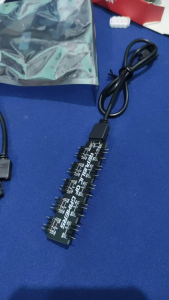
5volts 3pin splitter Cable and ARGB Splitter hub
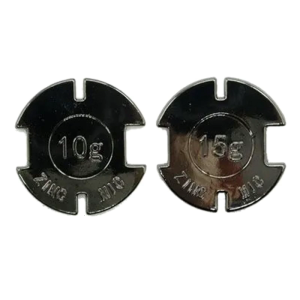
15g/10g Counter Weight for GPW G502X Plus GPROX SUPERLIGHT Enhances Stability and Control Enjoy High Gaming
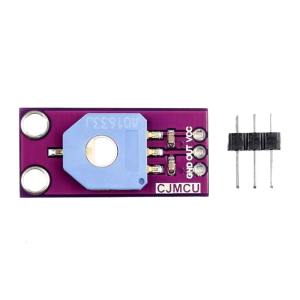
MCU-103 Potentiometer Module With 10KΩ Resistance And 333.3℃ Continuous Rotating For Electronic Prototyping
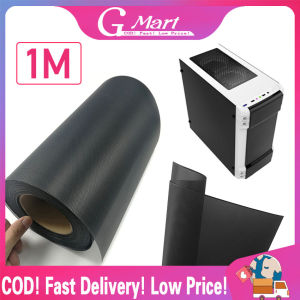
⭐【LazTop Seller】Computer Mesh 30CM Dust Filter PC DIY PVC Case Fan Cooler Dust -Filter Network Net Case Dustproof Cover Chassis Dust Cover 1M CYB-PVC-Computer-Mesh-1M
Samsung 8GB DDR3 SODIMM for Laptop RAM
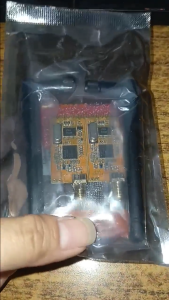
Circuitrocks RF APC220 Radio Communication Module

Ramsta S800 2.5" SATA 3 SSD 128GB / 256GB / 512GB / 1TB Solid State Drive for Desktop & Laptop
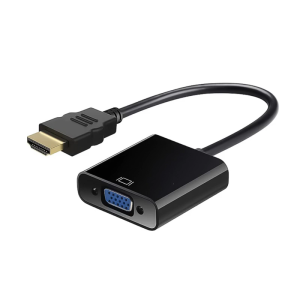
1080P HDTV to VGA Adapter Converters Output Computer Set Top Box Connector Dongle for Laptop PC Monitor Projector
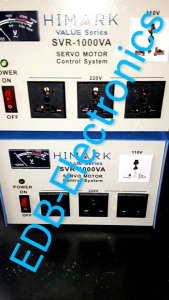
Original SVR Himark 1000 AVR Automatic Voltage Regulator 1000watts SVR-1000VA Servo Type AVR Time Delay
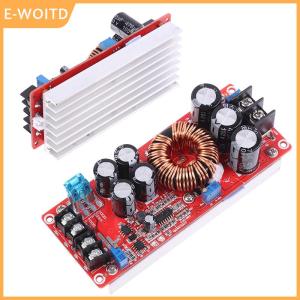
【E-WOITD】 1200W 20A DC-DC Converter Boost Car Step-up Power Supply Module 8-60V to 12-83V


















