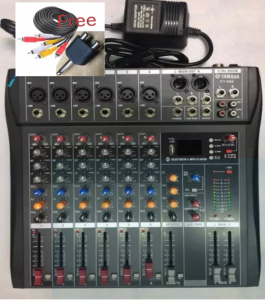
YAMAHA CT-60S Mixer: A Compact USB & Bluetooth Audio Solution
YAMAHA CT-60S Mixer: A Compact USB & Bluetooth Audio Solution
Introduction to the YAMAHA CT-60S Mixer
The YAMAHA CT-60S mixer is a compact, versatile audio solution that offers exceptional sound quality and ease of use. This professional audio mixer is designed to meet the needs of musicians, producers, and audio enthusiasts who require a reliable, portable device for recording, mixing, and live performances.
Key Features of the YAMAHA CT-60S
- Compact Design: The YAMAHA CT-60S mixer is lightweight and portable, making it perfect for on-the-go musicians and producers.
- USB and Bluetooth Connectivity: With built-in USB and Bluetooth connectivity, the CT-60S allows for seamless integration with computers, smartphones, and other devices.
- Freeibe Compatibility: The CT-60S mixer is compatible with Freeibe, a popular audio software platform, enabling users to access a wide range of features and functions.
Setting Up Your YAMAHA CT-60S Mixer
To get started with your YAMAHA CT-60S mixer, follow these steps to connect USB and Bluetooth devices and configure audio settings.
Connecting USB and Bluetooth Devices
- Connect your computer or mobile device to the CT-60S mixer via USB cable or Bluetooth pairing.
- Open the Freeibe software on your computer or mobile device and select the CT-60S mixer as your audio interface.
- Adjust the input and output levels according to your preference.
Configuring Audio Settings
- Access the audio settings menu on the CT-60S mixer and adjust the input and output levels, equalizer settings, and other parameters as needed.
- Use the Freeibe software to further customize your audio settings, including sample rate, bit depth, and buffer size.
Using the YAMAHA CT-60S Mixer for Recording
With the YAMAHA CT-60S mixer, you can easily record and mix high-quality audio tracks for your music projects.
Preparing for Recording
- Set up your recording environment by positioning microphones, instruments, and speakers in optimal locations.
- Connect your recording devices to the CT-60S mixer and configure audio settings as described above.
- Test your setup by recording a short audio sample and adjusting levels and settings as needed.
Recording Techniques
- Stereo Recording: Record two channels simultaneously to capture a wider soundstage and more immersive listening experience.
- Multitrack Recording: Record multiple tracks separately and mix them together later for greater flexibility and control over your audio project.
- Live Recording: Use the CT-60S mixer to record live performances and capture the energy and excitement of the moment.
Editing and Mixing Recorded Tracks
After recording your tracks, use the Freeibe software to edit and mix them together to create a polished final product.
- Trim and edit individual tracks to remove unwanted noise and enhance the overall sound quality.
- Adjust levels, panning, and effects to create a balanced and cohesive mix.
- Export your final project in a variety of formats, including WAV, MP3, and AAC.
Conclusion: The Benefits of the YAMAHA CT-60S Mixer
The YAMAHA CT-60S mixer offers a compact, versatile audio solution that is perfect for musicians, producers, and audio enthusiasts. With built-in USB and Bluetooth connectivity, Freeibe compatibility, and a wide range of features and functions, the CT-60S mixer is an excellent choice for anyone looking to record, mix, and perform high-quality audio.

Sweat marketing
Review

You May Also Like
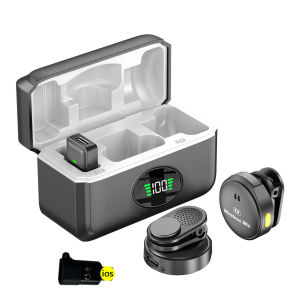
【New Arrival】 Portable Magnetic Wireless Microphone with LED Indicator for iPhone Android Small Lapel Microphone for Karaoke and Video Calls
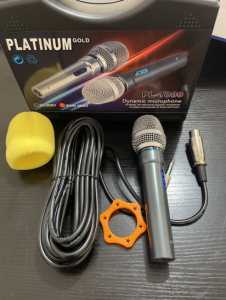
PLATINUM GOLD Professional Wired Microphone With Hard Case/PL-1000
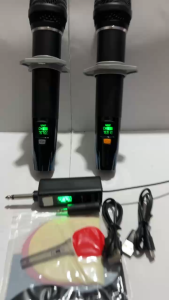
NEW JB L HARMAN 21/80S Professional UHF Wireless Microphone W/ Built-In Rechargeable Battery For Karaoke
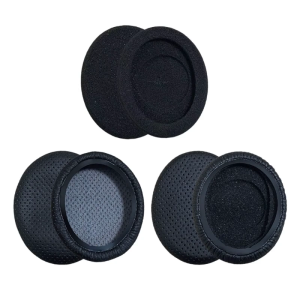
1Set EarPad Cushion Sponges Cover Replacement for 160 165 USB headsets Comfortable Earphone
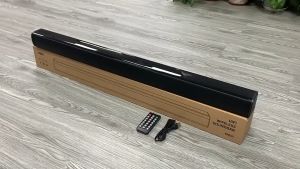
Classic Audio CA SoundBar / Sound bar / 2.1 CH with Bluetooth / USB / Digital Optical Input / Aux / HDMI (ARC) Input and with Remote Control / Sound bar
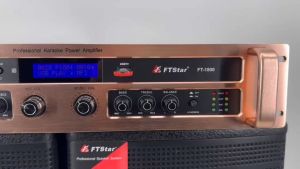
Original FT STAR Professional High-end Power Ampilfier With FM/USB/SD/BT Player - 1800Watts PMPO/FT-1800
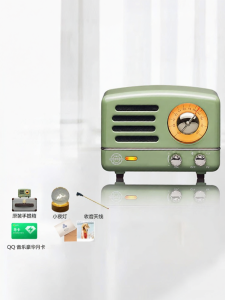
MAOWANGMIAOBO | Portable Bluetooth Speaker Cat King Gift for Girls Birthday Retro Style Mini Sound Box Wireless Audio Player with Radio Function
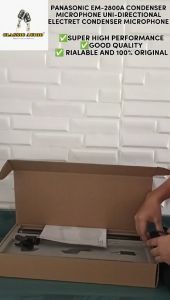
Panasonic by Classic Audio EM-2800A Condenser Microphone / UNI-Directional Electret Condenser Microphone (Original)
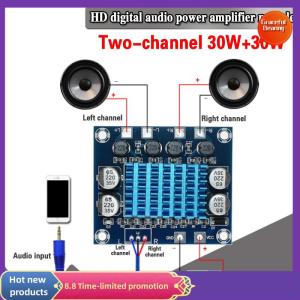
Graceful TPA3110 XH-A232 30W+30W 2.0 Channel Digital Stereo Audio Power Amplifier Board
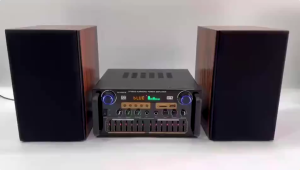
AV-999FM 220V 3000W Home Stereo Audio Amplifier Bluetooth 4CH EQ Wireless With Mixer Equalizer
![[COD] KOQZM KITCHEN Headphone Stand Metal Support Headset Stand Rack Cute Bluetooth Wireless headphones holder Support Gamer Helmet](https://img.lazcdn.com/g/p/2afb9a49a37c7e79fdc7f2aae2fdac07.jpg_300x300q80.jpg)
[COD] KOQZM KITCHEN Headphone Stand Metal Support Headset Stand Rack Cute Bluetooth Wireless headphones holder Support Gamer Helmet