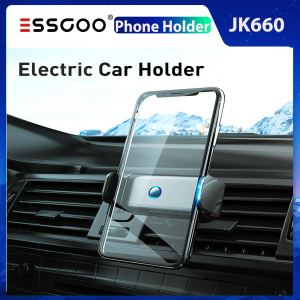
Essgoo JK660 Electric Drive Car Phone Holder: A Comprehensive Guide
Essgoo JK660 Electric Drive Car Phone Holder: A Comprehensive Guide
Introduction to the Essgoo JK660
Essgoo, a renowned manufacturer of automotive accessories, has introduced the newest JK660 electric drive car phone holder. This versatile accessory is designed for easy installation and use, providing a secure and convenient way to hold your mobile device while driving. In this article, we will delve into the features, materials, and applications of the Essgoo JK660.
Key Features & Benefits
One-Handed Operation
The Essgoo JK660's electric drive makes it possible to operate the phone holder with just one hand. This feature ensures that drivers can easily take and release their mobile devices without compromising safety on the road. The electric drive mechanism is both quick and efficient, allowing for seamless integration with your daily driving routine.
360° Rotation
Equipped with intelligent induction technology, the Essgoo JK660 offers a seamless 360° rotation feature. This allows users to adjust the angle of their mobile device according to their preferences, ensuring optimal viewing angles for navigation, entertainment, or other purposes. The 360° rotation feature also helps to reduce eye strain and neck pain associated with prolonged periods of driving.
Universal Compatibility
Designed with universal compatibility in mind, the Essgoo JK660 electric drive car phone holder fits most vehicle models. Its aluminum alloy and ABS construction ensures durability and stability, while the adjustable clamp arm accommodates a wide range of smartphone sizes. With its space gray/abyss gray color options, the Essgoo JK660 seamlessly blends with various interior designs.
Installation & Setup
Tools Needed
To ensure a hassle-free installation process, only basic tools are required. These include a screwdriver and pliers, which are commonly available in most households. With these tools, users can easily attach the Essgoo JK660 to their vehicle's dashboard or windshield.
Step-by-Step Guide
Follow this step-by-step guide to install the Essgoo JK660 electric drive car phone holder:
- Unpack the Essgoo JK660 and remove any protective covers.
- Identify the desired mounting location on your vehicle's dashboard or windshield.
- Attach the mounting bracket using the provided screws and screwdriver.
- Adjust the clamp arm to fit your mobile device's size.
- Place your mobile device into the holder and secure it using the electric drive mechanism.
Maintenance & Troubleshooting
Cleaning & Care
To keep the Essgoo JK660 looking and functioning at its best, regular cleaning and maintenance are essential. Use a soft, lint-free cloth to gently wipe away dust and dirt from the surface. Avoid using harsh chemicals or abrasive materials, as they may damage the phone holder's finish.
Common Issues & Solutions
Address common problems and learn how to resolve them with ease:
- Issue: Electric drive mechanism not working properly. Solution: Check if the phone holder is securely attached to the mounting bracket. If necessary, tighten the screws and try again.
- Issue: Mobile device slipping out of the holder. Solution: Adjust the clamp arm to fit your mobile device's size better. Ensure that the electric drive mechanism is securely holding the device in place.
In conclusion, the Essgoo JK660 electric drive car phone holder is a versatile accessory that offers a secure and convenient way to hold your mobile device while driving. With its key features, easy installation process, and maintenance tips, this universal mobile phone holder is an ideal addition to any vehicle's dashboard or windshield.

ESSGOO Brand Store
You May Also Like
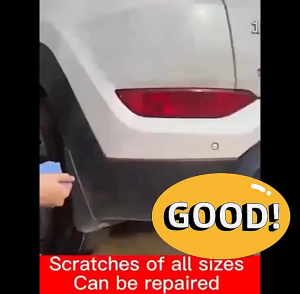
Scratch remover car 120ml Scratches disappear in an instant Car original car scratch remover for motorcycle car paint scratch remover
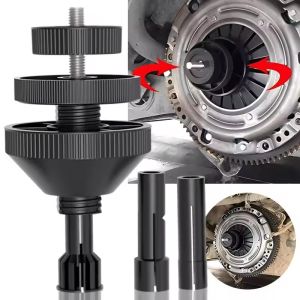
Universal Car Clutch Alignment Centering Tool Auto Vehicle Clutch Hole Corrector Fast Installation Repair Hand Tool Accessories
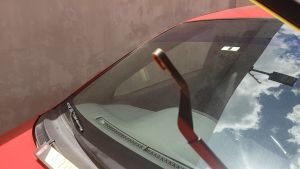
Front Wiper Blades for Mitsubishi Pajero 2006 - 2021 (22" + 20") - CARALL

MOFOX 60W Mini Motorcycle LED Work Light – Dual Color Hi/Lo Beam Waterproof
![[COD] REMAI0 253301P000 Water Tank Cap Cover SONATA AZERA CEEDRadiator Coolant Cover Assembly](https://img.lazcdn.com/g/p/9956e456578e7ed664e0c6c16f0acd6f.jpg_300x300q80.jpg)
[COD] REMAI0 253301P000 Water Tank Cap Cover SONATA AZERA CEEDRadiator Coolant Cover Assembly
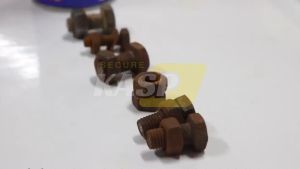
2PCS Strong Rust Remover 450ML & 220ML For Motorcycle And Cars Anti-Rust Lubricants Remove Rust Rust Converter
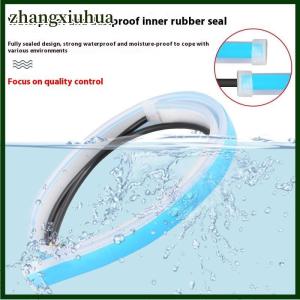
zhangxiuhua 2Pcs 30cm Car DRL Flexible Waterproof Headlight LED Strip Universal Auto Headlights Turn Signal Yellow Brake Flow Lights
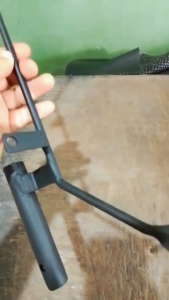
SEC brand NMAX 2020 led light bracket
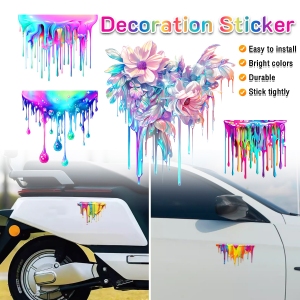
ItemMart Car Personalized Color Fluid Paint Decoration Stickers Exterior Accessories
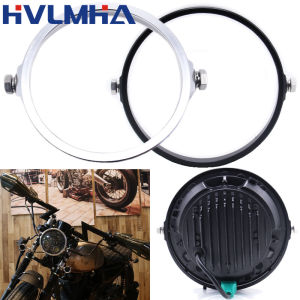
Black Chrome 5.75 In 7 In Aluminum Round Headlight Housing Headlamp Trim Ring Mount Bracket For Harley Honda Yamaha Motorcycles
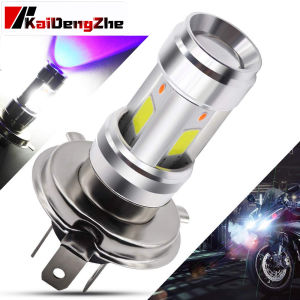
1 Piece For Yamaha Honda Suzuki Gixxer Double Color H4 BA20D Motorcycle LED Headlight Bulb H4 HS1 DC 9-85V 12W 1200LM Hi/Lo Beam White Motorbike LED Headlamp Blue DRL Fog light