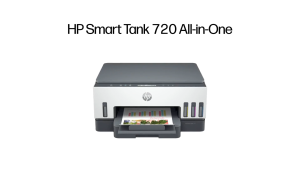
POS Inventory System Offline w/ Bluetooth Printer Support & Barcode Scanner For Android
POS Inventory System Offline w/ Bluetooth Printer Support & Barcode Scanner For Android
Introduction to Barcode Scanner for Android & POS Inventory System
In today's fast-paced business environment, efficient inventory management and streamlined point-of-sale operations are crucial for success. A robust POS inventory system, equipped with a barcode scanner for Android, can significantly enhance business efficiency and productivity. This article delves into the key features and benefits of a POS inventory system that supports offline inventory management and Bluetooth printer integration.
Overview of Barcode Scanners & POS Systems
Barcode scanners and POS systems play a vital role in modern retail operations. Barcode scanners enable quick and accurate identification of products, reducing human error and improving overall efficiency. On the other hand, POS systems provide a comprehensive platform for managing sales, inventory, and customer interactions.
Offline Inventory Management & Bluetooth Printer Support
One of the standout features of this POS inventory system is its offline functionality. This means that businesses can access reports and manage their inventory without an internet connection, making it ideal for remote locations or areas with limited connectivity. Additionally, the system supports Bluetooth printer integration, allowing users to print receipts and other documents seamlessly.
Main Features of Barcode Scanner for Android & POS Inventory System
The barcode scanner for Android and POS inventory system offers several key features that cater to various business needs. Let's explore some of the most important ones:
Product Information Creation & Editing
The system enables users to create product information with images and barcodes, making it easy to identify and manage products. Additionally, users can edit product information as needed, ensuring that the data remains accurate and up-to-date.
Print Receipts & Add Products via QR Code & Barcode
With this POS inventory system, users can print receipts using a POS printer, streamlining the checkout process. Moreover, the system supports adding products using QR codes and barcodes, further enhancing efficiency.
Product Stock Management & Category Organization
The system provides a robust product stock management system, allowing users to track inventory levels and receive alerts when stock is running low. Furthermore, the system enables category organization, making it easier to find and manage products.
Daily Operations with Barcode Scanner for Android & POS Inventory System
The barcode scanner for Android and POS inventory system simplifies daily operations, providing businesses with the tools they need to succeed. Here are some of the most important daily operations facilitated by the system:
Point of Sales System with Cart & Expense List Creation
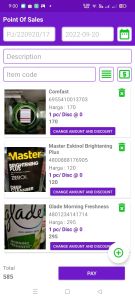
The system includes a point-of-sale system with cart functionality, enabling users to create expense lists and manage sales efficiently. This feature streamlines the checkout process and reduces errors.
Daily, Monthly & Yearly Reports & Backup & Restore Database
The system generates daily, monthly, and yearly reports, providing valuable insights into business performance. Additionally, the system includes backup and restore database functionality, ensuring that data remains safe and secure.
User Interface & Compatibility
The barcode scanner for Android and POS inventory system boasts an attractive user interface, making it easy for users to navigate and manage their inventory. The system is compatible with Android 10 and above, ensuring that businesses can take advantage of the latest technology.
Attractive User Interface & Android 10 & Above Compatibility
The system's user interface is designed to be intuitive and easy to use, with a clean layout and clear navigation. Additionally, the system is compatible with Android 10 and above, ensuring that businesses can take advantage of the latest technology.
Java Native Language Programming & Multiple Role Management
The system is programmed using Java Native Language, ensuring that it runs smoothly and efficiently. Furthermore, the system supports multiple role management, allowing businesses to assign different levels of access to employees.
Conclusion & Next Steps
In conclusion, the barcode scanner for Android and POS inventory system offers a wide range of features and benefits that cater to various business needs. With its offline functionality, Bluetooth printer support, and robust product stock management system, this system is an ideal choice for businesses looking to streamline their operations and improve efficiency.
Summary of Key Features & Benefits
- Create product information with images and barcodes
- Edit product information
- Print receipts using a POS printer
- Add products using QR codes and barcodes
- Track inventory levels and receive alerts when stock is running low
- Organize products by category
- Streamline the checkout process with cart functionality
- Generate daily, monthly, and yearly reports
- Backup and restore database functionality
- Attractive user interface
- Android 10 and above compatibility
- Java Native Language programming
- Multiple role management
How to Get Started with Barcode Scanner for Android & POS Inventory System
To get started with the barcode scanner for Android and POS inventory system, visit our website and download the app. Follow the on-screen instructions to set up your account and start managing your inventory today!

EBS APP Store
Review
You May Also Like

Ribbon Master SP700 RC700B BLACK Ink Cartridges for STAR PRINTERS RIBBON

fanghui Universal Ink Bottle For Printer L3110 L4160 L6190 L3150 ET-8550 L8160 L8180 L8050 101 103 105 502 522 544 T552
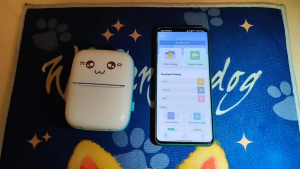
Mini Pocket Printer: A Portable Thermal Sticker Printer Bluetooth Inkless Pocket Printer

30pcs 70pesos Instax Mini/Instax Square/Instax Wide Photo Print High Glossy/Rough Satin/Satin/ Linen
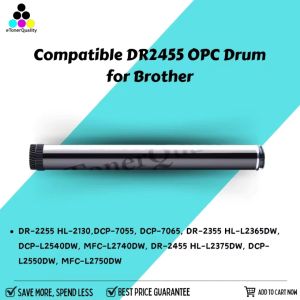
eTONER OPC Drum DR2455 DR-2455 DR 2455 Compatible for Brother
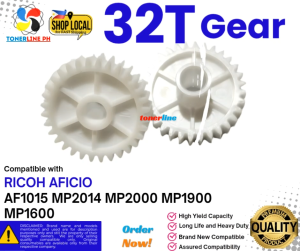
32T Gear Compatible With Ricoh MP2014 MP2000 MP1900 MP1600
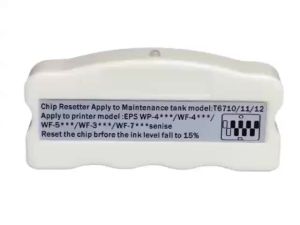
zebeaacc Ink Tank Chip Resetter T6710 T6711 T6712 for WorkForce WF-3640 WF-3620 WF-3720
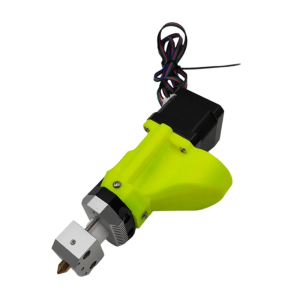
Professional 0.8mm Nozzle for 3D Printer Pellet Extruders Delivers Precise Detail for Artists and Small Manufacturers
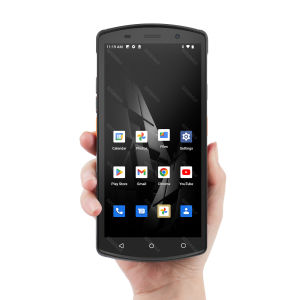
5.7 Inch Android 12 Handheld PDA Terminal with Black Lanyard Barcode Scanner 1D/2D QR Code 4G GPS WiFi Bluetooth NFC Support for Google Store RAM4G ROM64G 4000mAh for Inventory Warehouse Cold Chain
![[COD] CHYIN Universal Ink Bottle For Printer L3110 L4160 L6190 L3150 ET-8550 L8160 L8180 L8050 101 103 105 502 522 544 T552](https://img.lazcdn.com/g/p/0e8c9892cab43e565991135a7d5059b8.jpg_300x300q80.jpg)
[COD] CHYIN Universal Ink Bottle For Printer L3110 L4160 L6190 L3150 ET-8550 L8160 L8180 L8050 101 103 105 502 522 544 T552
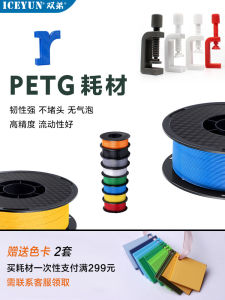
High Toughness Matte PETG 3D Printing Material Dual Color Rainbow Heat Resistant Durable for Fast Speed Bambu Compatible Inkjet