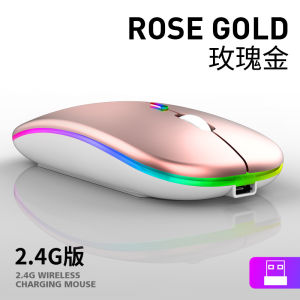
XIAOMI Rechargeable Wireless Mouse USB Mouse Wireless Mouse for Laptop Mute Portable Office Wireless Mouse Bluetooth 2.4Ghz Receiver Optical Slim Adjustable Mice Rechargeable Silent Mouse
【The difference between 2.4G MOUSE and Bluetooth MOUSE】 ✅2.4G Wirerless MOUSE : Only Use USB Receiver Connect With Your Computer Bluetooth MOUSE : You Can Use Both Of USB Receiver and Bluetooth to Connect With Your Computer / I-Pad / Phone / Notebook / Tablet ✅How to use 2.4G Wirerless MOUSE: Insert the USB connector at the bottom of the mouse into the computer, and open the mouse development, if there is no response, please charge it before use.
【How to use Bluetooth MOUSE 】 ✅please make sure you choose the bluetooth version first , turn to the switch to left (blue light on)→Hold on the green button for 3s (blue light flash )→start search and connect
【Note】 ✅If the mouse turns on the switch, it will flash for a few seconds and then turn off. Means that the mouse cannot recognize the receiver, so please check whether the receiver is plugged in, or check whether the USB port of the computer is normal. Solution: Re-insert the receiver or insert another USB port ✅If the mouse has not been used for a long time, the mouse will be in the standby off state, please turn on the switch again to use
【Specification】 ✅Mouse type: Wireless Optical Mouse ✅Distance: 10 meters ✅Interface: USB ✅Color: Black,White,Gold,Grey ✅DPI: 800-1200-1600 ✅Power Supply: Built-in rechargeable battery 500mAh ✅Button: 4 Buttons ✅Size:112 x 58 x 25mm ✅Application: Desktop,Laptop,/ I-Pad / Phone / Notebook / Tablet
【Package includes】 ✅1 x Wireless mouse ✅1 x Charging cable
#Mouse #Mice #WirelessMouse #Bluetooth #opticalmouse #GamingMouse #ComputerMouse #ComputerAccessories #LaptopAccessories #DesktopAccessories #Wireless#Bluetooth mouse#bluetooth receiver

Manila Family
Review
You May Also Like
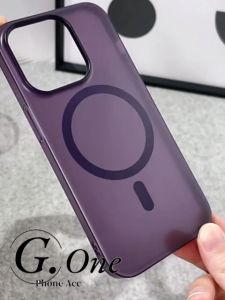
Waterproof Matte Magnetic Casing For iPhone 13 11 15 14 12 16 17 Pro Max 17Air Anti-Fingerprint Anti-Scratch Ultra Thin Soft Phone Case
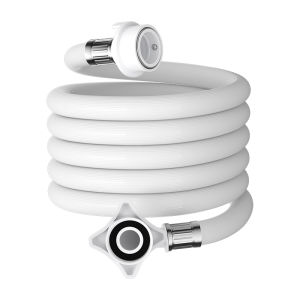
YEMO | Universal Water Softening Hose for Washing Machine
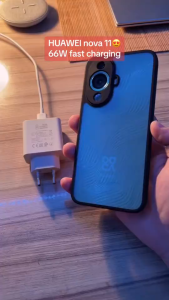
For Huawei 66W Max Fast Charger 6A USB-C Cable For Huawei nova 8 charger Super charger Fast Quick Huawei P50 Pro nova 9 nova 8i Mate

KEXINGYUAN | Durable Drop Protection Phone Case Anti-fingerprint Slim Stylish Silicone Rotatable Stand
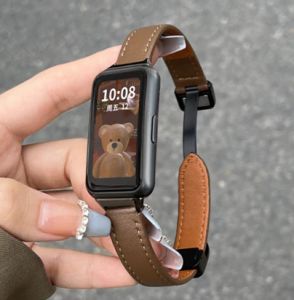
Leather Strap With Metal Frame for Huawei Band 10 / Huawei Band 9 / Huawei Band 8 7 6 / Redmi Smart Band 2 3 / Xiaomi Mi band 7 Pro / Xiaomi Smart Band 8 Active / OPPO band 2 / Xiaomi Smart Band 9 Active Lether Watch Strap Band with Metal Case
![WSKEN HD/Privacy Tempered Glass for iPhone 17ProMax/16ProMax/15/14/13/12/11[Auto-Dust Removal] 28°Anti-Spy Full Coverage Screen 2.5D Edge 10s HD Screen Protector Film with Dust Clean Installing House,Easy Install](https://img.lazcdn.com/g/ff/kf/S7731adf5d89043268ff3aeaeade7b037S.jpg_300x300q80.jpg)
WSKEN HD/Privacy Tempered Glass for iPhone 17ProMax/16ProMax/15/14/13/12/11[Auto-Dust Removal] 28°Anti-Spy Full Coverage Screen 2.5D Edge 10s HD Screen Protector Film with Dust Clean Installing House,Easy Install
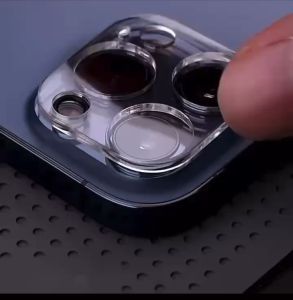
OPPO RENO 11 5G / RENO 11 PRO / RENO 11F Camera Protector Tempered Glass
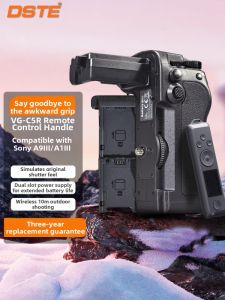
DSTE | Battery Grip for Sony A Series Cameras
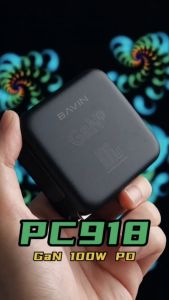
BAVIN PC918 100W GaN Super Fast Charger 4 Charging Ports QC 3.0 & PD Fast Charging USB-C Adapter for Laptop & Smartphone
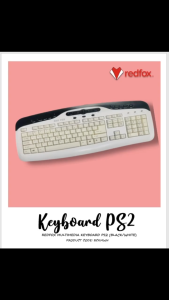
REDFOX KEYBOARD PS2 RCKMWN
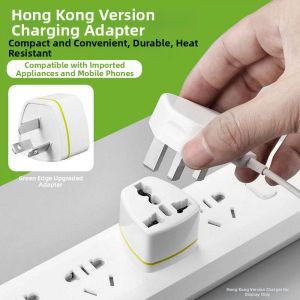
forsso | Universal Travel Adapter for US EU UK CN Sockets