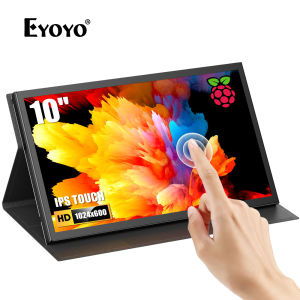
Eyoyo APROTII 10 inch Raspberry Pi Screen: A Comprehensive Guide
Eyoyo APROTII 10 inch Raspberry Pi Screen: A Comprehensive Guide
Introduction to Eyoyo APROTII 10 inch Raspberry Pi Screen
Eyoyo APROTII 10 inch Raspberry Pi Screen is a stylish and reliable display that offers a seamless experience for Raspberry Pi users. This high-quality monitor is designed to provide users with a versatile and portable solution for their computing needs.
Product Overview
The Eyoyo APROTII display features a 10-inch HD 1024x600 IPS capacitive touchscreen, making it compatible with a wide range of devices, including Raspberry Pi 4B, 3B+, 3A+, Banana Pi, and Windows 7/8/10/11. It comes with a mini HDMI port, allowing for easy connection to various devices.
Key Features & Benefits
- Fashion design: The sleek and modern design of the Eyoyo APROTII display makes it a perfect addition to any workspace.
- High quality: Built with high-quality materials, this display ensures durability and reliability.
- Affordable price: Eyoyo APROTII offers a cost-effective solution for Raspberry Pi users without compromising on performance.
- Good service: Enjoy excellent customer support and warranty information with this product.
- Fast delivery: Receive your new display quickly and easily.
How to Use Eyoyo APROTII 10 inch Raspberry Pi Screen
Setting Up Your Eyoyo APROTII Display
To set up your Eyoyo APROTII display, simply connect the included micro HDMI adapter to your Raspberry Pi and plug in the power cable. Follow the instructions in the manual to configure your display settings.
Connecting Eyoyo APROTII to Raspberry Pi 4B
Connecting the Eyoyo APROTII display to your Raspberry Pi 4B is straightforward. Connect the micro HDMI adapter to the Raspberry Pi and the Eyoyo APROTII display using the provided HDMI cable. Power on your Raspberry Pi, and the display will automatically detect and configure itself.
Using Eyoyo APROTII with Other Devices
The Eyoyo APROTII display is compatible with a variety of devices, including Raspberry Pi 3B+, 3A+, Banana Pi, and Windows 7/8/10/11. Simply connect the display to your device using the mini HDMI port and power it on.
Eyoyo APROTII Display: Technical Specifications & Compatibility
Eyoyo APROTII Display Technical Specifications
- Display size: 10 inches
- Resolution: 1024x600 pixels
- Touchscreen type: IPS capacitive touchscreen
- Connectivity: Mini HDMI port
Eyoyo APROTII Display Compatibility with Raspberry Pi Models
The Eyoyo APROTII display is compatible with the following Raspberry Pi models:
- Raspberry Pi 4B
- Raspberry Pi 3B+
- Raspberry Pi 3A+
Eyoyo APROTII Display Compatibility with Other Devices
In addition to Raspberry Pi models, the Eyoyo APROTII display is also compatible with:
- Banana Pi
- Windows 7/8/10/11
Eyoyo APROTII Display: Customer Support & Warranty
Eyoyo APROTII Display Customer Support
For any questions or concerns regarding the Eyoyo APROTII display, please contact our customer support team. We are committed to providing excellent service to ensure your satisfaction.
Eyoyo APROTII Display Warranty Information
The Eyoyo APROTII display comes with a warranty period. For more information on the warranty terms and conditions, please refer to the manual or contact our customer support team.

Eyoyo

Review
You May Also Like
SHARP LC32L450M Power Supply & QPWBFF540WJN2
MEAN WELL LPV-100 LPV-100-5 LPV-100-12 LPV-100-24 Single Output Switching Power Supply LPV-100 5V 12V 24V
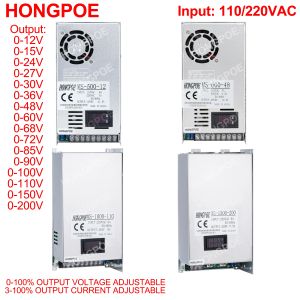
Digital Display Adjustable 500W 600W 1000W Power Supply 0-12V 13.5V 24V 27V 30V 36V 48V 60V 72V 85V 110V 150V 200V Ac To Dc Smps
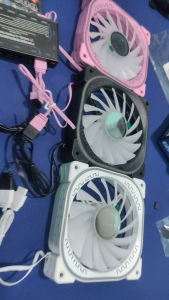
New High Performance 120mm Cooling Fan PWM 4P ARGB 5V 3P INFINITE LENS
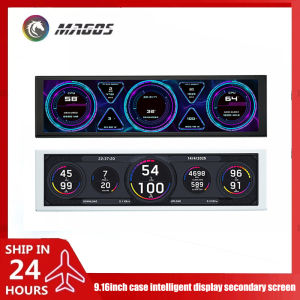
9.2 Inch USB Secondary Screen for Computer Chassis 1920*462 LCD Display One USB Connected CPU RAM GPU HDD Weather Monitor
Mini 50mm DC5V Brushless Cooling Fan USB Powered Sleeve Bearing For Electronics
POW PC Gaming Monitor: 27 Inch Curved & 24 Desktop IPS Frameless Monitors
Precise Magnetic Levitation Motor Cores 500g Powerful Ultraly Quiet Board For Engineering Prototypes
Skyworth F27B11F: A High-Quality 27\" IPS Monitor for Office Use
CPU Air Cooler ARGB 4PIN PWM PC X99 Processador Cooler for LGA1700 1200 1366 1151 1155 1156 2011 X79 AMD AM4 AM5 Ventilador

10/12inch Plastic Fan Blades Universal Household Standing Fan Table Replacement Electric Fan Blades Part General Fan