360 VR YOOSEE IP Wifi Cameras: A Comprehensive Guide
360 VR YOOSEE IP Wifi Cameras: A Comprehensive Guide
What is a 360 VR Security Camera?
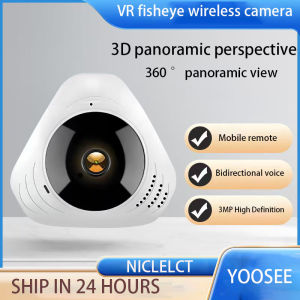
A 360 VR security camera is a type of surveillance camera that captures a panoramic view of its surroundings, providing a complete picture of the area being monitored. These cameras are designed to offer a 360-degree field of view, making them ideal for monitoring large areas or multiple angles simultaneously. They are commonly used in homes, offices, and public spaces to enhance security and provide real-time monitoring capabilities.
Key Features of 360 VR YOOSEE IP Wifi Cameras
The YOOSEE 3JYY 360 VR security camera boasts several key features that make it stand out in the market:
- Panoramic View: Captures a 360-degree view of the area being monitored, providing a complete picture of the surroundings.
- Wireless Connectivity: Connects to Wi-Fi networks, eliminating the need for wired connections and allowing for easy installation.
- HD Video Quality: Offers high-definition video quality, ensuring clear and sharp images even in low-light conditions.
- Remote Monitoring: Allows users to monitor their cameras remotely using a smartphone app, making it convenient to check in on their property from anywhere.
How to Choose the Right 360 VR Security Camera
When choosing a 360 VR security camera, consider the following factors:
- Field of View: Ensure the camera offers a wide enough field of view to cover the desired area.
- Video Quality: Look for a camera with high-definition video quality to ensure clear and sharp images.
- Wireless Connectivity: Choose a camera with wireless connectivity options to simplify installation and reduce cable clutter.
- Remote Monitoring: Opt for a camera that offers remote monitoring capabilities, allowing you to check in on your property from anywhere.
Understanding Wireless Fisheye Cameras
Wireless fisheye cameras are a type of surveillance camera that captures a wide-angle view of its surroundings using a fisheye lens. These cameras are designed to provide a panoramic view of the area being monitored, making them ideal for covering large areas or multiple angles simultaneously.
Key Features of Wireless Fisheye Cameras
Wireless fisheye cameras offer several key features that make them popular among users:
- Wide-Angle View: Captures a wide-angle view of the area being monitored, providing a panoramic picture of the surroundings.
- Wireless Connectivity: Connects to Wi-Fi networks, eliminating the need for wired connections and allowing for easy installation.
- HD Video Quality: Offers high-definition video quality, ensuring clear and sharp images even in low-light conditions.
- Remote Monitoring: Allows users to monitor their cameras remotely using a smartphone app, making it convenient to check in on their property from anywhere.
How to Install a Wireless Fisheye Camera
Installing a wireless fisheye camera is a straightforward process:
- Choose a Location: Select a location that offers a good view of the area being monitored.
- Connect to Wi-Fi: Connect the camera to a Wi-Fi network using the smartphone app.
- Position the Camera: Position the camera to capture the desired view of the area being monitored.
- Adjust Settings: Adjust the camera settings to optimize video quality and remote monitoring capabilities.
Video Surveillance System Basics
A video surveillance system is a collection of cameras, monitors, and recording devices that work together to provide real-time monitoring and recording capabilities. These systems are commonly used in homes, offices, and public spaces to enhance security and provide real-time monitoring capabilities.
Setting Up Your Video Surveillance System
Setting up a video surveillance system involves several steps:
- Choose Cameras: Select cameras that offer the desired field of view, video quality, and wireless connectivity options.
- Install Cameras: Install the cameras in strategic locations that offer good views of the area being monitored.
- Connect Monitors: Connect monitors to the cameras to display real-time video feeds.
- Configure Recording Devices: Configure recording devices to store video footage for future reference.
Best Practices for Video Surveillance Systems
To get the most out of your video surveillance system, consider the following best practices:
- Position Cameras Strategically: Place cameras in locations that offer good views of the area being monitored.
- Adjust Camera Settings: Adjust camera settings to optimize video quality and remote monitoring capabilities.
- Secure Recording Devices: Secure recording devices to prevent unauthorized access to stored video footage.
- Monitor Regularly: Monitor the system regularly to ensure it is functioning properly and to identify potential security threats.
IP Wifi Camera Installation & Setup
Installing and setting up an IP Wi-Fi camera involves several steps:
Step-by-Step Guide to Installing an IP Wifi Camera
- Choose a Location: Select a location that offers a good view of the area being monitored.
- Connect to Wi-Fi: Connect the camera to a Wi-Fi network using the smartphone app.
- Position the Camera: Position the camera to capture the desired view of the area being monitored.
- Adjust Settings: Adjust the camera settings to optimize video quality and remote monitoring capabilities.
Troubleshooting Common Issues with IP Wifi Cameras
If you encounter issues with your IP Wi-Fi camera, try the following troubleshooting steps:
- Check Wi-Fi Connection: Ensure the camera is connected to the Wi-Fi network.
- Restart Camera: Restart the camera to resolve any connectivity issues.
- Update Firmware: Update the camera firmware to the latest version.
- Contact Support: Contact customer support if the issue persists.
3MP Network Surveillance Camera Overview
A 3MP network surveillance camera is a type of surveillance camera that captures high-definition video footage using a 3-megapixel sensor. These cameras offer excellent video quality and are ideal for monitoring large areas or multiple angles simultaneously.
Key Features of 3MP Network Surveillance Cameras
3MP network surveillance cameras offer several key features that make them popular among users:
- High-Definition Video Quality: Captures high-definition video footage, ensuring clear and sharp images even in low-light conditions.
- Wide-Angle View: Offers a wide-angle view of the area being monitored, providing a panoramic picture of the surroundings.
- Wireless Connectivity: Connects to Wi-Fi networks, eliminating the need for wired connections and allowing for easy installation.
- Remote Monitoring: Allows users to monitor their cameras remotely using a smartphone app, making it convenient to check in on their property from anywhere.
How to Use a 3MP Network Surveillance Camera
Using a 3MP network surveillance camera involves several steps:
- Choose a Location: Select a location that offers a good view of the area being monitored.
- Connect to Wi-Fi: Connect the camera to a Wi-Fi network using the smartphone app.
- Position the Camera: Position the camera to capture the desired view of the area being monitored.
- Adjust Settings: Adjust the camera settings to optimize video quality and remote monitoring capabilities.

NICELECT Mall
Review
You May Also Like
12X45/16X50 HD Binoculars for Adults High Powered Large View Binoculars with Clear Low Light Vision for Bird Watching Cruise

Hikvision Full Ribbon Audio IP Camera: A High-Quality POEIP Solution

EZVIZ H7C Dual-Lens 2K+2K Wi-Fi Indoor Security Camera with Pan & Tilt Night Vision and Remote Viewing
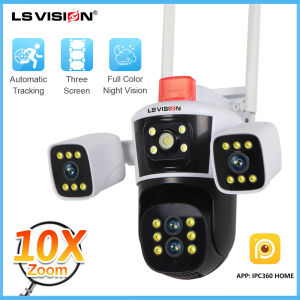
LS VISION 8K 16MP 4-Lens 10X Zoom Wifi Camera 24 Hours Video Recording PTZ Home Security CCTV Camera Full Color Night Vision IP66 Outdoor Waterproof 10X Zoom Humanoid Tracking IP Camera
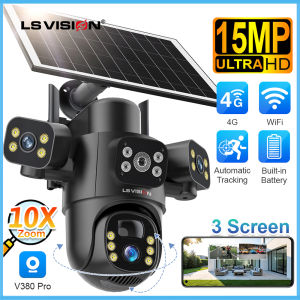
15MP V380 3 PTZ Lens WIFI/4G CCTV Solar Camera 10X Digital Zoom Automatic Tracking Humanoid Detection Security Camera IP66 Waterproof Outdoor Full Color Night Vision Two-Way Audio IP Cameras
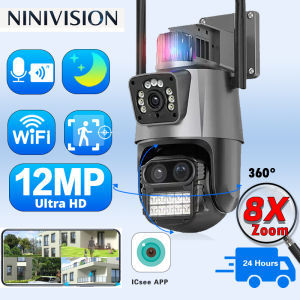
OVERSCAM 360 Wireless Outdoor 6K 12MP WiFi Camera ICSee Smart Three Lens 8X Zoom Video Surveillance IP Security Camera CCTV Auto Tracking Human Detection
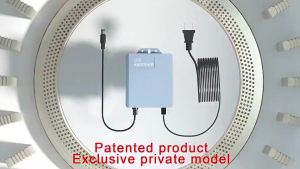
LANG Original 12V 1.5A Uninterruptible Power Supply Mini UPS Battery Backup for WiFi Router Modem and Outdoor CCTV Security Camera UPS Monitoring Power Outage Endurance Built-in Battery Working System IP Camera Power Cord

Rover Systems 3MP Mini PanTilt Wireless Indoor/Outdoor Smart Wi-Fi IP CCTV Camera with Voice alarm Human Two Way Audio
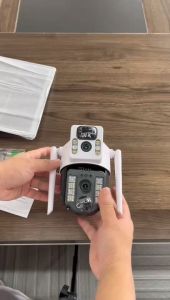
East V380 PRO Soalr Dual Lens Outdoor waterproof VCS-03 Wifi Cctv camera connect cellphone 360° 4G cctv camera for house outdoor
Metal Rabbit Cage Metal Camera Housing Action Camera Accessory Photography Video Take Gear for Photograph
Reolink P344 12MP PoE IP Dome CCTV Security Camera Ultra HD Color Night Vision Detection