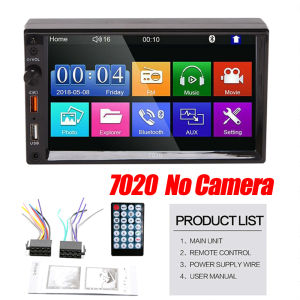
🇵🇭 2 USB 2 Din Car Stereo Audio Radio Bluetooth 7\" HD 2Din 7 inch Touch Screen Monitor MP5 Player SD FM USB Rear View Camera
🇵🇭 2 USB 2 Din Car Stereo Audio Radio Bluetooth 7" HD 2Din 7 inch Touch Screen Monitor MP5 Player SD FM USB Rear View Camera
Overview of the 2Din Car Stereo Audio System
The 2Din Car Stereo Audio Radio offers a high-quality listening experience with its built-in Bluetooth MP5 player and FM radio. This system features a sleek and modern design that enhances any vehicle's interior. With its 7-inch HD touch screen monitor, you can easily navigate through the various functions and enjoy crisp visuals.
Key Features of the 7" HD Touch Screen Monitor
The 7-inch HD touch screen monitor provides an intuitive interface for controlling the car stereo system. Some of its key features include:
- High-resolution display
- Touchscreen navigation
- Clear visuals for audio and video playback
Understanding the Bluetooth MP5 Player & FM Radio
The Bluetooth MP5 player allows you to stream music from your smartphone or tablet directly to the car stereo system. Additionally, the FM radio enables you to listen to your favorite stations while driving.
Installation Guide for the Car Stereo System
Installing the 2Din car stereo system is a straightforward process. Follow these steps to set up your new audio system:
- Disconnect the old car stereo system.
- Connect the power cables to the new system.
- (Optional) Install the rear camera and connect it to the system.
- Set up the remote control and familiarize yourself with its functions.
- Read the user manual for additional setup instructions and troubleshooting tips.
Connecting Power Cables & Rear Camera (Optional)
Before installing the car stereo system, ensure that the power cables are properly connected. If you have purchased the optional rear camera, follow the instructions provided to install and connect it to the system.
Setting Up the Remote Control & User Manual
The remote control allows you to control the car stereo system from the driver's seat. Be sure to install the batteries before using the remote. Additionally, read the user manual for more information on how to use the system and troubleshoot any issues.
Enhancing Your Driving Experience with the Rear View Camera
The optional USB rear view camera provides real-time video feed, helping you park safely and avoid obstacles.
Installing the USB Rear View Camera
Follow the instructions provided to install the rear view camera. Once installed, connect it to the car stereo system to view the live video feed on the 7-inch HD touch screen monitor.
Maximizing Safety & Convenience with Real-Time Video Feed
The real-time video feed from the rear view camera helps you park safely and avoid obstacles. This feature enhances your driving experience by providing an additional layer of safety and convenience.
Troubleshooting Common Issues with the 2Din Car Stereo Audio System
If you encounter any issues with your car stereo system, refer to the troubleshooting guide in the user manual. Some common issues include connectivity problems and display/audio quality concerns.
Dealing with Connectivity Problems
If you experience connectivity problems, check that all cables are properly connected and that the power source is stable. Additionally, ensure that your Bluetooth device is paired with the car stereo system.
Addressing Display & Audio Quality Concerns
If you notice any issues with the display or audio quality, refer to the troubleshooting guide in the user manual. Common solutions include adjusting the system settings or updating the firmware.
Conclusion: Elevate Your Driving Experience with this Comprehensive 2Din Car Stereo Audio System
The 2Din Car Stereo Audio Radio offers a comprehensive audio system that enhances your driving experience. With its 7-inch HD touch screen monitor, Bluetooth MP5 player, FM radio, and optional rear view camera, this system provides a high-quality listening experience and added safety features.

Dream_Flight
You May Also Like
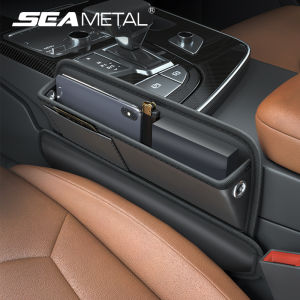
SEAMETAL Car Front Seat Gap Filler Storage Bag PU Leather Storage Box Universal for Auto Console Side Seat Gap
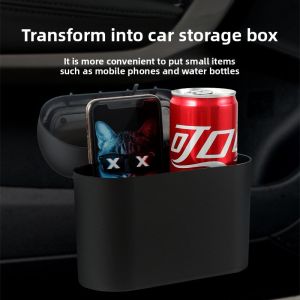
For Volkswagen VW Phaeton Beetle BEC 2002~2019 Car Trash Bin Multipurpose Kit With Lid Leak-proof Portable Trash Can Accessories
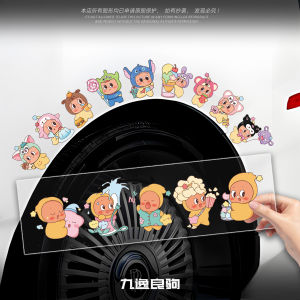
Creative Cartoon Star Man Stickers for Car Window Electric Motorcycle Scratch Cover Stickers Adorable Sticker Decals

Heavy Duty Top Box Bracket Stainless Steel /TBB Stainless/304 Heavy Duty Top Box Bracket/GIBI Box Bracket•

CP-BP02-RB005/26696-CA000 Ceramics Brake Pads REAR for Subaru Forester SJ Turbo 2013 to 2018 and BRZ 2012 to 2021 RB
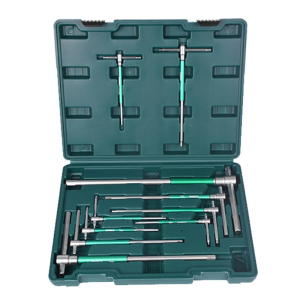
10Piece Hex Key Wrench Set T Handle and L Shaped Design for Automotive Machinery and Furniture Assembly with Storage Case
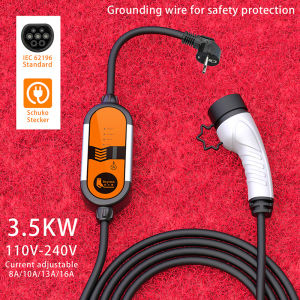
Feyree Portable GB/T EV Charger Type2 Type1 Wallbox: An Overview

Signal Light For Truck Car 12v 24v Steering Indicator Lamp Lighting Accessories
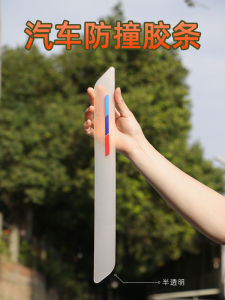
Transparent Car Front And Rear Bumper Anti-Collision Strip Protection Film Scratch Proof Paint Guard Invisible Automobile Accessories
Upgrade Your Motorcycle: Daiya Rios Chromium Spokes Racing Set
High Gloss & Moisturizing Tire Foam Cleaner: A Comprehensive Guide