Brother PT-D410 & PT-D610BT Label Printer: Your Ultimate Guide
Brother PT-D410 & PT-D610BT Label Printer: Your Ultimate Guide
Introduction to Brother PT-D410 & PT-D610BT Label Printers
Brother PT-D410 & PT-D610BT label printers are designed to transform your home or SOHO working environment with ease. These compact and easy-to-use label printers are perfect for personalizing important files and folders, identifying home office equipment and cables, and organizing storage boxes. They offer a range of features to make labeling tasks simple and efficient, such as direct connection options to PC or Mac OS® systems, fast print speeds, and programmable memories.
Key Features of Brother PT-D410 & PT-D610BT Label Printers
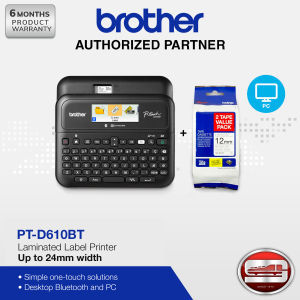
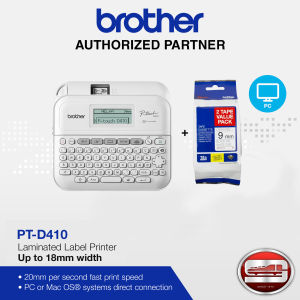
Printing Up to 18mm TZe Laminated Tapes Width
Brother PT-D410 label printer supports printing up to 18mm TZe laminated tapes width, providing ample space for your labels. On the other hand, PT-D610BT can print up to 24mm TZe laminated tapes width, giving you more flexibility in designing your labels.
Direct Connection to PC or Mac OS® Systems
Both Brother PT-D410 & PT-D610BT label printers offer direct connection options to PC or Mac OS® systems, making it easy to integrate them into your existing workflow. This feature allows you to print labels seamlessly without the need for additional software or hardware.
Fast Print Speed
With a fast print speed of 20mm per second for PT-D410 and 30mm per second for PT-D610BT, you can quickly label your items and get back to work. This quick printing time ensures that you can keep up with your labeling needs without wasting time.
How to Use Brother PT-D410 & PT-D610BT Label Printers
Connecting to Your Desktop PC
To connect Brother PT-D410 & PT-D610BT label printers to your desktop PC, simply plug the USB cable into the printer and your computer. Once connected, the printer will be recognized by your system, and you can start printing labels immediately.
Printing Up to 5 Lines with PT-D410
With Brother PT-D410 label printer, you can print up to 5 lines of text on your labels. This feature allows you to include more information on your labels, such as file names, dates, and descriptions.
Printing Up to 7 Lines with PT-D610BT
Brother PT-D610BT label printer offers even more flexibility by allowing you to print up to 7 lines of text on your labels. This feature is perfect for creating detailed labels for complex projects or large storage areas.
Advanced Features of Brother PT-D410 & PT-D610BT Label Printers
Barcode Printing
Both Brother PT-D410 & PT-D610BT label printers support barcode printing, making it easy to identify and track your items. This feature is especially useful for inventory management and supply chain operations.
Programmable Memories
With 50 programmable memories for PT-D410 and 99 programmable memories for PT-D610BT, you can store frequently used labels for quick access. This feature saves you time by allowing you to reuse commonly used labels without having to recreate them every time.
Bluetooth Connection via P-touch Design&Print 2 Mobile App
Brother PT-D610BT label printer offers Bluetooth connection via the P-touch Design&Print 2 mobile app, allowing you to print labels from your mobile device. This feature is perfect for remote workers or those who need to label items on the go.

Solidmac Store
Review
You May Also Like
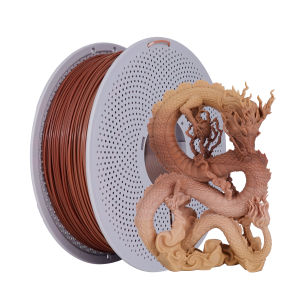
Woodgrain Gradient PLA-F 3D Printing Filament - 1KG Spool for Bambu Lab Printers
【PH Ready Stock】L&C Sublimation Ink For Epson Printers for Printing Business Sublimation Paper for Personalize 1L/1000ML
Pickup Roller For Canon LBP 6000 Series: Maintenance & Replacement Guide
Brother Compatible Toner Powder Refill 1000g 500g (Premium Quality)
Eyoyo Mini 2D Wireless Barcode Scanner: A Comprehensive Guide
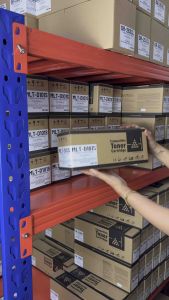
MLT D101S MLTD101S Toner Cartridge Compatible for Samsung ML-2160 2161 SF-760 761 etc.
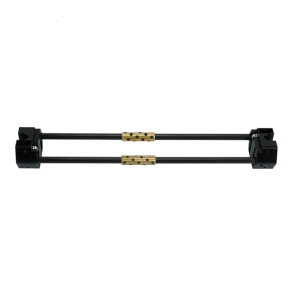
380mm Carbon Fiber Rod Assembly With Metal Slider Easy Maintenance Replacement For X1/P1 3D Printer Accessories
【PH Ready Stock】L&C Refill Ink For Canon 790 890 Dye Ink GI790 GI890 For Canon Printers Pixma G1010 G2010 G3010 G4010 MG2570S PG810 E3370 IP2770 MG2500 4 Colors
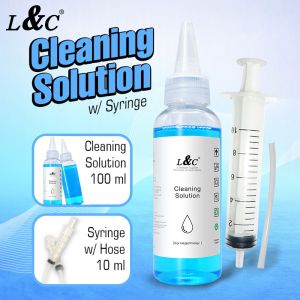
【PH Ready Stock】L&C Cleaning Solution For Inkjet Printer & Syringe With Hose Bundle Package 100ML
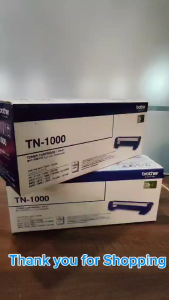
BrotherR TN 1000 Original Toner Cartridge TN-1000
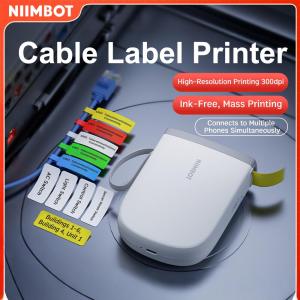
Niimbot D11 Label Printer Portable Bluetooth Wireless Thermal Smart Label Maker for IOS Android Phone Inkless High Resolution 300dpi Cable Management Solution