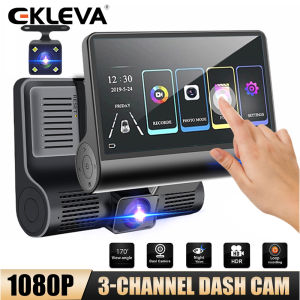
EKLEVA 1080P Dash Cam 3 Channel Front Inside Rear Camera Recorder 4\" Touch Screen Night Vision Loop Recording G-Sensor Parking Monitor
EKLEVA 1080P Dash Cam 3 Channel Front Inside Rear Camera Recorder 4" Touch Screen Night Vision Loop Recording G-Sensor Parking Monitor
The EKLEVA 1080P Dash Cam is a comprehensive solution for drivers looking to enhance their safety and peace of mind while on the road. This advanced dash cam features a 3-channel camera setup, G-sensor loop recording, night vision parking monitor, and a 4" touch screen recorder. In this guide, we'll explore its key features, benefits, installation process, motion detection technology, and more.
Key Features & Benefits
170° Large Wide Angle & High Definition Pixels
The EKLEVA dash cam boasts a 170° wide-angle lens, ensuring a broad field of view and eliminating blind spots in front of your vehicle. With 3 million high-definition pixels, the camera captures clear, sharp images and perfect details. The 4" touch screen display offers a user-friendly interface for easy navigation and control.
WDR Wide Dynamic Processing
Equipped with WDR wide dynamic processing, the EKLEVA dash cam delivers high-quality images under various lighting conditions. This feature ensures that the camera captures bright scenes in low-light situations, providing clear and realistic visuals. The high temperature resistance and good light transmittance prevent image distortion and blur, ensuring optimal performance in challenging environments.
Built-In Gravity Sensor
The built-in gravity sensor in the EKLEVA dash cam adds an extra layer of security. When the car experiences a sudden impact or acceleration, the sensor triggers the automatic recording function. The camera locks the video and preserves the footage before and after the event, preventing it from being overwritten by the loop recording. This feature ensures that crucial evidence is always available for review.
Installation & Setup
Preparing for Installation
Before installing the EKLEVA dash cam, gather the necessary tools and accessories, including the mounting bracket, power cable, and any other components included in the package. Choose a suitable location on your dashboard or windshield, ensuring that the camera has an unobstructed view of the road ahead.
Connecting the Dash Cam
Connect the power cable to the dash cam and the vehicle's power source. Make sure the connection is secure and the camera powers on. Follow the manufacturer's instructions for any additional setup steps, such as configuring the date and time or adjusting the camera settings.
Configuring the Settings
Access the settings menu on the 4" touch screen display to customize the dash cam's features according to your preferences. Adjust the resolution, frame rate, and other parameters to optimize the camera's performance. Enable the G-sensor loop recording and night vision parking monitor functions for added security.
Motion Detection Technology
Understanding Intelligent Detection System
The EKLEVA dash cam's motion detection technology employs an intelligent detection system that automatically activates the recording function when a moving object enters the camera's field of view. This feature eliminates the need for manual intervention, ensuring that important events are captured without delay.
Automatic Recording Functionality
When the motion detection system detects movement, the dash cam automatically starts recording. This feature is particularly useful for capturing incidents that occur when the driver is not actively monitoring the camera, such as accidents or theft attempts. The G-sensor loop recording function ensures that the footage remains intact, even if the camera experiences a sudden impact or acceleration.
Conclusion & Next Steps
Recap of Key Features
The EKLEVA 1080P Dash Cam offers a comprehensive suite of features, including a 170° wide-angle lens, WDR wide dynamic processing, built-in gravity sensor, motion detection technology, and G-sensor loop recording. Its 4" touch screen display provides a user-friendly interface for easy navigation and control.
Additional Resources & Support
For more information on the EKLEVA dash cam, consult the user manual or visit the manufacturer's website. The customer support team is available to assist with any questions or concerns regarding installation, setup, or troubleshooting. By choosing the EKLEVA 1080P Dash Cam, drivers can enjoy enhanced safety and peace of mind while on the road.

ekleva
You May Also Like
Motorcycle Headlight Assy Rouser135 (Blue/Red/Black)
CNC Cylinder Block Set For XRM 110 STD/Φ50MM Φ56MM XRM 110 56MM

7 Button Motorcycle Controls: A Comprehensive Guide
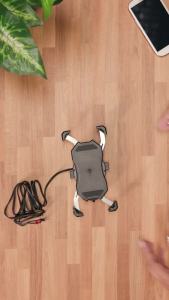
iMESTOU Motorcycle Wireless 15W Qi/USB Quick Charger 3.0 Phone Holder 2 in 1 Mount on 22-32mm Handlebar or Rear-View Mirror Fast Charging for 3.5-6.8 inch Cellphones
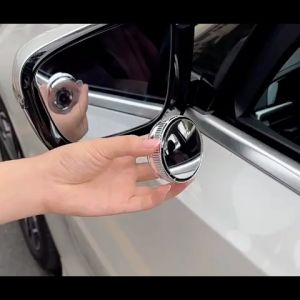
AOMOTOX 2Pcs 360° Adjustable Round Frame Convex Blind Spot Mirror Car Reversing Mirror Safety Driving Wide-angle Clear Rearview Mirror
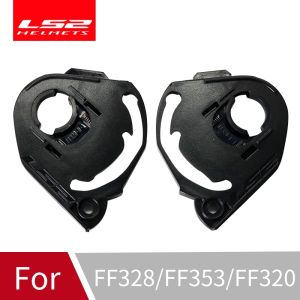
LS2 Helmet FF353 Visor Base Plate: A Pair of Motorcycle Helmet Lens Base for LS2 FF320 & FF800 Helm
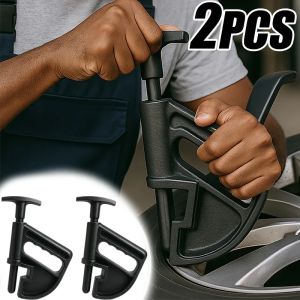
1/2pcs Car Tire Changer Bead Clamp Tools Universal Rim Wheel Changing Helper Tire Changer Auto Tire Rapair Tools Accessories

Steering Column Joint Assembly for Hyundai Reina & Kia Soluto
Motorcycle Rearview Mirror & Sports Winglets Kit: A Comprehensive Guide

Highly Stretchable Cargo Mesh: A Comprehensive Guide
YAMAHA Kanji Cutout Vinyl Sticker / Decal Waterproof