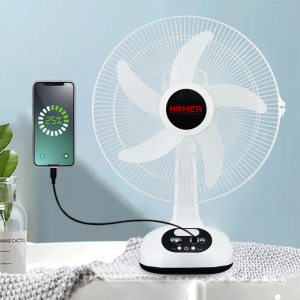
Sweet Home \"Homer 14\" Rechargeable Desk Fan 220V with Light Bulb USB Port and Solar Panel for Charge
Sweet Home "Homer 14" Rechargeable Desk Fan 220V with Light Bulb USB Port and Solar Panel for Charge
What is the Homer 14?
The Homer 14 is a versatile, rechargeable desk fan designed to provide efficient cooling and illumination in various settings. This innovative fan combines a USB port, solar panel, and 220V power supply, allowing users to choose the most convenient charging method. With its compact size and ergonomic design, the Homer 14 is an ideal addition to any home or office.
Features & Specifications
- Power Supply: 220V AC, USB Port, Solar Panel
- Dimensions: 12 inches (L) x 8 inches (W) x 10 inches (H)
- Weight: 2 lbs
- Blade Size: 7 inches
- Speed Settings: 3 adjustable speeds
- Light Bulb: LED light with 3 brightness levels
- Battery Capacity: 1800mAh rechargeable battery
Benefits of the Homer 14
The Homer 14 offers numerous benefits, including:
- Energy Efficiency: The fan consumes minimal power, making it an eco-friendly choice.
- Portability: With its compact design and rechargeable battery, the Homer 14 is easy to carry around.
- Versatility: Users can choose their preferred charging method, whether it's via the USB port, solar panel, or 220V power supply.
- Illumination: The built-in LED light provides additional functionality, offering a convenient source of light in low-light environments.
How to Use the Homer 14
Using the Homer 14 is simple and straightforward. Follow these steps to get started:
Charging Methods: USB Port & Solar Panel
To charge the Homer 14, connect the included USB cable to a compatible power source, such as a computer, wall charger, or solar panel. The fan will automatically start charging when connected.
Setting Up the Fan & Light
- Plug the power cord into the 220V outlet or connect the USB cable to a power source.
- Adjust the fan speed by pressing the speed button until the desired setting is reached.
- Turn on the LED light by pressing the light button, and adjust the brightness level as needed.
Maintenance & Care
To ensure optimal performance, follow these maintenance tips:
- Cleaning: Wipe the fan blades and body with a soft, damp cloth to remove dust and debris.
- Battery Care: Store the fan with a charged battery to prevent battery degradation.
- Avoid Overcharging: Unplug the charger once the battery is fully charged to prolong battery life.
Comparison with Other Fans
USB Port Fan vs. Homer 14
While both fans offer USB charging capabilities, the Homer 14 stands out due to its solar panel and 220V power supply options, providing greater versatility.
Rechargeable Desk Fan vs. Homer 14
Compared to other rechargeable desk fans, the Homer 14 offers a unique combination of USB port, solar panel, and 220V charging methods, making it a more flexible and energy-efficient choice.
Solar Panel Fan vs. Homer 14
Although both fans feature solar panels, the Homer 14 offers additional charging methods, making it a more versatile option for users with different power requirements.
Conclusion
The Homer 14 is a highly versatile and efficient desk fan that combines a USB port, solar panel, and 220V power supply, providing users with multiple charging options. With its compact size, ergonomic design, and built-in LED light, the Homer 14 is an ideal addition to any home or office. By choosing the Homer 14, users can enjoy a more energy-efficient and convenient cooling solution.

Sweet Home Deco
Review

You May Also Like
EELHOE Blood sugar belly patch Shape the body contour tighten the skin reduce the belly fat and shape the navel. Use the belly fat reducing patch.

🔶8/10/12/14/16IN Axial fan industrial exhaust fan Multiple Sizes high power ventilation fan strong exhaust fan

INGCO Cordless Food Processor | CFP027K
Hamle Mini Refrigerator With Freezer HD Inverter 3-Door Small Refrigerator Save Electricity Refrigerator
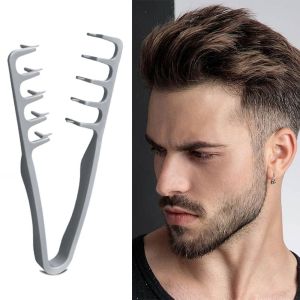
WILLUCK Easy to Clean Hair Styling Fluffy Roots Combs Hair Care Tool Lightweight Curly Volumizer Hairline Comb Portable Salon Styling Comb
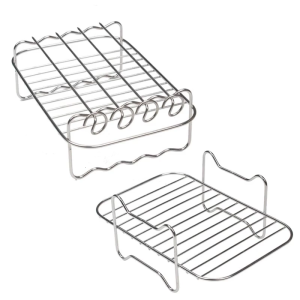
Double Layer Air Fryers Rack Dehydrator Stands Stainless Steel Toast Holder Air Fryers Accessories for Air Fryers
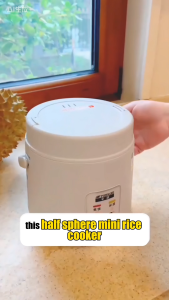
Mini Rice Cooker 1.2L Portable Electric Non-Stick Pot | Small Rice Cooker for 1-2 People

HIENA HYN-270/HYN-023 Cordless Hair Clipper Electric Hair Trimmer Rechargeable Beard Trimmer Mens Home Hair Clipper
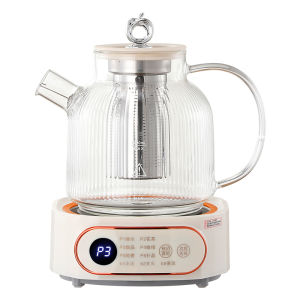
Multifunctional Mini Glass Electric Soup Pot & Health Preservation Cookware

Portable Dual Engine Shaver for Men Travel-Friendly Electric Razor

✅100% Original UME Multi-Function Kitchen Capsule Food Processor Electric Chopper Automatic Meat Grinder Blender