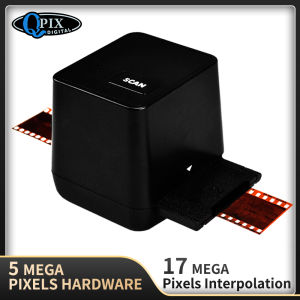
Portable Negative Film Scanner: 17.9 MP Driver-Free USB 35mm Slide & Film Converter
Portable Negative Film Scanner: 17.9 MP Driver-Free USB 35mm Slide & Film Converter
Introduction to Portable Negative Film Scanner
The Portable Negative Film Scanner is a compact, user-friendly device designed specifically for converting your old negatives and slides into digital images. With a resolution of 17.9 megapixels, this scanner offers high-quality results and ensures that your memories remain vibrant and clear. It is a perfect choice for those who want to preserve their nostalgic photographs and share them with future generations.
Key Features & Benefits
-
High-Quality Resolution: This portable scanner captures images at a resolution of 17.9 megapixels, ensuring that your photographs are reproduced accurately and with great detail.
-
Driver-Free Operation: No need to install any software or drivers; simply plug the scanner into your computer via USB and start scanning.
-
Compatibility: This scanner is compatible with both Windows and Mac operating systems, making it accessible to a wide range of users.
-
Ease of Use: With its intuitive design, the Portable Negative Film Scanner is easy to set up and use, even for those who have never used a film scanner before.
Target Audience & Applications
The Portable Negative Film Scanner is perfect for individuals who want to digitize their old negatives and slides, such as amateur photographers, hobbyists, and families looking to preserve their memories. This scanner is ideal for converting 35mm slides and negatives into digital images, which can then be shared online, printed, or stored on a computer or external hard drive.
How to Use the Portable Negative Film Scanner
Setting Up Your Scanner
To get started with the Portable Negative Film Scanner, simply plug it into your computer via USB. No drivers or software installation is required; the scanner will automatically detect and connect to your computer. Once connected, open the scanning software that comes pre-installed on your computer, such as Windows Photo Viewer or Mac Preview, to begin scanning your negatives and slides.
Scanning 35mm Slides & Film
Scanning your negatives and slides with the Portable Negative Film Scanner is a straightforward process. First, place your slide or negative into the scanner's loading tray, ensuring that it is properly aligned. Then, select the appropriate settings in the scanning software, such as resolution and color mode, and click the scan button. The scanner will capture the image and save it to your computer as a digital file.
Transferring & Storing Your Scanned Images
Once you have scanned your negatives and slides, you can easily transfer and store your digital images using a variety of methods. You can save them to your computer's hard drive, external hard drive, or cloud storage service. Additionally, you can share your scanned images with friends and family via email, social media, or photo-sharing websites.
Comparison with Other Scanners
Differences with Traditional Scanners
Unlike traditional flatbed scanners, the Portable Negative Film Scanner is specifically designed for scanning negatives and slides. This means that it offers higher resolution and better color accuracy than a standard flatbed scanner, which may struggle to capture the fine details of your photographs. Additionally, the Portable Negative Film Scanner is much more compact and portable than a traditional scanner, making it easier to store and transport.
Advantages over Smartphone Apps
While smartphone apps can be used to scan negatives and slides, they often produce lower quality results due to limitations in camera resolution and lighting. The Portable Negative Film Scanner, on the other hand, offers a higher resolution and better color accuracy, resulting in clearer and more vibrant images. Furthermore, the Portable Negative Film Scanner is designed to be user-friendly and easy to use, even for those who have never used a film scanner before.
Conclusion & Final Thoughts
In conclusion, the Portable Negative Film Scanner is a high-quality, driver-free USB 35mm slide and film converter that offers a range of benefits for those looking to digitize their old negatives and slides. With its high-resolution scanning capabilities, ease of use, and compatibility with both Windows and Mac operating systems, this scanner is a valuable tool for amateur photographers, hobbyists, and families looking to preserve their memories. So why wait? Start scanning your negatives and slides today with the Portable Negative Film Scanner!

Yoko Label
Review

You May Also Like
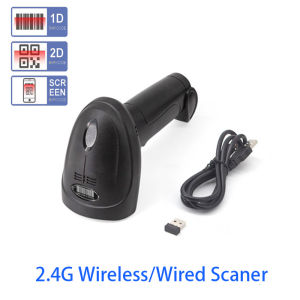
Handheld Wirelress/Wired Barcode Scanner 1D/2D QR Bar Code Reader Omni-directional Scanning For Supermarket Logistics
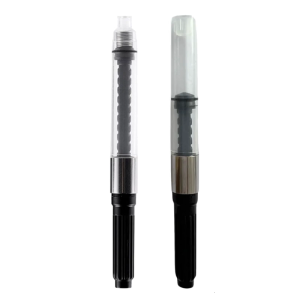
Fountain Pen Ink Piston Converter 2.6mm OR 3.4mm Bore Diameter Rotating Fountain Pen Ink Converter for Smooth Writing
Warm Regulation Stove Component Extended Service Life five thousand Time Low Maintenance 3D Printer Component
3/5/10Rolls Pocket Mini White Printer Thermal Paper Sticker Children Camera Instant Print Kids Camera Printing Paper Replacement
KGS Vivid DTF Textile Ink – 1 Liter (CMYK + White) | For Direct-to-Film Large Format Printers
MP00 Childrens 3D Printing Pen for Making Doodles Graffiti Arts Crafts With USB
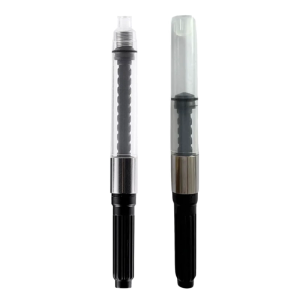
2.6mm OR 3.4mm Fountain Pen Ink Converter Twist Action Fountain Pen Ink Piston Converter for Students and Professional
2 Inch Bluetooth USB Barcode Label Printer: A Compact & Efficient Solution
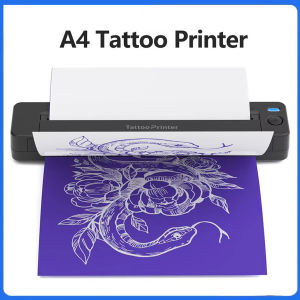
A4 Mini Portable Thermal Printer Multifunctional Tattoo Document Printer Transfer Photo Bluetooth Machine Use SmartPhone iPad PC
CF217A 17A Black Toner Cartridge Compatible For Laser Printer Pro m102w m130fn
1pcs IR4025 Fuser Unit Assy For Canon NPG-56 57 GPR42 43 EXV-38 39 Fuser Assembly Fuser Kit