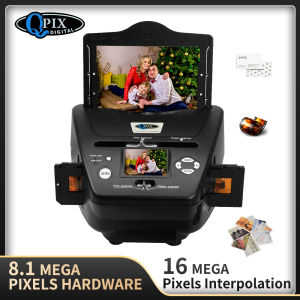
Digital Photo 16MP Film Scanner 4 In 1 Scanner Converts 35Mm 135 Film Slides & Negatives For Saving To Image Files Card Scanner 2.4\" LCD
Digital Photo 16MP Film Scanner 4 In 1 Scanner Converts 35Mm 135 Film Slides & Negatives For Saving To Image Files Card Scanner 2.4" LCD
Understanding the 4 In 1 Scanner
What is a 4 In 1 Scanner?
A 4 In 1 Scanner is a versatile device designed to digitize various types of film, including 35mm slides, negatives, and even printed photos. It combines four functions in one compact unit, making it an ideal choice for photographers looking to preserve their precious memories in digital format.
How does the 4 In 1 Scanner Work?
The 4 In 1 Scanner works by capturing high-resolution images of your film using a powerful 16MP sensor. It then processes the captured data and saves it as digital image files, which can be stored on a memory card or transferred to a computer for further editing and sharing.
Benefits of Using a 4 In 1 Scanner
Using a 4 In 1 Scanner offers numerous advantages over traditional film scanning methods:
- High-Quality Image Capture: With a 16MP resolution, you can expect sharp, vibrant images that accurately represent the original film.
- Compact Design: The compact size makes it easy to store and transport, allowing you to digitize your film collection wherever you go.
- User-Friendly Interface: The intuitive interface makes it simple to navigate through the scanning process, even for those who are new to digital photography.
Features of the 16MP Film Scanner
High-Quality Image Capture
The 16MP Film Scanner captures images with exceptional clarity and detail, allowing you to preserve your memories in stunning digital format. This level of resolution ensures that every nuance and texture of your original film is accurately represented in the digital image.
2.4 Inch LCD Display
The scanner features a 2.4 inch LCD display, which allows you to preview your scans before saving them to a memory card. This feature ensures that you can quickly identify any issues with your scans and make adjustments as needed.
Easy-to-Use Interface
The scanner's intuitive interface makes it easy to navigate through the scanning process, even for those who are new to digital photography. With just a few simple steps, you can start digitizing your film collection and preserving your memories for years to come.
Converting 35mm Slides & Negatives
Preparing Your Slides & Negatives
Before scanning your slides and negatives, it's important to clean them thoroughly to remove any dust or debris that may affect the quality of your scans. This can be done using a soft brush or a specialized cleaning solution designed for film.
Scanning Process
Once your slides and negatives are clean, simply load them into the scanner and follow the on-screen instructions to begin the scanning process. The scanner will automatically adjust its settings to capture the best possible image, and you can preview your scans on the 2.4 inch LCD display.
Saving Image Files to Memory Card
After scanning your slides and negatives, the digital images will be saved to a memory card for easy transfer to a computer or other device. The scanner supports various file formats, including JPEG and TIFF, allowing you to choose the best option for your needs.
Choosing the Right 4 In 1 Scanner
Key Considerations
When selecting a 4 In 1 Scanner, consider the following factors:
- Resolution: Higher resolution scanners will capture more detail and produce sharper images.
- Compatibility: Ensure that the scanner supports the types of film you want to digitize.
- Ease of Use: Look for a scanner with an intuitive interface that makes it easy to navigate through the scanning process.
Top Brands & Models
Some of the top brands and models of 4 In 1 Scanners include:
- Plustek OpticFilm 8200i: A high-end scanner with a 24MP resolution and advanced features.
- Vivitar ViviCam Film Scanner: A budget-friendly option with a 16MP resolution and simple interface.
- Canon CanoScan 9000F Mark II: A professional-grade scanner with a 48MP resolution and advanced features.
Tips for Getting the Most Out of Your Scanner
To get the most out of your 4 In 1 Scanner, follow these tips:
- Clean Your Slides & Negatives: Regularly clean your slides and negatives to ensure the best possible image quality.
- Use the Right Settings: Experiment with different settings to find the best combination for your needs.
- Store Your Images Safely: Once you've digitized your film collection, store the digital images safely to preserve them for years to come.

Yoko Label
Review

You May Also Like
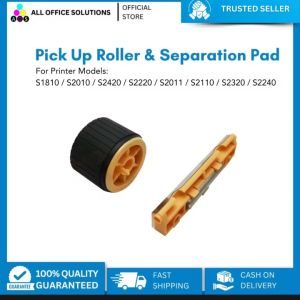
AOS Compatible Fuji Xerox S1810 paper pickup roller S2010 S2011 S2420 S2220 paper tray feed roller separation pad S2320 S2520 S2110
Epson EcoTank Monochrome M2170 Wi-Fi Ink Tank Printer
![[1 Year Warranty] 6 in1 Multifunction Heat Press Machine mini printer for T-Shirt / Mug / Plate / Cap printer for small business](https://img.lazcdn.com/g/ff/kf/Sea90dd044d6242b697f0885893e8b9b7h.jpg_300x300q80.jpg)
[1 Year Warranty] 6 in1 Multifunction Heat Press Machine mini printer for T-Shirt / Mug / Plate / Cap printer for small business
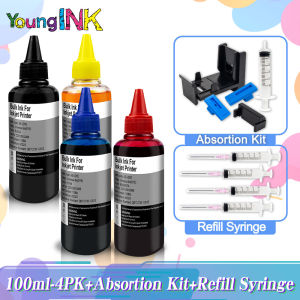
HP 682 & Compatible Ink Cartridges: A Comprehensive Guide
Adjustable DIY Silicone Brush For 3D Printer Nozzle Cleaning Heat Resistant Material Multipurpose Tool Easy To Clean

Portable Tattoo Printer Bluetooth Wireless A4 Thermal Printer Multifunction Printing
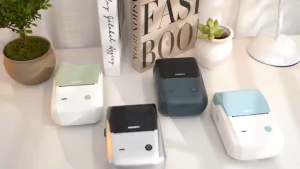
NIIMBOT B1 Label Printer - Thermal Bluetooth Waterproof | Oil-Resistant | Non-Toxic 20-50mm for Home & Kitchen
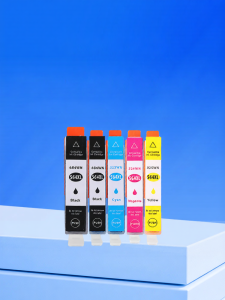
CHG HP564XL Ink Cartridge for HP 4610 4620 5520 3520 5510 B110a 210 C410 109 7510 6520 B209A C311A 5525 Printer Compatible
Heatbed Silicone Leveling Column 230Pcs 3D Printers Hot Bed Mounts Column Stable ToolHeat-Resistant Silicone Buffer
Xiaomi Portable Photo Printer Paper: A Comprehensive Guide
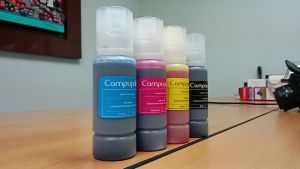
Compuprint Premium Inkjet Dye Ink Universal Ink Continuous ink CISS and DIY Refill 100ml Non squeeze - gravity full cap for EcoTank printer\\n\\n What is Compuprint Premium Inkjet Dye Ink?\\n\\nCompuprint Premium Inkjet Dye Ink is a high-quality, universal ink solution designed specifically for continuous ink systems (CISS) and DIY refills. This premium dye ink comes in a convenient 100ml bottle, making it perfect for refilling ink cartridges for various printers, including those from leading brands such as Epson, Canon, and HP. This ink is compatible with EcoTank printers, allowing users to enjoy high-quality prints at a fraction of the cost compared to using original ink cartridges.\\n\\n Key Features\\n\\n- **Color:** CMYK\\n- **Volume/Content:** 100ml\\n- **Easy-fill nozzle:** Designed for easy refilling of ink cartridges\\n- **Non squeeze - gravity full cap:** Ensures a smooth and efficient ink refill process\\n- **Supported ink cartridges/printers/devices:** CISS and DIY Refill\\n- **Packaging:** Vacuum sealed to maintain ink quality\\n\\n Supported Printers\\n\\nCompuprint Premium Inkjet Dye Ink is compatible with a wide range of printers from popular brands, including:\\n\\n- **Epson:** Various models\\n- **Canon:** Various models\\n- **HP:** Various models\\n\\n How to Refill EcoTank Printer with Compuprint Ink\\n\\nRefilling your EcoTank printer with Compuprint Premium Inkjet Dye Ink is a straightforward process that can save you money and improve print quality. Follow these steps to refill your EcoTank printer:\\n\\n Preparing the Refill Kit\\n\\n1. Gather the necessary tools and materials, including the Compuprint Premium Inkjet Dye Ink, a clean workspace, and any required safety equipment.\\n2. Ensure the printer is turned off and unplugged before beginning the refill process.\\n3. Remove the ink cartridge from the printer, taking care not to touch the print head or any other sensitive components.\\n\\n Refilling Process\\n\\n1. Carefully remove the ink cartridge cap and insert the easy-fill nozzle from the Compuprint Premium Inkjet Dye Ink bottle.\\n2. Allow the ink to flow into the cartridge using the non-squeeze gravity full cap method. This ensures a smooth and efficient refill process.\\n3. Once the cartridge is full, remove the easy-fill nozzle and securely reattach the cartridge cap.\\n4. Insert the refilled cartridge back into the printer and turn the printer on.\\n\\n Benefits of Using Compuprint Premium Inkjet Dye Ink\\n\\nUsing Compuprint Premium Inkjet Dye Ink offers several advantages over using original ink cartridges, including:\\n\\n Cost Savings\\n\\nRefilling ink cartridges with Compuprint Premium Inkjet Dye Ink can save you up to 80% compared to purchasing new ink cartridges from the printer manufacturer. This makes it an excellent choice for budget-conscious users.\\n\\n Compatibility\\n\\nCompuprint Premium Inkjet Dye Ink is compatible with a wide range of printers, including those from leading brands such as Epson, Canon, and HP. This ensures that users can enjoy high-quality prints regardless of their printer model.\\n\\n Quality\\n\\nCompuprint Premium Inkjet Dye Ink is designed to produce high-quality prints with vibrant colors and sharp details. This makes it an excellent choice for both personal and professional use.\\n\\n Shipping Information\\n\\nFor orders outside Luzon, please expect additional fifteen (15) days shipping due to airline safety restrictions. This may affect delivery times, so please plan accordingly.\\n\\nIn conclusion, Compuprint Premium Inkjet Dye Ink is a cost-effective, high-quality solution for refilling ink cartridges for various printers, including EcoTank printers. By following the steps outlined above, users can enjoy significant cost savings and improved print quality.\n}