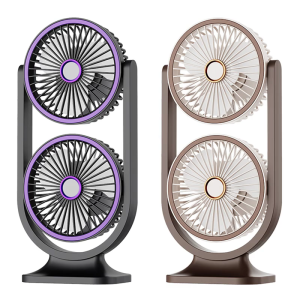
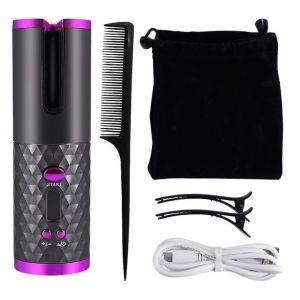
Rechargeable Wireless Curling Iron: A Comprehensive Guide
Rechargeable Wireless Curling Iron: A Comprehensive Guide
What is a Rechargeable Wireless Curling Iron?
A rechargeable wireless curling iron, also known as an automatic fast heating curling iron, is a portable hair styling tool designed to provide quick and easy styling solutions for those who desire beautiful curls without the hassle of traditional curling irons. This innovative device combines the convenience of a wireless design with adjustable temperature shaping tools and an LCD display for optimal control.
Core Features of Rechargeable Wireless Curling Iron
- Automatic Fast Heating: This curling iron heats up quickly, saving time and energy.
- Adjustable Temperature Shaping Tool: Users can choose their desired heat settings to suit different hair types and styling preferences.
- LCD Display: The device features an easy-to-read LCD display that shows the current temperature setting.
- Portable Design: The wireless curling iron is lightweight and compact, making it perfect for travel or use at home.
Comparison with Traditional Curling Irons
While both types of curling irons serve the same purpose, there are several differences between them:
- Cordless Design: Rechargeable wireless curling irons offer greater freedom of movement due to their cordless design.
- Heat-Up Time: Automatic fast heating curling irons heat up faster than traditional models, saving time and energy.
- Adjustable Temperature Settings: Rechargeable wireless curling irons provide more precise temperature control, allowing users to customize their styling experience.
How to Use a Rechargeable Wireless Curling Iron
To achieve perfect curls using a rechargeable wireless curling iron, follow these steps:
Step-by-Step Guide to Using a Rechargeable Wireless Curling Iron
- Charge the device fully before first use.
- Adjust the temperature setting according to your hair type and desired style.
- Section your hair into small pieces, starting with the bottom layer.
- Wrap a small section of hair around the barrel, starting from the mid-length to the ends.
- Hold for a few seconds, then release the curl and move on to the next section.
- Repeat steps 3-5 until all sections have been curled.
Tips for Achieving Perfect Curls
- Use a heat protectant spray before styling to minimize damage.
- For best results, work with small sections of hair at a time.
- Hold each section for a few seconds to ensure even heat distribution.
- Experiment with different temperature settings to find the perfect balance for your hair type.
Benefits of Rechargeable Wireless Curling Iron
Convenience & Portability
The rechargeable wireless curling iron is designed to be portable, making it ideal for travel or use at home. Its cordless design provides greater freedom of movement, allowing users to style their hair without being tethered to a power outlet.
Adjustable Temperature Shaping Tool
The adjustable temperature shaping tool allows users to customize their styling experience by selecting the optimal heat setting for their hair type and desired style. This feature ensures that users can achieve perfect curls every time.
LCD Display Curling Iron
The LCD display curling iron provides an easy-to-read interface that shows the current temperature setting, allowing users to monitor their styling progress and make adjustments as needed.
Care & Maintenance of Rechargeable Wireless Curling Iron
To ensure the longevity of your rechargeable wireless curling iron, follow these care and maintenance tips:
Cleaning & Storage Tips
- Allow the device to cool completely before cleaning.
- Use a soft cloth to wipe down the barrel and handle after each use.
- Store the curling iron in its protective storage bag when not in use.
Troubleshooting Common Issues
If you encounter any issues with your rechargeable wireless curling iron, refer to the manual for troubleshooting tips. Some common problems include:
- Device Not Charging: Ensure that the USB cable is properly connected and that the charging port is free from debris.
- Temperature Not Reaching Desired Setting: Check the battery level and ensure that the device has been charged fully before use.
- Curling Iron Not Turning On: Verify that the power button is functioning correctly and that the device is properly charged.

YS Small Appliances
You May Also Like
5Pcs Hand Folding Fan Round Shape Paper Fans Outdoor Travel Event Accessories
Aoxi Electric Pressure Cooker Inner Pot 4L56L Black Crystal Non-Stick Pot Stove Top Compatible Accessories
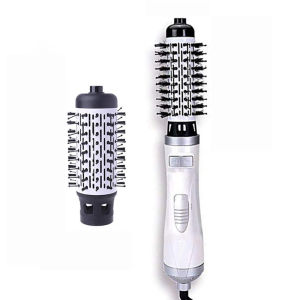
3 in 1 Round Rotating Volumizer Styler Rotating Hair Brush Automatic Rotating Styler Ionic Hair Brush hot air Dryer
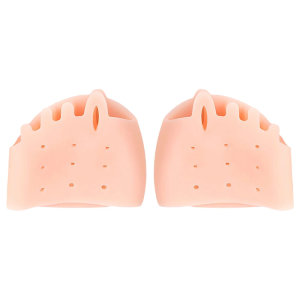
2Pieces Gel Toe Spacers Straighteners for Hallux Valgus Relief Men and Women Breathable Soft Toe Separators Cushions
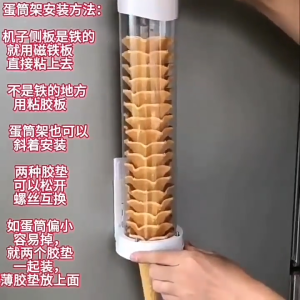
Ice Cream Machine Cone Rack & Egg Holder: Essential Ice Cream Machine Accessories
Wireless Household Juicer: A Mini Juice Mixer & Portable USB Charging Blender
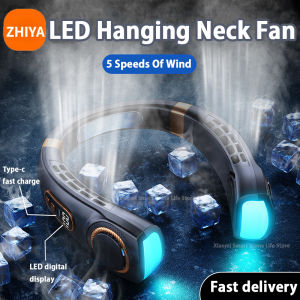
Portable Hanging Neck Fan 3000/6000MAH USB Rechargeable Fan Silent LED Digital Display Bladeless Color Step Light 5-speed Adjustable Neck Fan Cooler
Home Decoration 42 Inch 52 Inch 60 Inch Low Noise Remote Control Solid Wood Blade Modern Bldc Ceiling Fan(With two rods 12.5cm/20cm)
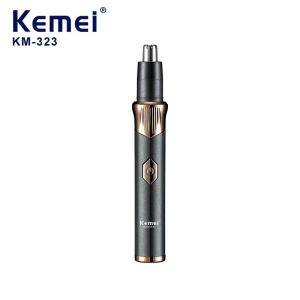
Kemei KM-323 Electric Shaving Nose Trimmer USB Type-C Fast Charge Professional Painless Eyebrow Trimmer Rechargeable Ear and Nose Hair Trimmer Safety Cleaning
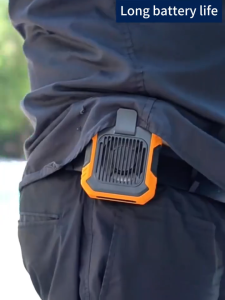
Waist Clip Fan Portable Mini Hanging Neck Fan USB Rechargeable Fan Small Outdoor Camping Waist Fan with Power Bank LED Light
110v 4 in 1 Electric Hand Blender Vegetable Juicer Mixer Processor Stick Kitchen Whisk Milkshake Set