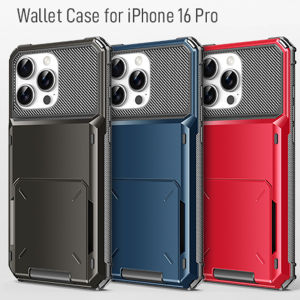
Mobile Phone Case For Infinix Tecno Pova 2 Pova 3 Pova 4 Pova 4 Pro Original Shockproof Cartoon Case Soft Casing Full Cover Camera Protection Transparent Cellphone Case
Mobile Phone Case For Infinix Tecno Pova 2 Pova 3 Pova 4 Pova 4 Pro Original Shockproof Cartoon Case Soft Casing Full Cover Camera Protection Transparent Cellphone Case
Protecting your Infinix Tecno Pova series smartphone from damage is essential to ensure its longevity and functionality. This article will guide you through understanding the various options available for your device, how to properly install a mobile phone case, and the benefits of using original mobile phone casings.
Understanding Your Infinix Tecno Pova Phone Case Options
Key Features of Camera Protection Transparent Case
The camera protection transparent case is a great option if you want to keep your phone looking sleek while protecting it from minor scratches and impacts. Here are some of its key features:
- Transparency: Allows the design of your phone to remain visible.
- Scratch-resistant: Protects the back of your phone from minor scratches.
- Impact-absorbing: Helps absorb minor impacts and drops.
- Camera protection: Ensures the camera lens remains unscathed.
Soft Full Cover Cellphone Case: What You Need to Know
A soft full cover cellphone case offers comprehensive protection for your Infinix Tecno Pova series smartphone. It covers the entire phone, including the buttons and camera lenses. Here are some of its advantages:
- Soft material: Provides a comfortable grip and reduces the risk of slipping.
- Full coverage: Protects the entire phone, including buttons and camera lenses.
- Shock absorption: Helps absorb impacts and drops.
- Easy installation: Simple to install and remove.
Choosing the Right Case for Your Infinix Tecno Pova Model
It's crucial to choose a case that fits your specific model of Infinix Tecno Pova series smartphone. The product description includes 1 x Case + 1 x Built-in Laser Card, which is compatible with the Infinix Tecno Pova 2, 3, 4, and 4 Pro models. Always check the compatibility before purchasing.
How to Properly Install Your Mobile Phone Case
Installing a mobile phone case correctly is essential to ensure maximum protection. Follow these step-by-step guides for installing different types of cases:
Step-by-Step Guide to Installing a Camera Protection Transparent Case
- Clean the back of your phone thoroughly.
- Align the case with the camera lens and ports.
- Press down gently until the case clicks into place.
How to Install a Soft Full Cover Cellphone Case
- Open the case by pressing the side buttons.
- Insert your phone into the case.
- Close the case by pressing the side buttons again.
Tips for Installing a Shockproof Cartoon Phone Case
- Ensure the phone is clean before installation.
- Align the case with the camera lens and ports.
- Press down gently until the case clicks into place.
Benefits of Using Original Mobile Phone Cases
Using original mobile phone casings for your Infinix Tecno Pova series smartphone comes with several advantages:
Why Choose Original Mobile Phone Casings for Infinix Tecno Pova Models
Original casings are designed specifically for your device, providing a perfect fit and maximum protection. They are also made with high-quality materials, ensuring durability and longevity.
Advantages of Using Shockproof Cartoon Phone Cases
Shockproof cartoon phone cases offer both style and functionality. They protect your phone from impacts and drops while adding a fun and unique design element.
The Importance of Camera Protection Transparent Case for Your Infinix Tecno Pova Phone
A camera protection transparent case ensures that your phone's camera remains unscathed, preserving the quality of your photos and videos. It also keeps the back of your phone free from scratches and minor impacts.

xxcase
You May Also Like
DAIMANG | Anti-Fingerprint Anti-Shock iPhone Case
New Casing Redmi 13C A2 A1 POCO C65 X6 M5s 4G 5G Ins Cartoon Fashion Trend Strawberry Bear Labbu Kapybara Pooh Bear 3D Plush Doll Phone Case with Lanyard 2025
R3AL ME 2 in 1 Travel Fast Charging 2.4A Charger With Android (V8) Data Cable
5PCS Phone Wrist Straps Hand Lanyard For iPhone rope cord Charms Camera Keys Cord Chain Cute Lanyard Keycord Hanging Rope Anti-lost lanyard
Case for Apple AirPods 3rd generation PU Leather Portable Protective Case Cover with Carabiner Loss Prevention Clip Earphones Accessories(no earphones)

2025 Dazzling Silver Fox K94 Fashion Color Block Knob Keyboard - Wireless Bluetooth Dual-Mode Backlit Keyboard for Laptop and Computer Cross-Border
Full Screen Redmi Note8 Pro Privacy Filter & Anti-Blue Light Tempered Glass Film for Xiaomi MiUI Phones: High Definition Shockproof
tantuoye 1pc Industrial sewing machine presser foot plastic plate presser foot MT-18
Cute Scared Cat Design Phone Case for Honor Play 20 Series Silicone Protective Cover Anti-Fall Full Edge Protection Men Women
ZUZG Magnetic Kickstand Case: The Ultimate iPhone 14 Pro Max Companion

ZEEMIN Halloween Christmas Sanrio Kawaii Pochacco Mouse Pad Cinnamoroll Cartoon Cute Rubber Non-slip Student Anime Shaped Table Mat with Wrist Support Gift