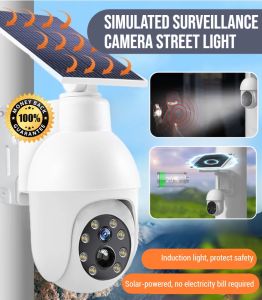
Willbetter A9 Mini Camera: A Comprehensive Guide
Willbetter A9 Mini Camera: A Comprehensive Guide
Introduction to the Willbetter A9 Mini Camera
The Willbetter A9 Mini Camera is a versatile, voice-activated mini camcorder that combines the convenience of WiFi connectivity with powerful surveillance capabilities. This 1080P HD indoor CCTV monitor offers a wide range of features, making it an excellent choice for individuals looking to enhance their home security system. In this article, we will explore the key features and specifications of the Willbetter A9 Mini Camera, as well as provide step-by-step instructions on how to set up, use, and troubleshoot any issues that may arise.
Overview of the Willbetter A9 Mini Camera
The Willbetter A9 Mini Camera is a compact and lightweight device that boasts impressive performance and reliability. With its advanced voice-activated functionality, this camera allows users to monitor their surroundings with ease. Additionally, its night vision capabilities ensure that it remains effective even in low-light conditions.
Key Features & Specifications
- Resolution: 1080P/720P (adjustable)
- Number of frames: 25
- Video format: ASF
- Viewing angle: 90°
- Detection distance: Straight line 6 meters
- Minimum illuminance: 1LUX
- Business hours: More than 1 hour
- Compression format: H.264
- Record range: 5m²
- Power consumption: 240MA/3.7V
- Storage temperature: -20-80 degrees Celsius
- Operating temperature: -10-60 degrees Celsius
- Working humidity: 15-85% RH
- Memory card type: TF card (maximum support 128G, excluding TF card)
- Operating System: Applicable to IOS/Android
How to Set Up Your Willbetter A9 Mini Camera
Setting up your Willbetter A9 Mini Camera is a straightforward process that can be completed in just a few simple steps. In this section, we will guide you through the process of connecting to Wi-Fi, downloading the app, and pairing your camera with your device.
Connecting to Wi-Fi
To connect your Willbetter A9 Mini Camera to Wi-Fi, follow these steps:
- Power on your camera by pressing the power button.
- Open the settings menu on your device and select the camera option.
- Select the Wi-Fi network to which you want to connect your camera.
- Enter the password for your Wi-Fi network.
- Wait for the connection to be established.
Downloading the App
To download the Willbetter A9 Mini Camera app, visit the app store on your device and search for "Willbetter A9 Mini Camera." Once you have located the app, download and install it on your device.
Pairing Your Camera with Your Device
To pair your Willbetter A9 Mini Camera with your device, follow these steps:
- Open the Willbetter A9 Mini Camera app on your device.
- Select the "Add Device" option.
- Follow the prompts to pair your camera with your device.
How to Use Your Willbetter A9 Mini Camera
Now that your Willbetter A9 Mini Camera is set up, it's time to start using it! In this section, we will guide you through the process of recording and playback, using the voice-activated mini camcorder, and taking advantage of the night vision surveillance camera.
Recording & Playback
To record video using your Willbetter A9 Mini Camera, simply press the record button on the camera or within the app. To playback recorded videos, navigate to the playback menu within the app and select the video you wish to view.
Voice-Activated Mini Camcorder
The Willbetter A9 Mini Camera features advanced voice-activated functionality, allowing users to monitor their surroundings with ease. To activate voice commands, simply say "Hey Willbetter" followed by your desired command.
Night Vision Surveillance Camera
The Willbetter A9 Mini Camera is equipped with powerful night vision capabilities, making it an excellent choice for low-light conditions. To enable night vision mode, navigate to the settings menu within the app and select the night vision option.
Troubleshooting Common Issues
While the Willbetter A9 Mini Camera is a reliable and user-friendly device, there may be times when issues arise. In this section, we will address some common problems and provide solutions to help you troubleshoot any issues that may occur.
Connectivity Problems
If you are experiencing connectivity problems with your Willbetter A9 Mini Camera, try the following steps:
- Restart your camera and device.
- Check your Wi-Fi network connection.
- Reset your camera by pressing and holding the power button for 10 seconds.
Video Quality Issues
If you are experiencing video quality issues with your Willbetter A9 Mini Camera, try the following steps:
- Adjust the resolution settings within the app.
- Check the lighting conditions in your environment.
- Clean the camera lens.
Battery Life Concerns
If you are experiencing battery life concerns with your Willbetter A9 Mini Camera, try the following steps:
- Charge your camera fully before use.
- Reduce the number of times you activate voice commands.
- Adjust the camera settings to conserve battery life.

willbetter
You May Also Like
Dahua 2MP/5MP CCTV Camera Smart Dual Light Active Deterrence HDCVI Bullet Camera TIOC Alarm camera Full color IP67
LS VISION V380 6K 12MP Dual Screens Solar CCTV Camera: A Comprehensive Review
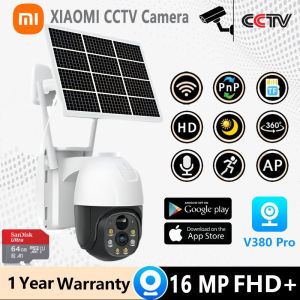
XIAOMI Solar CCTV Camera Outdoor Outdoor Wireless With Wifi Connect 360 Connect Cellphone Waterproof Alarm Surveillance
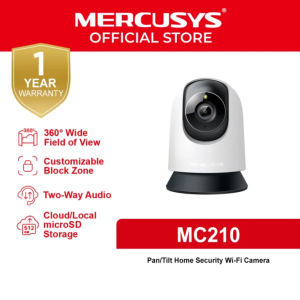
Mercusys Official | MC210 | 2K 3MP Indoor 360 Degrees Pan and Tilt Wireless WiFi IP Security CCTV Sale Hidden Camera Connect to Cellphone Two Way Audio with Mic and Speaker
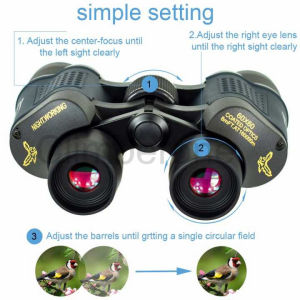
binoculars long range original high clarity telescope 60X60 binocular fixed zoom telescope original telescope long range original binocular long range original high power telescope binacular original
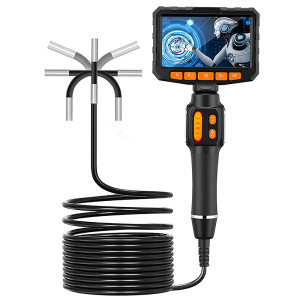
360 Articulating Borescope 1080P 6.0mm 4.3inch LCD Monitor Industrial Inspection Camera With 2 Way Articulation For Automotive
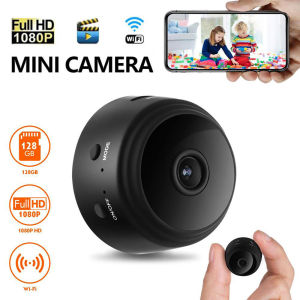
A9 Mini Wireless Camera 1080P HD IP Camera WiFi Video Surveillance Camera For Home Secret Security Protection Remote Camcorders
WIFI Endoscope HD1080P Single Dual Triple Lens Wireless Pipe Inspection Borescope Camera Car Checking Waterproof LEDs 2600mAh
V380 Three Lens Solar Camera 4G Battery Outdoor House Surveillance Cameras 15MP Color Night Vision Security System Video Monitor
Insta360 Link 2 Webcam: AI Tracking Gesture Control with Noise-Canceling Microphones Camera for Teleconference Live Game

TP-Link Tapo C225: A Comprehensive Guide to 2K 360 Pan/Tilt Indoor WiFi IP Security Camera