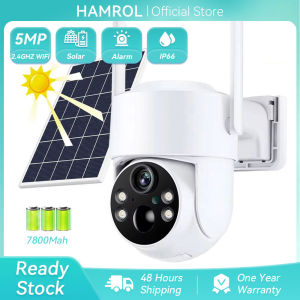
Hamrol 5MP Outdoor Solar Wifi Camera PIR Human Detection Wireless Surveillance IP Cameras With Solar Panel Recharge Battery
Tipsï¼ Camera build-in SD Card Slotï¼ NO Storage = Cameraï¼ 32GB = Camera + 32G SD Card, 64GB = Camera + 64G SD Card, 128GB = Camera + 128G SD Card,
Wireless Solar PTZ Wifi Camera
3MP HD Resolution / Solar Powered / 13200 mAh Recharge Battery / PIR Motion Detection / IP66 Waterproof
1.Main Features:
- APP: iCsee or XMeye. (Recommend iCsee APP);
- Support 3MP/1080P Resolution Option ;
- Support Clear Two Way Audio;
- Support IP66 Waterproof;
- Support PIR Human Detection;
- Support PTZ : Rotates 320° Horizontally and 100° Vertically;
- Support AP Direct Connection / Wireless Connection;
- Support Max 128GB SD Card Storage and Cloud Storage (Need to subscribe and pay in App );
- Support Two Night modes Setting : black light full color/infrared night vision;
2.Packing List
- 1 x Wifi Solar Camera
- 1 x Solar Panel
- 1 x Solar Panel Bracket
- 3 x 18650 battery
- 1 x Screwdriver x 1
- 1 x User Manual
PTZ Remote Control
PTZ: rotates 270° Horizontally and 100° Vertically.
Solar Powered, 180 Days Ultra-long Standby
Buil-in 13200MA batteries, the solar panel can cyclically save the battery power to the battery camera, which is more energy-efficient, efficient and convenient to save electricity.
PIR Motion Detection
Allowing you to monitor what matters without receiving annoying false alerts, get real-time accurate alert notifications in your mobile phone.
IP66 Waterproof for Outdoor Use
The rugged housing and body make IP camera waterproof. It works perfectly both inside and outside your house, in any harsh weather conditions.
Infrared night vision + Full color night vision
Infrared night vision mode can provide clear black and white picture even in complete darkness, full color night vision is only automatically awakened in the dark night after APP setting.
Clear Two Way Audio
Built-in waterproof microphone & speaker, no matter how far away, allow you to interact with pets and family or dissuade unwelcome guests.
Support SD Card & Cloud Storage
Supports TF storage, up to 128GB memory card. First month cloud storage free experience, support online paid purchase in iCsee App, never worry about losing important videos again.
Remote Access and Share Family
Support iOS /Android with the free app iCsee, You can share it with up to max 4 family members as needed, and multiple person viewing are more reassuring.
Products Details:

Hamrol
Review

You May Also Like
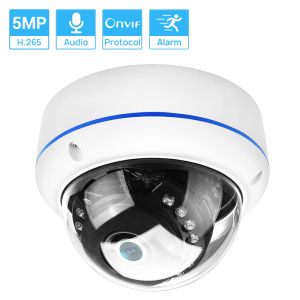
Hamrol H.265 5MP 3MP 2MP Surveillance IP Camera POE Audio Internal Microphone Vandalproof IR Night Dome CCTV Security Camera P2P

Tapo Official Store | TC71 | 2K 3MP 360 Pan/Tilt Indoor security IP Camera CCTV camera connect cellphone Night Vision Motion Detection Two-Way Audio Up to 512GB Storage | TP-Link

25MP Cameras Wifi 720° PTZ Panoramic Security Cam Outdoor 5 Lens 5 Screens Night Vision CCTV Wireless Video Surveillance Camera
【HFM】 6 In 1 Cute Digital Camera Type-C Rechargeable Mini Instant Print Camera 1300mAh HD Photo Printing Camera Christmas Birthday Gifts
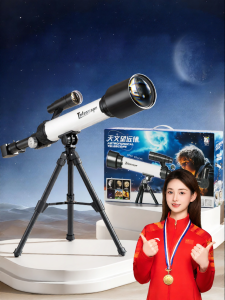
NUOXUNDE | High-definition Entry-level Astronomical Telescope

tp-link InSight S225 VIGI 2MP Full-Color Dome Network Camera | TP-Link by EJD

Orig SJCAM SJ8 Dual Action Camera For Motovlogging Ultra HD Resolution Sports camera
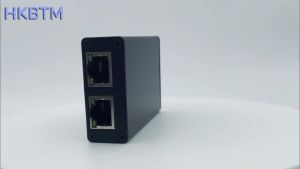
HKBTM Gigabit 2-Port POE Extender IEEE 802.3af/at PoE+ Standard 10/100/1000Mbps POE Repeater with 100m (328 Ft) Extension Capabi
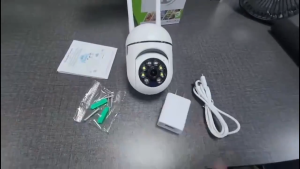
Buy 1 Take 1 CCTV Camera Outdoor HD No WIFI Needed Connect to Cellphone 5G IP Security Cameras
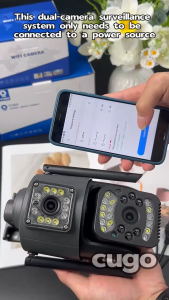
V380 Pro CCTV Camera Dual Lens 8MP HD WiFi PTZ Outdoor Waterproof 360° Auto Tracking Night Vision Motion Detection Two-Way Audio Remote Surveillance
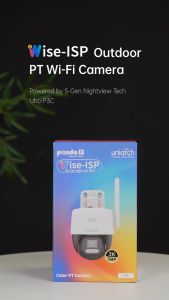
UNIARCH Uho-P3C-M5F4 5MP ColorHunter with Wise-ISP Outdoor Pan & Tilt Wi-Fi Camera