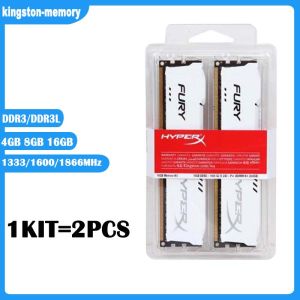
New KIT 4GB 8GB 16GB DDR3 RAM 1333MHz 1600MHz 1866MHz Desktop Memory DDR3L 1.35V 240 Pins DIMM HyperX FURY Gaming Memory - White
New KIT 4GB 8GB 16GB DDR3 RAM 1333MHz 1600MHz 1866MHz Desktop Memory DDR3L 1.35V 240 Pins DIMM HyperX FURY Gaming Memory - White
What is 1.35V Low Voltage RAM?
Low voltage RAM, specifically the 1.35V DDR3L (DDR3 Low Voltage) RAM, is a type of memory designed to consume less power while maintaining optimal performance. This makes it ideal for users looking to reduce energy consumption and improve overall system efficiency.
Understanding DDR3L RAM
DDR3L RAM is a low-power variant of DDR3 memory, which has been widely used in desktop computers and laptops. It offers improved energy efficiency and reduced heat generation compared to standard DDR3 RAM. DDR3L operates at a lower voltage (1.35V) while maintaining the same performance as standard DDR3 RAM.
Benefits of Low Voltage RAM
Low voltage RAM offers several advantages, including:
- Improved energy efficiency
- Reduced heat generation
- Longer battery life (for laptops)
- Enhanced system stability
Key Features of HyperX FURY Gaming Memory
HyperX FURY Gaming Memory is a popular choice among gamers and enthusiasts due to its reliable performance and affordability. Here are some of its key features:
- 240 Pins DIMM DDR3L: HyperX FURY Gaming Memory is available in a 240-pin DIMM format, making it compatible with most desktop motherboards.
- 1333MHz 1600MHz 1866MHz Desktop Memory: The memory is available in different speeds, allowing users to choose the best option for their system requirements.
- White Color: The white color scheme adds a touch of elegance to any build.
How to Choose the Right RAM for Your Needs
Selecting the right RAM for your system depends on several factors, including your system requirements and desired performance.
Identifying Your System Requirements
Before purchasing RAM, it's essential to understand your system requirements. Consider the following factors:
- Motherboard Compatibility: Ensure that your motherboard supports the type and speed of RAM you plan to purchase.
- Operating System: Check if your operating system supports the amount of RAM you intend to install.
- Performance Needs: Determine the level of performance you require based on your intended use (e.g., gaming, video editing, general computing).
Comparing RAM Speeds and Capacities
RAM comes in different speeds and capacities, so it's crucial to compare these options to find the best fit for your needs. Here are some general guidelines:
- Speed: Faster RAM can improve system performance, but the benefits may be limited by other components in your system.
- Capacity: More RAM allows for better multitasking and improved overall system performance.
Installation and Setup
Installing new RAM is a relatively simple process, but it's important to follow proper procedures to avoid damaging your system.
Preparing Your System for New RAM
Before installing new RAM, make sure to:
- Power Off Your Computer: Turn off your computer and unplug it from the power source.
- Ground Yourself: Discharge static electricity by touching a grounded metal object or wearing an anti-static wrist strap.
Installing 4GB 8GB 16GB DDR3 RAM
To install new RAM, follow these steps:
- Open the case and locate the RAM slots on your motherboard.
- Align the notches on the RAM module with the slots on the motherboard.
- Press down firmly until the clips on either side snap into place.
- Close the case and power on your computer.
Troubleshooting Common Issues
If you encounter problems after installing new RAM, here are some common solutions:
Addressing Compatibility Problems
If your system doesn't recognize the new RAM, try the following:
- Check Compatibility: Ensure that the RAM is compatible with your motherboard and operating system.
- Try Another Slot: If possible, try installing the RAM in a different slot.
Solving Performance Concerns
If you notice a decrease in performance after installing new RAM, consider the following:
- Check Speed Settings: Make sure that the RAM is running at the correct speed.
- Update BIOS: Update your motherboard's BIOS to ensure compatibility with the new RAM.

kingston-memory
You May Also Like

Koorui G2411P: A 24\" Ultra Slim FreeSync Compatible Gaming Monitor
8/9/12/14cm PC Case Dust Mesh PVC Dustproof Magnetic Dust Cover PC Mesh Grill Magnetic Frame Computer
17.3inch Portable monitor 1920x1080 lcd display TFT gaming monitor for pc Raspberry Pi Laptop PS4 Xbox360 switch HDMI-Compatible
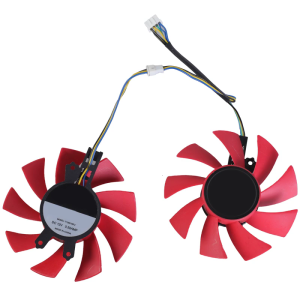
GPU Fan: Efficient Cooling Fan with 4Pin Connection for RTX2060 & GTX1660Ti
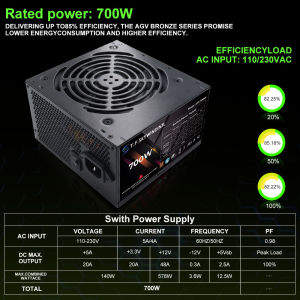
T.F.SKYWINDINTL 700W PC PSU Power Supply Unit Black Gaming Quiet 120mm Fan 110V 220V ATX Desktop Computer Power Supply For BTC
EXPOSE Gaming Monitor for PC 24 inch Curved 165Hz FHD Office Laptop Displays
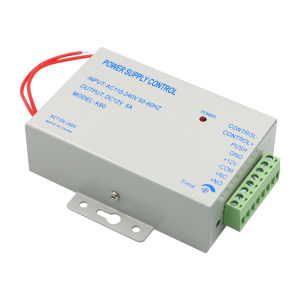
DC12V True 3A/5A Output 100-240V AC Access Control Power Supply Controller Switch Adapter For Door Locks Video Intercom System
Huayue Factory Supply 30W 1-10V External Dimming Power Supply
Desktop Casings Computer Case Pc Case Pc Chassis Acrylic Side Transparent Colorful Light Top Power Supply Standard Motherboard Case
Miniature Lithiums Charge Display Module Red Yellow Green LED Indicators Low Energy Voltages Detectors
Reusable 3D Printer Nozzle Wiper For S1 Nozzle Silicone Brush Hotend Cleaner Tool 3D Printer Accessories