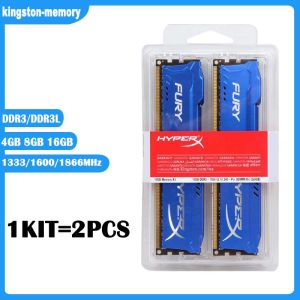
New KIT 4GB 8GB 16GB DDR3 RAM 1333MHz 1600MHz 1866mhz Desktop Memory DDR3L 1.35V 240 Pins DIMM HyperX FURY Gaming Memory-Blue
New KIT 4GB 8GB 16GB DDR3 RAM 1333MHz 1600MHz 1866mhz Desktop Memory DDR3L 1.35V 240 Pins DIMM HyperX FURY Gaming Memory-Blue
What is DDR3 RAM?
DDR3 RAM, or Double Data Rate 3 Random Access Memory, is a type of computer memory that stores data temporarily for quick access by the processor. It has a faster data transfer rate compared to its predecessors, DDR and DDR2, making it an ideal choice for gaming computers.
Understanding the Basics
DDR3 RAM operates on a 240-pin Dual Inline Memory Module (DIMM) interface, which is compatible with most modern desktop motherboards. It supports a voltage of 1.35V, making it more energy-efficient than previous generations. The memory speed is measured in MHz, with common speeds being 1333MHz, 1600MHz, and 1866MHz.
Types of DDR3 RAM
There are two types of DDR3 RAM: standard DDR3 and low-voltage DDR3L. While both are compatible with the same motherboards, DDR3L consumes less power, making it a better option for systems where energy efficiency is a priority.
How to Choose the Right RAM for Your Gaming Computer
Selecting the right RAM for your gaming computer requires considering several factors, including memory speed, compatibility, and capacity.
Considering Memory Speeds (1333MHz, 1600MHz, 1866MHz)
Memory speed is crucial for gaming performance. Faster RAM allows your system to access data more quickly, reducing lag and improving overall responsiveness. The three most common speeds for DDR3 RAM are 1333MHz, 1600MHz, and 1866MHz. Generally, higher speeds provide better performance, but the difference may not be noticeable unless you're running resource-intensive games or applications.
Evaluating Compatibility (240 Pins DIMM 1.35V)
Before purchasing RAM, ensure it is compatible with your motherboard. DDR3 RAM uses a 240-pin DIMM interface and operates at 1.35V. Check your motherboard's specifications to confirm support for these requirements.
HyperX FURY Gaming Memory: A Top Choice
HyperX FURY Gaming Memory is a popular choice among gamers due to its high performance, reliability, and affordability. Available in 4GB, 8GB, and 16GB kits, this DDR3 RAM offers speeds of 1333MHz, 1600MHz, and 1866MHz.
Features & Benefits
- High-performance memory for gaming computers
- Available in 4GB, 8GB, and 16GB kits
- Supports speeds of 1333MHz, 1600MHz, and 1866MHz
- Compatible with 240-pin DIMM motherboards
- Low-voltage DDR3L design for energy efficiency
- Blue LED lighting for added style
Installation Guide
Installing HyperX FURY Gaming Memory is a straightforward process. Follow these steps:
- Power off your computer and unplug all cables.
- Open the case and locate the RAM slots on the motherboard.
- Carefully align the RAM module with the slot, making sure the notch on the bottom matches the slot.
- Press down firmly until the clips on either side click into place.
- Close the case, reconnect all cables, and power on your system.
Conclusion & Next Steps
Upgrading your gaming computer's RAM can significantly improve performance and responsiveness. When choosing RAM, consider factors such as memory speed, compatibility, and capacity. HyperX FURY Gaming Memory is a top choice among gamers due to its high performance, reliability, and affordability. With this guide, you're now equipped to make an informed decision and enjoy a smoother gaming experience.

kingston-memory
You May Also Like
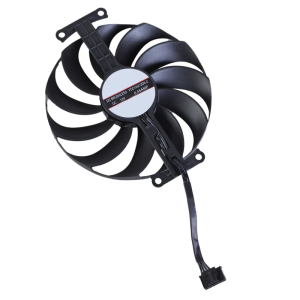
95mm/3.74inch FDC10U12D9-C 6Pin 12V VGA Fan Graphics Cooling Fan for GTX1650 PHGTX1650-O4GD6-P Fan
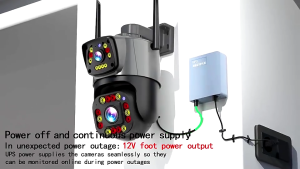
12V 1.5A Outdoor Power Bank Uninterruptible Power Supply Mini UPS Backup Battery Outage Endurance Monitor Power Supply For WiFi Router Modem CCTV Security Camera

Power Failure Power Supply Coping with Sudden Emergencies Power Failure Emergency Power Supply
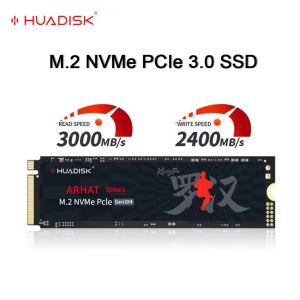
HUADISK M.2 SSD PCIe NVMe 128GB 256GB 512GB 1TB Gen3*4 Solid State Disk 2280 Internal Hard Disk for Laptop Desktop
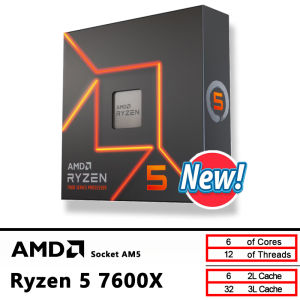
AMD R5 7600X 4.7 GHz 6-Core 12-Thread CPU

Titan Army P27H2GC 27 inch FHD 1920*1080 Resolution 180Hz Refresh Rate With 1ms Response Time Fast VA Flat Monitor
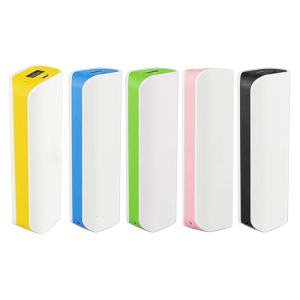
Solderless Diy For 1x 18650 Rechargeable LiPo Mobile Power Charging Box Assembly Case
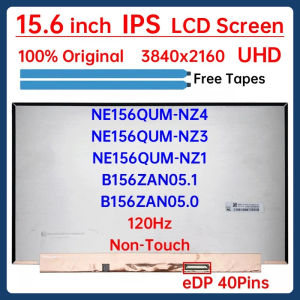
15.6" 120Hz Laptop LCD Screen NE156QUM-NZ4 NE156QUM-NZ3 NE156QUM-NZ1 B156ZAN05.1 B156ZAN05.0 Gaming Display Matrix Panel 40 Pins
![[ammoon]【HOT SALE】SK500 Live Sound Card Voice Changer Device Audio Mixer Built-in Multiple Sound Effects BT Connection for Smartphone Computer Live Streaming Online Singing Chatting Game](https://img.lazcdn.com/g/p/30cd59c6094325d19adea843a41d8cf0.jpg_300x300q80.jpg)
[ammoon]【HOT SALE】SK500 Live Sound Card Voice Changer Device Audio Mixer Built-in Multiple Sound Effects BT Connection for Smartphone Computer Live Streaming Online Singing Chatting Game

Small Cooling Fan Portable Fan AM3 Operated Pocket Fan AM3 Fan Small Fan Portable For Kids Adults
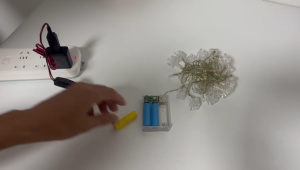
USB Power Supply Cable with On/Off Switch for AA Replace 3AA 4.5V Reusable Batteries for Clocks Toys