Crucial 8GB & 4GB DDR3L 1866MHz RAM: A Comprehensive Guide
Crucial 8GB & 4GB DDR3L 1866MHz RAM: A Comprehensive Guide
What is Crucial DDR3L RAM?
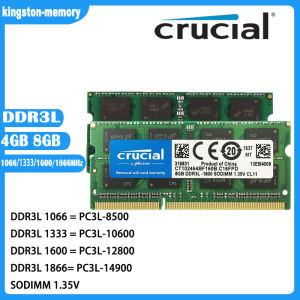
Crucial DDR3L RAM is a type of memory module designed specifically for laptops, offering high performance and energy efficiency. DDR3L stands for Double Data Rate 3 Low Voltage, which means it operates at a lower voltage (1.35V) compared to standard DDR3 RAM modules, reducing power consumption and heat generation.
Key Features of Crucial DDR3L RAM
- Available in 4GB and 8GB capacities
- Supports multiple speeds: 1066MHz, 1333MHz, 1600MHz, and 1866MHz
- SODIMM form factor (Small Outline Dual Inline Memory Module)
- 204-pin connector
Understanding Crucial's RAM Specifications
Crucial DDR3L RAM comes in various configurations, including 1066MHz, 1333MHz, 1600MHz, and 1866MHz speeds. These specifications refer to the clock speed of the memory module, which affects its performance. The higher the clock speed, the faster the data transfer rate and better overall system performance.
How to Install Crucial DDR3L RAM in Your Laptop
Installing Crucial DDR3L RAM in your laptop is a straightforward process, but it requires some basic technical knowledge.
Preparing for Installation
Before installing Crucial DDR3L RAM, ensure that your laptop is compatible with the module. Refer to your laptop's user manual or manufacturer's website to verify compatibility. Additionally, gather the necessary tools, such as a screwdriver, and prepare a clean, static-free workspace.
Installing Crucial DDR3L RAM Step-by-Step
- Turn off your laptop and unplug the power adapter.
- Remove the battery if possible.
- Open the laptop's RAM compartment by removing the appropriate screws or sliding the cover off.
- Carefully insert the Crucial DDR3L RAM module into the available slot, ensuring that it clicks into place.
- Close the RAM compartment and reattach any screws or covers.
- Reconnect the battery and power adapter, then turn on your laptop.
Verifying the Installation
After installing Crucial DDR3L RAM, verify its installation by checking your system's BIOS or using a memory diagnostic tool. This will ensure that the new RAM module is recognized and functioning correctly.
Maximizing Performance with Crucial DDR3L RAM
To get the most out of your Crucial DDR3L RAM, consider optimizing your system settings and upgrading other components.
Optimizing Your System Settings
Adjust your operating system's settings to take advantage of the increased memory capacity. For example, increase the virtual memory size, disable unnecessary startup programs, and update your drivers.
Upgrading Other Components for Better Performance
In addition to upgrading your RAM, consider upgrading other components, such as your CPU, GPU, or storage drive, to further enhance your laptop's performance.
Troubleshooting Common Issues with Crucial DDR3L RAM
Despite proper installation, you may encounter some issues with Crucial DDR3L RAM. Here are some common problems and solutions:
Addressing Compatibility Problems
If your laptop does not recognize the new RAM module, check the compatibility specifications and ensure that the module is properly seated in the slot.
Resolving Memory Errors
If you encounter memory errors, try reseating the RAM module or replacing it with a known-good module to isolate the issue.
Contacting Crucial Support
If you continue to experience issues with your Crucial DDR3L RAM, contact Crucial's customer support team for assistance. They can help diagnose and resolve any problems you may encounter.

kingston-memory
Review
You May Also Like
Kingston SSD A400: High Performance SSD Storage for Desktop PCs

13inch/16inch Soft Laptop Sleeve Case 13inch/16inch Laptop Sleeve Bag Magnetic Fastener Computer Sleeve Lightweight
Automatic incubator blower fan for egg 220V Heavy duty Exhaust fan Cooling fan Incubator parts complete set

NX200M MINI TOWER MAINSTREAM CASE I BLACK TEMPERED SIDE PANEL CABINET TYPE I INCLUDE. 1X1200MM REA
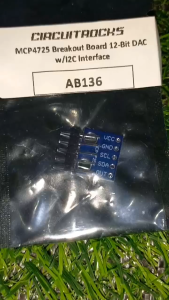
Circuitrocks MCP4725 Breakout Board 12-Bit DAC w/I2C Interface
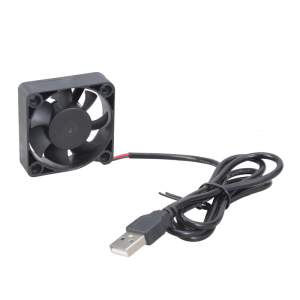
Lightweight 5V USB 50mm Cooling Fan High CFM Airflow Fast Speed For Electronics CPU 3D Printer
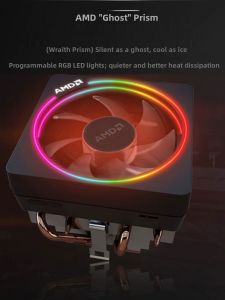
AMD | AMD Ryzen CPU with Cooler original disassembly radiator
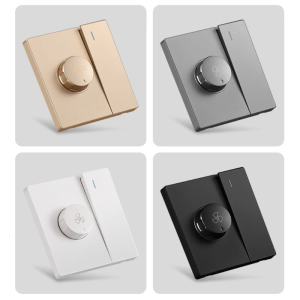
Variable Fan Speed Control with Switch Suit for Most Brand Ceiling Fans Electric Fans Speed Adjuster Replacement White
Transformer 12 Volts 1 Ampere 220v (Input Red) to 12v (Output Blue)

Cheap factory thermal pads 100*100mm 17W 0.5/075/2/2.5mm high Termal silicone video card soft Termal sheet for CPU GPU rtx3090 PS4 Pro
DVI Interfaces Expansion Board Without LCD