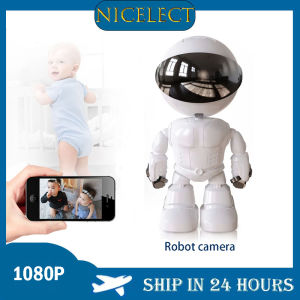
NICELECT 1080P Robot WIFI IP Camera: A Comprehensive Guide
NICELECT 1080P Robot WIFI IP Camera: A Comprehensive Guide
The NICELECT 1080P Robot WIFI IP Camera is a state-of-the-art surveillance device that combines wireless connectivity, high-definition video quality, and remote monitoring capabilities. In this guide, we'll explore its features, installation process, usage, troubleshooting tips, and maintenance advice.
What is the NICELECT 1080P Robot WIFI IP Camera?
The NICELECT 1080P Robot WIFI IP Camera is a wireless baby monitor and smart home video surveillance camera. It supports Windows 7, Windows 8, and Windows 10 operating systems and features a 3.6mm lens, 2MP resolution, and H.264 video compression format. The camera has a 10m IR distance, a 75° viewing angle, and is powered by a 5V power supply.
Key Features & Specifications
- Brand Name: NICELECT
- Origin: Mainland China
- High Definition: 1080P (Full-HD)
- Supported Operating Systems: Windows 7, Windows 8, Windows 10
- Lens (mm): 3.6mm
- Style: Dome Camera
- Connectivity: WiFi
- Installation: Normal
- Megapixels: 2MP
- Storage: 128G
- Video Compression Format: H.264
- IR Distance(m): 10m
- Certification: CE
- Color: White
- Alarm Action: Local Alarm
- Model Number: M-A160
- Smart Home Platform: Other
- TF Card: 128G TF Card
- Power Supply(V): 5v
- Audio Output: 1CH RCA
- Power Consumption(W): 5w
- Sensor: CMOS
- Sensor Brand: SONY
- Power Supply: Normal
- Viewing Angle: 75°
How It Compares to Other Options
The NICELECT 1080P Robot WIFI IP Camera stands out due to its high-definition video quality, wireless connectivity, and remote monitoring capabilities. Compared to other options, it offers a comprehensive package that caters to both baby monitoring and smart home surveillance needs.
Setting Up Your NICELECT Camera
To get started with your NICELECT camera, follow these steps:
Connecting to WiFi & Installing Software
- Connect the camera to power and wait for it to boot up.
- Download and install the NICELECT app on your smartphone or computer.
- Follow the app's instructions to connect the camera to your WiFi network.
Configuring the Camera
Once connected, configure the camera according to your preferences:
- Set up motion detection and alarm settings.
- Adjust the viewing angle and IR distance.
- Configure audio output and storage options.
Using Your NICELECT Camera
The NICELECT camera offers several features that make it easy to monitor and record video footage:
Monitoring & Recording
- View live video feeds from the camera using the app.
- Record video clips and save them to the camera's storage.
- Set up scheduled recordings to capture specific time periods.
Accessing Your Camera Remotely
- Connect to the camera remotely using the app.
- Monitor video feeds and control camera settings from anywhere.
Integrating with Smart Home Platforms
While the NICELECT camera supports integration with other smart home platforms, it may require additional setup steps. Consult the camera's documentation for more information.
Troubleshooting & Maintenance
To ensure your NICELECT camera operates smoothly, follow these tips:
Common Issues & Solutions
- Camera not connecting to WiFi: Check the camera's power supply and WiFi settings.
- Video quality issues: Adjust the camera's resolution and compression settings.
- Audio output problems: Check the camera's audio settings and connections.
Keeping Your Camera Secure
- Change the camera's default login credentials.
- Enable encryption and secure connections.
- Regularly update the camera's firmware.
Conclusion
The NICELECT 1080P Robot WIFI IP Camera is a versatile surveillance device that offers high-definition video quality, wireless connectivity, and remote monitoring capabilities. With its comprehensive feature set and ease of use, it's an excellent choice for baby monitoring and smart home surveillance.

NICELECT Mall
Review

You May Also Like
XIAOMI CCTV Camera Connect Cellphone 8MP HD Global Verison Two-way Audio Motion Detection Night Vision Remote Monitoring Camera 360° PTZ APP Conrtol Panoramic
SMATRUL 100% Original 1080P HD WiFi Hidden Camera Rechargeable IP Camera CCTV Outdoor Security connect to cellphone with voice Indoor IP to phone outdoor with night vision 360p for house hidden for vlogging monitor camera
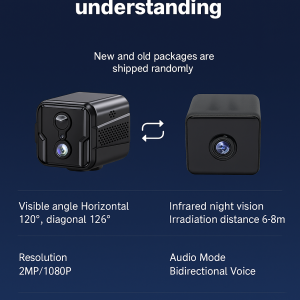
4G remote smart surveillance camera HD smart camera wireless remote home monitoring X9 small cube camera
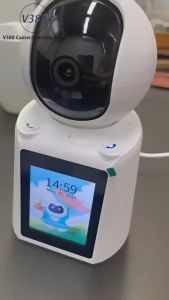
✅100% Original Yoky Smart CCTV Camera Video Calling With LCD Screen 1-Key Video Phone View Two-Way Voice V380
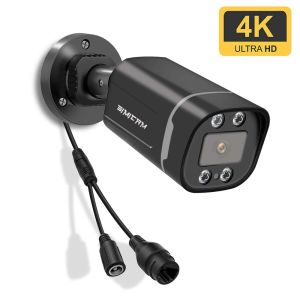
4K 8MP IP POE Camera Surveillance Onvif H265 Audio Dome Onvif HD Night Vision Human Detect 48V 8MP CCTV Video Security For NVR
S11 4K high-definition clip-on security recorder infrared night vision camera outdoor shooting recorder
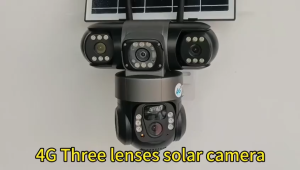
V380 Three Lens 3-Screen 12MP Wireless Solar Camera 4G SIM Card Connection Full Color Night Vision Sports Tracking Alarm Bidirectional Voice Solar Outdoor Waterproof CCTV IP Camera
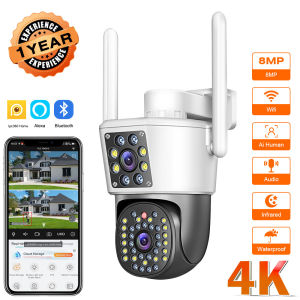
4K 8MP Wifi PTZ Camera Dual Lens IP CCTV Video Surveillance Camera Ai Human Detect Auto Tracking Night Vision Outdoor IPC360
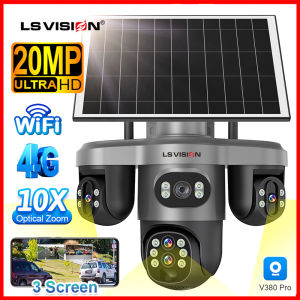
LS VISION V380 10X Optical Zoom WIFI/4G 20MP 3 PTZ Lens CCTV Solar Camera AI Detection IP66 Waterproof Humanoid Detection Automatic Tracking Two-Way Audio IP Cameras
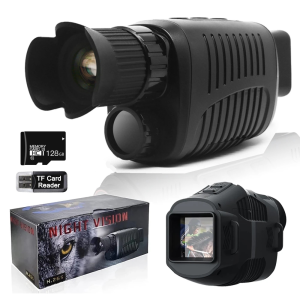
Monocular Night Vision Device 1080P HD Infrared Camera 5X Digital Light Zoom Hunting Telescope Outdoor Search Full Darkness 300m
Original A9 CCTV camera connect cellphone 1080P Ultra HD no need internet no need wifi with Night Vision with 360°panoramic Infrared Security Camera Motion Detection HD cctv camera