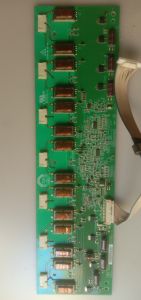
Samsung LA32A450C1 Backlight Inverter 4H.2668.001
Samsung LA32A450C1 Backlight Inverter #4H.2668.001
What is a Samsung TV Inverter Part?
Understanding the role of a Samsung TV inverter part is essential for maintaining the functionality of your LCD display. An inverter part, also known as a backlight inverter, is a crucial component responsible for regulating the power supply to the backlight system of an LCD TV. This helps ensure consistent brightness and color reproduction across the screen.
LCD display inverters are a key part of the LCD TV backlight system, which includes the backlight source, diffuser, and reflector. The inverter converts the direct current (DC) voltage supplied by the power supply unit into alternating current (AC) voltage, which is then used to power the cold cathode fluorescent lamps (CCFLs) or LEDs in the backlight module.
Why Replace the Samsung LA32A450C1 Backlight Inverter?
Over time, the backlight inverter in your Samsung LA32A450C1 TV may fail due to wear and tear or other factors. Some common issues associated with faulty backlight inverters include flickering images, dimming screen brightness, and uneven illumination across the screen.
When faced with these symptoms, replacing the Samsung LA32A450C1 backlight inverter is necessary to restore proper function and extend the life of your TV. This process involves identifying the correct replacement part, acquiring it, and performing the necessary repairs.
Steps to Replace the Samsung LA32A450C1 Backlight Inverter
Before beginning the replacement process, gather the necessary tools and materials, such as a screwdriver, anti-static wristband, and the correct inverter component (4H.2668.001).
Follow these step-by-step instructions to replace the Samsung LA32A450C1 backlight inverter:
- Unplug the TV and disconnect all cables.
- Remove the TV's back cover by carefully unscrewing the screws and lifting off the panel.
- Locate the faulty inverter component and unplug its connectors.
- Remove the old inverter by unscrewing its mounting screws.
- Install the new inverter by aligning it with the mounting holes and securing it with screws.
- Connect the new inverter's connectors and reattach the back cover.
- Plug the TV back in and test its functionality.
Some tips for a successful replacement include wearing an anti-static wristband to prevent damage to sensitive components, using a clean workspace to avoid contamination, and taking clear photos during disassembly to ensure proper reassembly.
Finding the Right Samsung LA32A450C1 Backlight Inverter Component
To find the correct replacement component for your Samsung LA32A450C1 TV, search online retailers or authorized Samsung service centers for the 4H.2668.001 inverter component. Verify the authenticity of the part by checking its serial number against the manufacturer's records and ensure it comes with a warranty for added peace of mind.
Conclusion
Replacing the Samsung LA32A450C1 backlight inverter is a crucial step in maintaining the functionality and longevity of your LCD TV. By understanding the role of the inverter, recognizing common issues, and following the steps outlined above, you can successfully repair your TV and enjoy clear, vibrant images once again.
Remember, always prioritize safety and follow proper procedures when working with electronic components. For more complex repairs or if you're unsure about any aspect of the process, consult a professional technician.

2nd hand LED TV parts
Review

You May Also Like
MYHYPERGEAR HY300 Pro: The Ultimate WiFi 6 Smart Mini Projector

32"-50" Non Touch KIOSK SCREEN Floor Standee Vertical Screen 1080 HD Advertising Player Digital Signage
YT200 HD Home Theater LED Lighting Projector Portable Mini Projector Mobile Home Theater
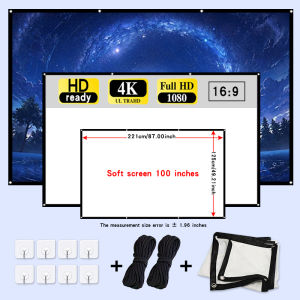
High density soft screen 100 inches easy to install with ropes suitable for both indoor and outdoor use.
EXPOSE Smart TV 50 Inch 4K TV flat screen Smart TV Smart TV 43 Inches on Smart TV Android TV Google TV
Android TV Box For Smart TV 4K Portable Wifi Media Player Set Top Box Google Assistant
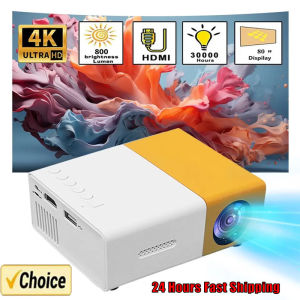
YG300 MINI Projector Portable Home Theater Smart TV Laser Beamer 3D Cinema LED Videoprojector for 4k 1080P Movie Via HD Port
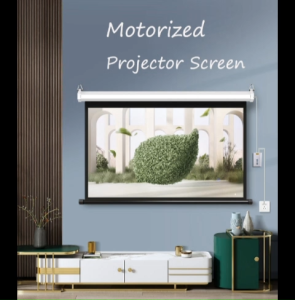
Projector Screen Automatic Electric Projector Screen Electric Projector Screen
Streaming Media Device for YearRound Family Entertainment Tech Enthusiasts Students Adults Universal for Men and Women Remote Hosting Video Output Video Conferencing
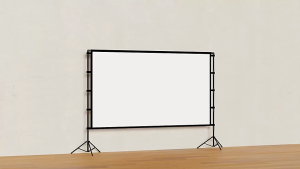
SAINTVILLA BAIERDI 4K 16:9 Portable Projector Screen 84-150 Inch Movie Screen for Indoor Outdoor Home Theater and Backyard Use
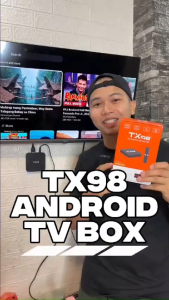
EXPOSE Android TV box 4K UHD 2.4G/5G Dual WiFi 6 16+256GB TV box Google chromecast Supports 360° Bluetooth Remote Voice Control