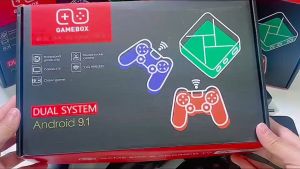
Original POWKIDDY RGB20S Handheld Game Console Retro Game Open Source System RK3326 3.5-Inch 4:3 IPS Screen Childrens Gifts
Original POWKIDDY RGB20S Handheld Game Console Retro Game Open Source System RK3326 3.5-Inch 4:3 IPS Screen Childrens Gifts
What is the POWKIDDY RGB20S?
The POWKIDDY RGB20S is a cutting-edge handheld gaming console that offers a unique blend of retro gaming nostalgia and modern technology. This device features the powerful RK3326 processor, a 3.5-inch IPS screen with a 4:3 aspect ratio, and an open-source system that allows users to customize their gaming experience. It is a fantastic gift option for children and families who love retro games and want to explore the world of open-source gaming systems.
Key Features & Specifications
- Processor: RK3326
- Screen: 3.5-inch IPS display with a 4:3 aspect ratio
- Storage: 8GB eMMC internal storage, expandable via microSD card slot
- Connectivity: USB OTG, HDMI output, audio jack
- Power: 2500mAh rechargeable battery
- Operating System: Open-source system with support for multiple game emulators
How Does It Compare to Other Handheld Games?
Compared to other handheld games, the POWKIDDY RGB20S stands out due to its powerful processor, high-resolution screen, and open-source system. This combination makes it a versatile gaming device that can handle a wide range of retro games and modern indie titles. Additionally, its expandable storage and connectivity options make it easy to share games and experiences with friends and family.
Why Choose the POWKIDDY RGB20S?
There are several reasons why the POWKIDDY RGB20S is an excellent choice for families and retro gaming enthusiasts:
Benefits for Kids & Families
- Educational Value: The open-source system allows kids to learn about programming and game development.
- Family Bonding: Playing retro games together can be a fun way to bond with family members.
- Affordable: The POWKIDDY RGB20S is an affordable alternative to expensive modern gaming consoles.
Versatility & Customization Options
The POWKIDDY RGB20S offers a wide range of customization options, allowing users to tailor their gaming experience to their preferences. This includes the ability to install different operating systems, modify the user interface, and customize the hardware configuration.
Setting Up Your POWKIDDY RGB20S
Setting up your POWKIDDY RGB20S is a straightforward process. Follow these steps to get started:
Step-by-Step Guide
- Charge the device using the included USB-C cable.
- Connect the device to a computer using the USB OTG port.
- Install the desired operating system and game emulators.
- Connect external devices, such as controllers or speakers, via the USB OTG port or audio jack.
- Enjoy playing retro games on your new POWKIDDY RGB20S!
Connecting to External Devices
The POWKIDDY RGB20S supports a variety of external devices, including controllers, speakers, and HDMI displays. Connect these devices via the USB OTG port or audio jack to enhance your gaming experience.
Installing Retro Games & Open Source Systems
Installing retro games and open-source systems on your POWKIDDY RGB20S is a simple process. Follow the instructions provided by the operating system and game emulator developers to get started.
Exploring the POWKIDDY RGB20S Community
The POWKIDDY RGB20S has a vibrant community of users who share their experiences, tips, and tricks. Join the conversation and contribute to the growing world of open-source gaming systems.
Online Resources & Forums
Visit the official POWKIDDY RGB20S website and forums to connect with other users, share your experiences, and stay up-to-date with the latest news and updates.
Sharing Your Experience
Share your POWKIDDY RGB20S experience with friends, family, and fellow users by posting on social media, writing reviews, or creating YouTube videos.
Contributing to the Open Source System
Contribute to the open-source system by submitting bug reports, feature requests, or code contributions. Your input helps improve the POWKIDDY RGB20S and makes it an even better gaming device for everyone.

Qilmily
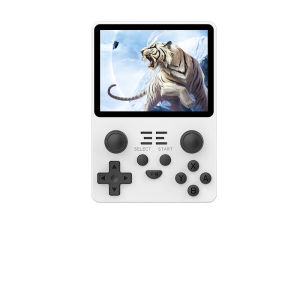
You May Also Like

The Smurfs 2 - Xbox 360
In Stock: 3-Inch Mini Pocket Game Console 400 in 1 Gameboy Game Rechargeable
5.1 Inch Large Screen Retro Game Console Rechargeable Classic Snake Game for Boys And Girls Educational Stress Relief Toy
500 in 1 Built-in Games Retro Portable Handheld Video Game Console 2.4-inch Color LCD Kids Toy Game Console
⭐⭐⭐Giiker Puzzle Super Slide Huarong Road Smart Sensor Game 500+ Question Bank Teaching Challenge Fun Toy Gift For Children Kids

HYUNDAI HY-C8 AI Glasses & Earphones: A Comprehensive Guide
ANBERNIC RG405V Handheld Game Console 4’’ IPS Touch Screen Unisoc Tiger T618 Android 12 5500mAh Video Gaming Player OTA Update
HD 4K M8 Video Game Console Classic Double Gamepad,HDMI home game console,Wireless arcade
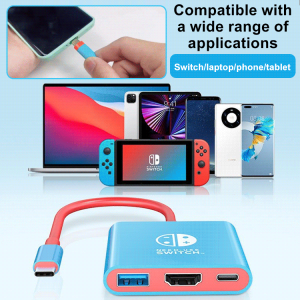
Nintendo Kingdom Tears Docking Station 3in1 Portable Screen Thrower
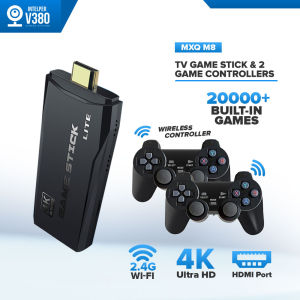
Intelper MXQ Pro M8 Game Stick: A Comprehensive Guide
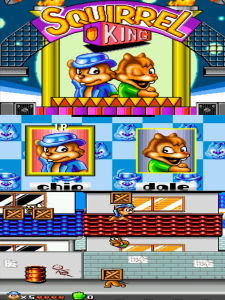
Squirrel War MD 16-bit Black Card Tape SEGA Game Console Game Card Classic Arcade Gaming Entertainment