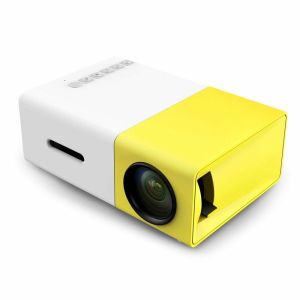
YG-300 Mini Portable LED Projector: A High-Quality Android Phone Media Player & Home Cinema Experience
YG-300 Mini Portable LED Projector: A High-Quality Android Phone Media Player & Home Cinema Experience
Introduction to the YG-300 Projector
The YG-300 Mini Portable LED Projector is a versatile device designed to offer a high-quality home cinema experience. This 3D HD resolution projector comes equipped with features that make it stand out among its competitors. In this article, we will explore the key features of the YG-300 Projector, compare it to other mini portable LED projectors, and provide step-by-step instructions for setting up and using this device.
Key Features of the YG-300 Projector
The YG-300 Projector boasts several impressive features that make it an excellent choice for both casual movie enthusiasts and tech-savvy users. Some of its key features include:
-
High-Quality Picture: With its 3D HD resolution capabilities, the YG-300 Projector offers a crisp and clear picture quality that will transport you to the big screen.
-
Compact Size: Despite its powerful performance, the YG-300 Projector is incredibly compact and portable, making it easy to carry around and set up anywhere.
-
Android Phone Media Player: The YG-300 Projector can be used as an Android phone media player, allowing you to stream your favorite movies, TV shows, and music directly from your device.
How the YG-300 Projector Compares to Other Mini Portable LED Projectors
When compared to other mini portable LED projectors, the YG-300 Projector stands out due to its superior picture quality, compact size, and versatile Android phone media player capabilities. While some competitors may offer similar features, the YG-300 Projector's combination of these features makes it a top choice for those seeking a high-quality home cinema experience.
Setting Up Your YG-300 Projector
Setting up your YG-300 Projector is a straightforward process that can be completed in just a few simple steps. In this section, we will guide you through the initial setup, connecting the AV cable, and using the remote control.
Unboxing & Initial Setup
To begin, unbox your YG-300 Projector and locate the following components:
- 1 x YG-300 LCD Projector (US Plug)
- 1 x Remote Control
- 1 x AV Cable
- 1 x English Instruction Manual
Follow the instructions in the manual to connect the projector to a power source and set it up in a suitable location.
Connecting the AV Cable
Once your YG-300 Projector is powered on, connect the AV cable to both the projector and your desired media source (e.g., Android phone, tablet, or laptop). This will allow you to display your content on the projector screen.
Using the Remote Control
The YG-300 Projector comes with a remote control that allows you to adjust settings, change input sources, and control playback. Familiarize yourself with the remote control's buttons and functions to make the most out of your home cinema experience.
Enhancing Your Home Cinema Experience with the YG-300 Projector
Now that your YG-300 Projector is set up, it's time to explore its features and enhance your home cinema experience. In this section, we will discuss optimizing picture quality, exploring 3D HD resolution capabilities, and enjoying high-quality audio.
Optimizing Picture Quality
To ensure the best picture quality, position your YG-300 Projector at an optimal distance from the screen and adjust the focus and zoom settings accordingly. Additionally, experiment with different aspect ratios and color settings to find the perfect balance for your viewing preferences.
Exploring 3D HD Resolution Capabilities
The YG-300 Projector supports 3D HD resolution, allowing you to enjoy immersive movies and gaming experiences. To activate 3D mode, connect your compatible device to the projector using the AV cable and select the appropriate input source.
Enjoying High-Quality Audio
For a truly cinematic experience, pair your YG-300 Projector with a high-quality sound system. This will enhance the audio quality and provide a more immersive viewing experience.
Troubleshooting Common Issues
While the YG-300 Projector is designed to be user-friendly, you may encounter some common issues during setup or use. In this section, we will address connectivity problems, picture quality issues, and audio problems.
Fixing Connectivity Problems
If you're experiencing connectivity issues, check the connections between the projector and your media source. Ensure that all cables are securely connected and try restarting both devices.
Addressing Picture Quality Issues
If you notice any picture quality issues, such as blurriness or color distortion, adjust the focus and zoom settings, or experiment with different aspect ratios and color settings.
Resolving Audio Problems
If you're experiencing audio problems, check the connections between the projector and your sound system. Ensure that all cables are securely connected and try adjusting the volume levels on both devices.
Conclusion & Final Thoughts
In conclusion, the YG-300 Mini Portable LED Projector offers a high-quality home cinema experience with its 3D HD resolution capabilities, compact size, and versatile Android phone media player features. By following the setup instructions and troubleshooting tips provided in this article, you can enjoy a seamless and immersive viewing experience.

Growth PH
You May Also Like
【BOSR】(SF-HD850/ SF-HD870) DVD Lens for Platinum Players / Hyundai Players / megapro Players (w/ Lock)
Vision T3MINI TV Stick Android 10.0 TV stick 1GB +8GB Wifi

Smart WiFi Frameless TV Manufacturer: DUTRIEUX 32-65 Inches LED Android TV 1080p
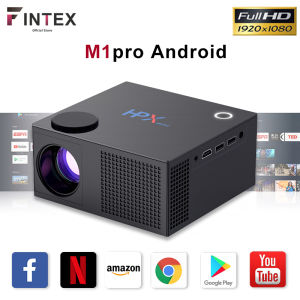
🥇【10000 Lumens】Fintex M1pro Home Cinema Classroom Projector
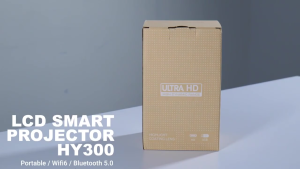
Monoz HY300 Aura Mini Projector Android 13 | 130" HD | 8000 Lumens | WiFi 6 & BT | HDMI | Portable Home Theater
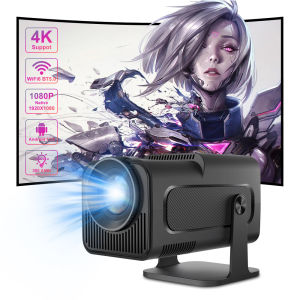
Salange HY320 Projector: Native 1080P & 4K Android 11 Entertainment Solution
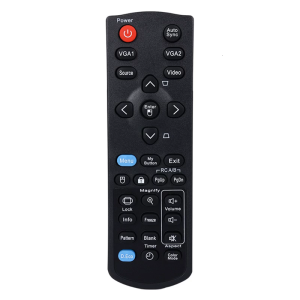
Reliable Replacement Remotes Control for PJD6353S PJD5134 Projectors Remotes with Full Functionality Wear-resistin
Portable DVD Case- 40 Capacity Mercerized Fabric Storage Bag Holder with Zipper for Home Car DVD Box Bags
Karaoke dvd player LEXING LX-5/ LX-12 LED display infared remote sensor
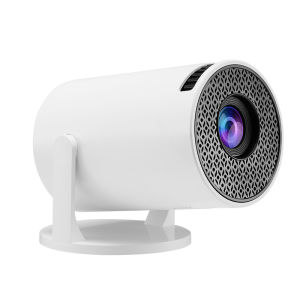
M5 Portable Mini Movie Projector Laser Beamer Suitable For Outdoor Camping Drive-in Home Theater 1080P Wired Wireless Phone Mirroring

The Platinum T/X-Series/BMB Series Updated CD as of 2025 VOL-103