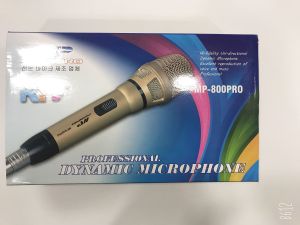
Wireless Lavalier Microphone: A Guide for iPhone & Android Phone Mini Wireless Mic Recording
Wireless Lavalier Microphone: A Guide for iPhone & Android Phone Mini Wireless Mic Recording
What is a Wireless Lavalier Microphone?
A wireless lavalier microphone is a small, clip-on microphone that allows users to capture high-quality audio while maintaining mobility and flexibility. These microphones are designed to be discreet and unobtrusive, making them perfect for live broadcasts, vlogging, and recording on platforms like YouTube, Facebook, and TikTok.
Key Features & Benefits
- Discreet Design: The small size of lavalier microphones makes them easy to conceal under clothing or attach to accessories, ensuring they don't distract from your content.
- High-Quality Audio: Wireless lavalier microphones offer clear audio with minimal noise, providing listeners with an immersive experience.
- Versatility: These microphones work well for various scenarios, including interviews, presentations, and live events.
How It Works
A wireless lavalier microphone consists of two main components: the microphone itself and a receiver. The microphone transmits audio wirelessly to the receiver, which then connects to your smartphone or other recording device. This setup allows you to move freely while still capturing high-quality audio.
Choosing the Right Wireless Lavalier Microphone
When selecting a wireless lavalier microphone, consider the following factors:
Compatibility with iPhone & Android Phones
Ensure that the microphone you choose is compatible with both iOS and Android devices. This will allow you to use it with any smartphone, providing flexibility in your recording setup.
Battery Life & Charging Options
Look for a wireless lavalier microphone with a long battery life, ideally lasting several hours. Additionally, check if the microphone has a rechargeable battery and comes with a USB-C cable for convenient charging.
How to Set Up Your Wireless Lavalier Microphone
Setting up your wireless lavalier microphone is simple and straightforward. Follow these steps:
Connecting the Microphone & Receiver
- Attach the lavalier microphone to your clothing or accessory.
- Connect the receiver to your smartphone using a USB-C cable or another compatible connection method.
Pairing with Your Device
- Open the audio settings on your device.
- Select the wireless lavalier microphone as your input source.
Using Your Wireless Lavalier Microphone for Live Broadcasts & Vlogs
To maximize the potential of your wireless lavalier microphone, follow these best practices:
Best Practices for Recording on YouTube, Facebook, & TikTok
- Place the microphone close to your mouth for optimal sound quality.
- Use a windscreen to minimize noise caused by breathing or wind.
- Test your microphone before going live to ensure it's working correctly.
Tips for Optimizing Audio Quality
- Adjust the gain settings on your device to achieve the best balance between volume and clarity.
- Record in a quiet environment to minimize background noise.
- Experiment with different microphone placements to find the ideal position for your voice.
Conclusion
A wireless lavalier microphone is an essential tool for anyone looking to enhance their live broadcasts, vlogs, and recordings on platforms like YouTube, Facebook, and TikTok. By choosing the right microphone and following our setup and usage tips, you can capture clear, high-quality audio that will engage your audience and elevate your content." }

TYSJ
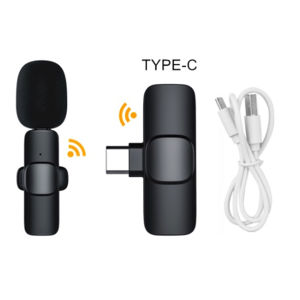
You May Also Like
Wireless microphone Original 4002-58V2T - UHF 80M Suara Jernih Anti Noise! Guarantee
Awei Y371 Wireless Speaker Portable TWS Function IPX6 Outdoor Waterproof RGB Light Long Battery Life
XYX OPA1622 OPA1622IDRCR SMD To DIP Dual Op Amp High Performance Low THD+N And Bipolar Input For Dac Headphone Amplifier
Top Picks: Bluetooth Portable Speakers & Outdoor Subwoofers
Wireless Microphone Handheld Dual Channels Fixed Frequency For Karaoke Anti-whistling handheld microphone increases reception distance

Big Flash Sale JBL BOOMBOX 4 Portable Bluetooth & Waterproof Speaker with Powerbank wireless Deep bass subwoofer speaker

【Portable ultra large volume】 HJ Voice Amplifier Speaker Suitable for teachers/tour guides/speeches/conferences etc(Teaching LoudspeakerMicrophone For TeachingLapel MicrophoneVoice Amplifier Bluetoothteacher lavalier microphone )
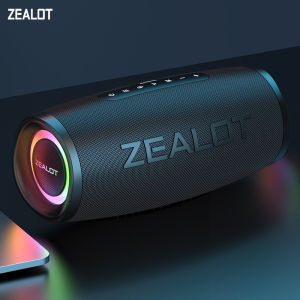
ZEALOT-S56 Bluetooth Speaker 40W Output Power Bluetooth Speaker with Excellent Bass Performace IPX6 Waterproof Camping Outdoor

2025 Kevler AXL-15 Passive 15 inch 2 Way Bass Reflex 1000 Watts 8 ohms Speaker with Free 5 meters speaker wire AXL15 axl15
ZK-TB21 DIY Audio Bluetooth Amplifier 2.1 Channel 160W*2+220W Subwoofer para sa Home at Car Stereo
2 Set Baofeng UV-18 Tri-Band Portable Walkie Talkie Long Range 20KM 5W Tri-Band Two Way Radio LCD 999CH Type-C Fast Charging Multimode Scanning