Sony Xperia U ST25 ST25i Mobile Phones Original Unlocked 3.5 Inch 3G 5MP GPS WIFI Android Smartphone
Sony Xperia U ST25 ST25i Mobile Phones Original Unlocked 3.5 Inch 3G 5MP GPS WIFI Android Smartphone
Introduction
The Sony Xperia U is a versatile and powerful smartphone that offers a unique blend of style, performance, and connectivity. In this comprehensive guide, we will explore the key features and specifications of the Sony Xperia U, as well as provide valuable insights on how to get started with your new device, optimal usage, and maintenance.
Key Features & Specifications
What Makes the Sony Xperia U Unique?
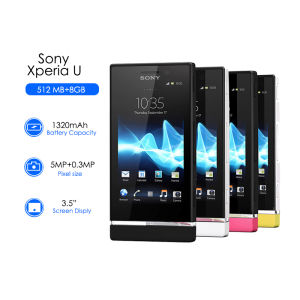
The Sony Xperia U stands out from other smartphones in its class due to its compact size, sleek design, and impressive features. It offers a 3.5-inch display, making it easy to carry around and operate with one hand. Additionally, the device comes with a 5MP camera, allowing users to capture high-quality photos and videos.
Core Specifications: 5MP Camera, 3G, GPS, WIFI, and More
The Sony Xperia U is equipped with a 5MP camera, providing users with the ability to capture stunning photos and videos. It also supports 3G connectivity, allowing users to stay connected wherever they go. Moreover, the device has built-in GPS capabilities, enabling users to navigate easily and access location-based services. Lastly, the Sony Xperia U supports WIFI connectivity, providing users with fast and reliable internet access.
Unlocked & Customizable: The Benefits of Owning an Unlocked Smartphone
One of the most significant advantages of owning an unlocked smartphone like the Sony Xperia U is the freedom to choose from various carriers and plans. This flexibility allows users to save money on their monthly bills and enjoy a wider range of services. Additionally, unlocked smartphones can be customized to meet individual preferences, making them a great choice for tech enthusiasts and power users.
How to Get Started with Your New Sony Xperia U
Setting Up Your Phone: From Charging to First-Time Setup
Before using your new Sony Xperia U, it is essential to charge the device fully. Once charged, users can begin the first-time setup process by following the on-screen instructions. This process includes setting up a Google account, configuring network settings, and downloading apps from the Google Play Store.
Exploring the User Interface & Features
The Sony Xperia U comes with a user-friendly interface that is easy to navigate. Users can access various features and settings by swiping left or right on the home screen, tapping on app icons, or using the menu button. Additionally, the device supports multi-tasking, allowing users to switch between apps quickly and efficiently.
Tips for Personalizing Your Experience
To make the most out of your Sony Xperia U, users can personalize their experience by customizing the home screen, setting up widgets, and adjusting display settings. Additionally, users can download and install apps from the Google Play Store to enhance their experience further.
Optimal Usage & Maintenance
Best Practices for Battery Life & Performance
To ensure optimal battery life and performance, users should avoid running too many apps simultaneously, keep the device updated with the latest software, and use power-saving features like airplane mode and low-power mode.
Maintaining Your Phone: Cleaning, Storage, & More
Regular cleaning and proper storage are essential for maintaining the longevity of your Sony Xperia U. Users should clean the device regularly using a soft cloth and avoid exposing it to extreme temperatures or moisture.
Troubleshooting Common Issues & Seeking Support
If users encounter any issues with their Sony Xperia U, they can refer to the device manual or seek support from Sony's customer service team. Additionally, users can find solutions to common problems by searching online forums and support communities.

XiaXiaYouMI Mobile Phone Store
Review

You May Also Like
i19 Pro Rotate Touch Screen Phone 4G 2 SIM 2.4"Display Magic Voice Flashlight FM Radio 90 ° Rotating Screen Mini Phone Mirror
Adjustable Belt with Wallet Zippers Pouch for Girl Women Phone Strap Holder Lanyard Clip and Go Strap Fit Most Phone
Used Nokia 6.1 Octa-core Phone: A Comprehensive Guide
Hot50 4G/5G Smartphone 6.7-inch Full Screen Memory 8GB RAM+256GB ROM Battery 8000Mah Android 13
Samsung Galaxy Z Flip 4 5G 8GB RAM+256|512GB ROM KR Version Unlocked
Original Motorola RAZR V3 MP4 Unlocked GSM 850/900/1800/1900 Flip Mobile Phone
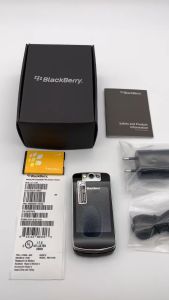
Original Blackberry 8220 Original BlackBerry Pearl Flip 2MP Mobile Phones
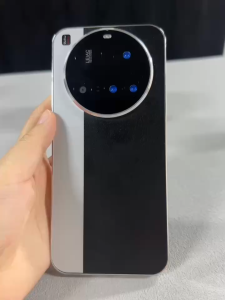
NEW M15 Ultra 4G/5G Smartphone 6.7inch Full Screen Phone Memory 12GB RAM+512GB ROM Camera 50MP+108MP Battery 8000Mah
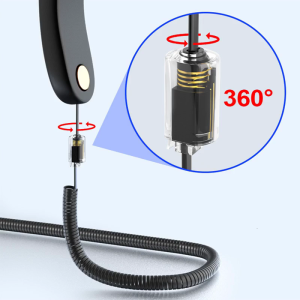
Rotatable Telephone Cord Detangler Telephone Handset Cable 360Degree Rotating Handset Cable Anti-winding
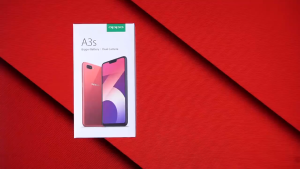
COD A5S Original cellphone Sale 4G Network Smartphone with Fingerprint Recognition 6+128GB Android Phone Gaming phone 1 year warranty
🔥Fast Delivery🔥 Realme Pad X | 16GB RAM 512GB ROM | Snapdragon 865 | 4G+5G LTE Dual SIM | 20000mAh Battery