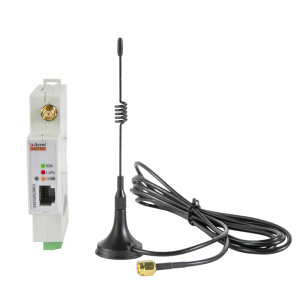
Acrel AWT100-WF & AWT100-CE Wireless Gateway Communication Terminals
Acrel AWT100-WF & AWT100-CE Wireless Gateway Communication Terminals
Introduction to Acrel AWT100-WF & AWT100-CE Gateways
Acrel AWT100-WF and AWT100-CE gateways are advanced wireless gateway communication terminals designed for IoT smart energy meters. These gateways support multiple protocols, including MODBUS-TCP, MQTT, and RS485 interface, making them versatile solutions for various applications. With robust power supply options and industry-standard certifications, these gateways ensure reliable communication and seamless integration with Acrel devices.
Key Features of AWT100-WF & AWT100-CE Gateways
- Upstream Protocol: MODBUS-TCP, MQTT
- Downstream Methods: RS485 Interface
- Downstream Protocol: MODBUS-RTU
- Support: Up to 20~25 Acrel Devices with RS485 (MODBUS-RTU)
- Power Supply: 24Vdc (default); 85~265Vac/Vdc (via AWT100-POW Module)
- Standard&Certificate: CE-RED; IEC; LVD; EMC
Comparison of AWT100-WF & AWT100-CE Gateways
| Feature | AWT100-WF | AWT100-CE | |----------------------|----------------|------------------| | Upstream Protocol | MODBUS-TCP, MQTT | MODBUS-TCP, MQTT | | Downstream Methods | RS485 Interface | RS485 Interface | | Downstream Protocol | MODBUS-RTU | MODBUS-RTU | | Support | Up to 20~25 Acrel Devices | Up to 20~25 Acrel Devices | | Power Supply | 24Vdc (default); 85~265Vac/Vdc | 24Vdc (default); 85~265Vac/Vdc | | Standard&Certificate | CE-RED; IEC; LVD; EMC | CE-RED; IEC; LVD; EMC |
Setting Up Your Wireless Gateway Communication Terminal
Setting up your AWT100-WF or AWT100-CE gateway involves connecting it to an IoT smart energy meter, configuring the upstream protocol, and setting up the downstream protocol.
Connecting AWT100-WF & AWT100-CE Gateways to IOT Smart Energy Meter
Connect the gateway to the smart energy meter using the RS485 interface. Ensure proper grounding and shielding to prevent signal interference.
Configuring Upstream Protocol for AWT100-WF & AWT100-CE Gateways
Configure the upstream protocol using the provided software or web interface. Choose either MODBUS-TCP or MQTT, depending on your application requirements.
Configuring Downstream Protocol for AWT100-WF & AWT100-CE Gateways
Configure the downstream protocol by selecting MODBUS-RTU and specifying the baud rate, data bits, parity, and stop bits according to your Acrel devices' requirements.
Advanced Features & Benefits of Acrel AWT100-WF & AWT100-CE Gateways
In addition to their core functionality, AWT100-WF and AWT100-CE gateways offer several advanced features and benefits.
Power Supply Options for AWT100-WF & AWT100-CE Gateways
These gateways support both 24Vdc and 85~265Vac/Vdc power supplies via the AWT100-POW module, making them suitable for various applications and environments.
Standard & Certificates for AWT100-WF & AWT100-CE Gateways
The AWT100-WF and AWT100-CE gateways comply with industry-standard certifications, including CE-RED, IEC, LVD, and EMC, ensuring reliable performance and safety.
Support for Multiple Acrel Devices with RS485 (MODBUS-RTU)
These gateways can support up to 20~25 Acrel devices with RS485 (MODBUS-RTU), making them ideal for large-scale installations and complex systems.
Troubleshooting & Maintenance for Acrel AWT100-WF & AWT100-CE Gateways
To ensure optimal performance and longevity, it's essential to troubleshoot common issues and maintain the gateways properly.
Common Issues with AWT100-WF & AWT100-CE Gateways
Some common issues include communication errors, power supply problems, and configuration errors. Refer to the user manual for troubleshooting steps.
Best Practices for Maintaining AWT100-WF & AWT100-CE Gateways
Regularly check the power supply, communication cables, and configuration settings to ensure optimal performance. Keep the firmware up-to-date and consult Acrel support if needed.
Contacting Acrel Support for AWT100-WF & AWT100-CE Gateways
For technical assistance, contact Acrel support at support@acrel.com or visit their website at www.acrel.com.

Acrel Office Store
Review

You May Also Like

ARMAK Electrical Tape: Original Wholesale Prices & Usage Guide
Circuitrocks Potentiometer Single Dual 3PIN 6PIN WH148 15mm - B1K B2K B5K B10K B20K B50K B100K 1K 2K 5K 10K 50K - Grippy Shaft with Pin-Point Legs for Breadboard or Panel - Linear Taper 10K Ohm Potentiometer

CTMALL AYXU 300ML Chrome Plating Rust Remover Rust Remover Spray Multi-Purpose Refurbishing Agent Paint

Rotating Button New Safety Shoes Men Anti-smash Anti-puncture Work Shoes Fashion Men Sport Shoes Security Protective Boots Men
🔥Glass Clip Stainless Glass Clamp Bracket Holder(glass Hold 10mm-12mm) Stainless 304/glass Clip For Round Tube/Square Tempered Glass LovelylifeFu👍
![[COD] dfhws Stainless Steel Thicken Detachable Hinge Removable High Quality Concealed Cabinet Round Hinge For Aluminum Doors Bathroom Door](https://img.lazcdn.com/g/p/88170b0007f6b351f1008fc6a47e417f.jpg_300x300q80.jpg)
[COD] dfhws Stainless Steel Thicken Detachable Hinge Removable High Quality Concealed Cabinet Round Hinge For Aluminum Doors Bathroom Door
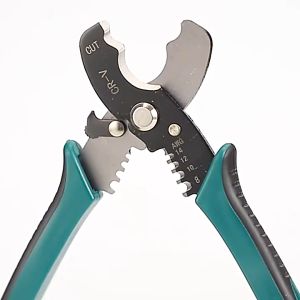
3-IN-1 Multifunction Cable Wire Stripper: A Comprehensive Guide

MaxPlus Heavy Duty Metal Truck Hook Lock Latch For Trucks Bar Latch Keep Plate

KG316T Microcomputer Time Control Switch 220V Automatic Power-Off Street Lamp Advertising Lamp Timer
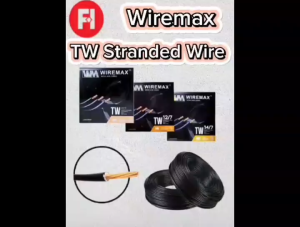
WIREMAX TW STRANDED WIRE #14/7 (2.0mm) #12/7 (3.5mm) #10/7 (5.5mm) #8/7 (8.0mm) PER 40 METERS 100% pure copper

【 2m fix width 】DUBOR 10/20/40/60m² 3D Vinyl Floor Sticker (3mm) Self Adhesive PVC tiles Floor Stickers Home Ddecor Waterproof Removable