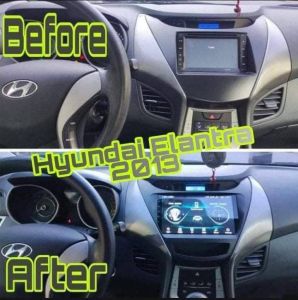
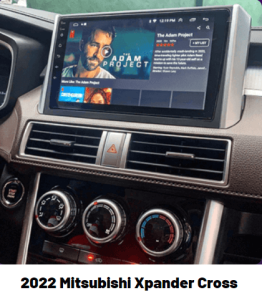
Android 10.1 Car Head Unit Radio Android 11 2din Car radio Universal Car Stereo multiplayer
【Carplay & Android Auto】Support Wireless & Wired Connections, with Siri / Google Voice Control. Easier to Play Music, Get Directions, Make Phone Calls【Equipment Compatibility】 Plug and Play. Support Original Steering Wheel Control, Support Original Rear Camera, Support Original Radar display. Support the functions of the current fuel mpg. Support the mpg history in the top / Upper screen. Support the vehicle maintenance and clock features.【Multi-Functions】1024* 720 Resolution / Split-Screen / Built-In DSP / Navigation(On-Off Line Map) / BT 5.0 / WIFI / HD Video Output / 4 Audio Output / 2 Sub Out / 3 USB Port / Radio / Touch Screen / Car Video Stereo In-dash SystemBluetoothVoice Recognition Dialing and phone-book function. (for iphone only)Sync the phone-book namessHands-free mobile phone operation conveniently and quickly.Stream the music from your phone via BluetoothSpecification: Model: 9102S-J OS: Android 10.1 Software solution: Jing Anchi Audio frequency: FM 87.5~108.0MHz Radio IC: 6625 Amplifier IC: CD7388CZ Output power: 60Wx4 Working voltage: 12~14.4V Working temperature: -10~+60℃ Bluetooth version: 4.1 (default name: Car-BT) WiFi frequency: 2.4GHz GPS signal: GPS/AGPS/GLONASS/Beidou CPU: A7 1.3GHz x 4 RAM: 1GB/2GB(DDR3) ROM: 16GB/32GB Display resolution: 1024x600 Screen size: 10 inches (2.5D IPS screen) Installation size: 178x104mm Shell size: 176x103mm Depth: 30mm Color box size: 204x170x114mm (cowhide box) Car radio weight: 887g Mobile phone interconnection: support (for iPhone/Android) Car locator: not supported Screen rotation: support Reversing video input: support Play video warning: support Steering wheel control: support button learning Video output: support Offline map: support Dash cam input: support (USB signal input) GPS navigation: support Rear USB port 1: USB 2.0 (4-pin, for USB flash drive) Rear USB port 2: USB 2.0 (6-pin, for dash cam) Reset button: support RCA port: audio output 2 channels (left channel + right channel); video output 1 channel; audio input 2 channels (left channel + right channel); video input 2 channels; reversing video input 1 channel Audio format MP3/WMA/WAV/APE/FLAC/AAC/OGG/RM Video format: MPEG/AVI/RM/FLV/ASF/WMV/MP4/MKV/OGM/TS/DivX/RMVB/VOB Picture format: JPG/BMP/PNG/JPEG/GIF Language: Indonesian/Malay/Czech/Danish/German/English/Spanish/Filipino/French/Croatian/Italian/Latvian/Lithuanian/Hungarian/Dutch/Norwegian Bokmal/Polish/Portuguese/Romanian/Slovak/Finnish/Swedish/Vietnamese/Turkish/Greek/Bulgarian/Russian/Ukrainian/Hebrew/Urdu/Arabic/Persian /Hindi/Bengali/Thai/Khmer/Korean/Simplified Chinese/Traditional Chinese/Japanese Factory set password: 1234
Package includes: 1 X Car Radio 1 X GPS Antenna 1 X 16-Pin Power Cable 1 X RCA Cable 1 X Reversing Vidoe Input Cable 2 X USB Cables 1 Set X Brackets 1 Set X Screws 1 X Manual (the camera is optional,not included)

Barattilla
You May Also Like

Motorcycle Mini Driving Light High and Low Yellow / White LED For Light Waterproof Motorcycle Accessories LED Original 40W/Bulb

Manifold gauge for Manifold Gauge Set R134a/R22/R404a/R407C HS-536C
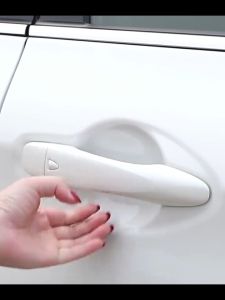
4PCS Car Door Bowl Protector Door Handle Sticker Anti-Scratch Strip Transparent Film Universal

Multifunction Claw Hammer Magnetic for Non-slip Shockproof Steel Hammer Hand Tool Automatic Woodworking Nail Suction Hammer
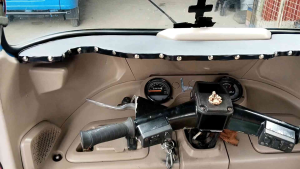
BAJAJ RE AND MAXIMA FACELIFT EDITION DASHBOARD

JH MOTORCYCLE TUBELESS TIRE 14” Rim Free SEALANT and PITO.
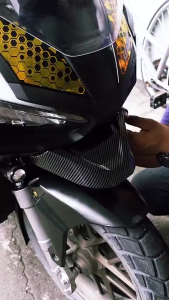
Honda ADV 160 Front Beak Cover Low Winglet Cap Cover For Honda ADV 160

SUZUKI Belang 150 Motorcycle AIR FILTER Small Mushroom Air Cleaner Head Type Accessories
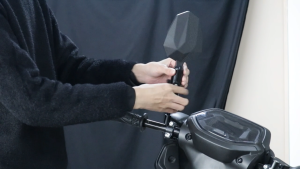
Motorcycle carbon fiber rearview mirror 360° adjustable high-definition anti-glare waterproof anti-shake electric vehicle general large field of view mirror
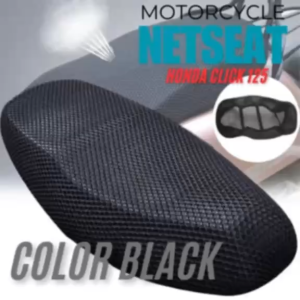
YAMAHA AEROX V2 Motorcycle net seat cover scooter mesh breathable cushion

Toyota Hiace Commuter 2005 to 2026 - AutoFlux Wiper Blade | FREE Windshield Glass Washer