DC Power Supply Variable 30V 10A Bench Power Supply with 4-Digits LED Display 5V/3.6A USB Quick-Charge Adjustable Switching Power Supply with Encoder Adjustment Knob Output Enable/Disable Button
DC Power Supply Variable 30V 10A Bench Power Supply with 4-Digits LED Display 5V/3.6A USB Quick-Charge Adjustable Switching Power Supply with Encoder Adjustment Knob Output Enable/Disable Button
What is a DC Power Supply Variable 30V 10A Bench Power Supply?
A DC Power Supply Variable 30V 10A Bench Power Supply is a versatile, adjustable switching power supply designed for various applications, including testing, prototyping, and powering electronic devices. This power supply features a 4-digits LED display, 5V/3.6A USB Quick-Charge functionality, and an encoder adjustment knob.
Understanding the Core Components
The core components of this power supply include:
- Adjustable Switching Power Supply: A high-efficiency power converter that adjusts its output voltage and current to meet the needs of different electronic devices.
- 4-Digits LED Display: A digital display that shows the current output voltage and current values.
- Encoder Adjustment Knob: A rotary encoder used to adjust the output voltage and current settings.
- Output Enable/Disable Button: A button that allows users to enable or disable the power supply output.
Key Features of Adjustable Switching Power Supply
The adjustable switching power supply offers several benefits, including:
- High Efficiency: The power supply efficiently converts AC input to DC output, minimizing energy loss.
- Wide Input Voltage Range: The power supply supports a wide range of input voltages, making it suitable for use in various environments.
- Short-Circuit Protection: The power supply includes built-in short-circuit protection to prevent damage to connected devices.
Applications of 4-Digits LED Display Power Supply
The 4-digits LED display power supply finds applications in:
- Testing and Prototyping: The power supply enables users to test and prototype electronic circuits with precise voltage and current control.
- Powering Electronic Devices: The power supply can be used to power various electronic devices, such as microcontrollers, sensors, and actuators.
- Education and Training: The power supply serves as an educational tool for teaching electronics concepts and practical skills.
How to Use the Encoder Adjustment Knob Power Supply
To effectively use the encoder adjustment knob power supply, follow these steps:
Step-by-Step Guide to Adjust Voltage Output
- Connect the power supply to a suitable AC power source.
- Turn on the power supply using the output enable/disable button.
- Rotate the encoder adjustment knob to set the desired voltage output.
- Monitor the 4-digits LED display to ensure the correct voltage is being delivered.
Configuring the 30V 10A Output Enable/Disable Button
The output enable/disable button allows users to control the power supply output. To use this feature:
- Press the button to enable the power supply output.
- Press the button again to disable the power supply output.
Maximizing Efficiency with USB Quick-Charge Functionality
To take advantage of the USB Quick-Charge functionality:
- Connect a compatible USB device to the power supply's USB port.
- The power supply will automatically detect the device and provide fast charging.
Benefits of Using a DC Power Supply Variable 30V 10A Bench Power Supply
Using a DC power supply variable 30V 10A bench power supply offers several advantages:
Enhanced Precision and Accuracy
The power supply's precise voltage and current control ensures accurate testing and prototyping results.
Easy-to-Use Interface
The intuitive interface, featuring the encoder adjustment knob and 4-digits LED display, simplifies the power supply's operation.
Versatility and Adaptability
The power supply's wide input voltage range and adjustable output settings make it suitable for various applications and environments.
Troubleshooting Common Issues with DC Power Supply Variable 30V 10A Bench Power Supply
When encountering issues with the power supply, refer to the following troubleshooting tips:
Identifying Problems with Voltage Output
If the power supply fails to deliver the desired voltage output, check the following:
- Input Voltage: Ensure the power supply is receiving a stable input voltage within the specified range.
- Encoder Adjustment Knob: Verify that the knob is correctly set to the desired voltage.
- LED Display: Check if the LED display accurately reflects the output voltage.
Addressing Faulty Encoder Adjustment Knob
If the encoder adjustment knob is malfunctioning, try the following solutions:
- Clean the Knob: Remove any debris or dust from the knob to improve its functionality.
- Check Connections: Inspect the connections between the knob and the power supply to ensure they are secure.
- Replace the Knob: If the knob continues to malfunction, consider replacing it with a new one.
Resolving USB Quick-Charge Connectivity Issues
To resolve USB Quick-Charge connectivity problems, follow these steps:
- Check USB Port: Ensure the USB port is clean and free of debris.
- Inspect USB Cable: Verify that the USB cable is not damaged and properly connected to both the power supply and the device.
- Try a Different Device: Test the power supply with a different USB device to determine if the issue lies with the original device.

LINZHIshop
You May Also Like
GUDGA NVMe SSD Radiator Aluminum Heat Sink Cooling Pads Thermal Cooler Past for PCIE M2 SSD NGFF M.2 2280 Solid State Hard Disk

Intel Core i7-7500U Gaming Laptop 14.1-inch 12GB RAM 1TB SSD Full HD Windows 11 Pro - for Office and Course Use 3-year Warranty
![[The Cici Shop] High Power DC 5V-24V LCD TV Switching Flyback Power Supply Module Universal Receiver EVD Power Supply](https://img.lazcdn.com/g/p/f98bd376b73e3d2a9cbff62a65249268.jpg_300x300q80.jpg)
[The Cici Shop] High Power DC 5V-24V LCD TV Switching Flyback Power Supply Module Universal Receiver EVD Power Supply
MPU6500 6 Axes Gyroscope Accelerometer Sensory Module Replace MPU6050 GY-6500 6 Axes Gyro Accelerator Sensory Module
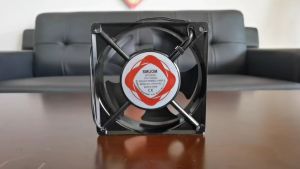
12x12cm Incubator fan AC 220V Cooling fan Heavy duty Exhaust Blower fan for DIY Incubator parts set
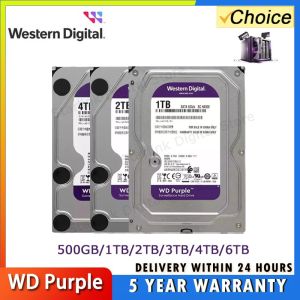
WD Purple 4TB 1TB 2TB 3TB 6TSurveillance Internal Hard Drive Disk 3.5" 64MCache SATA III 6Gb/s HDD HD Harddisk for CCTV DVR NVR

220V Blower Fan Automatic Incubator Cooling Fan Air Circulation Exhaust Fan with Power Cord Switch for Egg Incubator Parts and Accessories
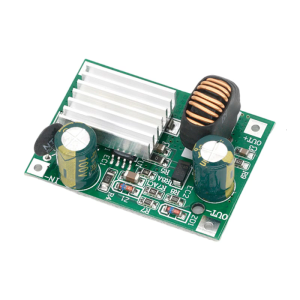
Safe Operation of DC9-120V to 5V/12V Buck Converters: Advanced Technology for Industrial Use
IPASON | Segotep Brave W1 PC Case Glass Panel / Panoramic View Case (Black & White) (M-ATX / ITX Supported) (Cooling Fans Graphics Card & Motherboard not Included)

IPASONPC | Meow High End Gaming PC / Intel i5 13600KF 14 Core / RTX 4060Ti / DDR5 6000 32GB / 1TB SSD / Gaming Desktop Computer
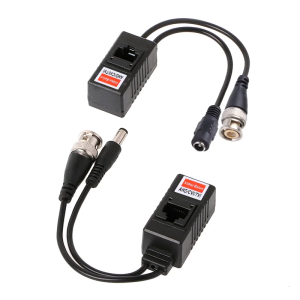
1 Pair BNC To RJ45 Passive Video Power+Balun Transceiver For CCTV Camera