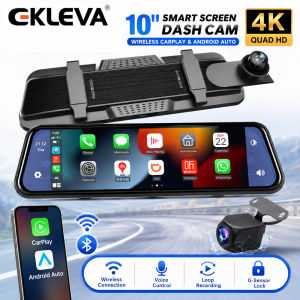
EKLEVA 4K Wireless Carplay Car DVR Dashcam Android Auto WiFi Dash Cam Navigation Rear View Camera Mirror Video Recorder HD 1080P
The dash cam uses two wide-angle cameras installed inside and outside the vehicle to capture images of the surrounding area and transmit them to the integrated device in real-time. With the help of this system, the driver can see the obstacles and pedestrians around the vehicle intuitively, and effectively reduce the occurrence of scrapping, collision, collapse, and other accidents. This product can record all driving pictures to avoid " scrapping porcelain " disputes.
As shown in the figure above, click the [ Apple CarPlay] button to enter the wireless AppleCarPlay and wireless Android Auto selection, click the [Bluetooth Management] option of the interface, and connect to Bluetooth with the mobile phone, you can open the application. When the machine is powered on, it will try to automatically connect to the last connected phone.
ï¼The AppleCarplay option only supports iPhonesï¼ Turn off the phone WiFi button to disconnectï¼
Turn on the Wi-Fi and Bluetooth of the mobile phone first, then select the [Wireless Android Auto] option, click the [BT Manage] option of the interface, connect Bluetooth with the phone, can open the application.
(Wireless Android Auto option only supports Android phones, turn off the WiFi button to disconnect)
Locate the drilling hole, find the appropriate installation position in the license plate attachment, mark it with a pen and then drill the appropriate size of the screw hole. Fix the camera to the rear of the car with screws, the reversing trigger wire (red thin wire) needs to be connected to the positive pole of the reversing light, and finally, use the camera extension cable to connect to the monitor.
As a result of the use of advanced WDR technology, which will translate into high definition, low-distortion of color for dash cam through adjusting exposure balance image and affinity.
1 Setting: Set system functions


2 Apple CarPlay: Special connector for iPhone


3 Android Auto: Special connection machine for Android mobile phone


4 Dashcam: Click to enter the video recording interface


5 FM Transmitter: When turned on, the device will transmit the sound to the original vehicle


6 Bluetooth: Click to enter the Bluetooth connection interface and play Bluetooth music


7 Volume button: Click to adjust the volume


8 Time and Date: Displays the current time and date


9 Brightness button: Click to adjust screen brightness

ekleva
You May Also Like
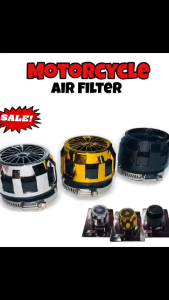
KAWASAKI Leostar - Motorcycle Air Filter Cleaner | Single Small Air Filter ( High Quality )
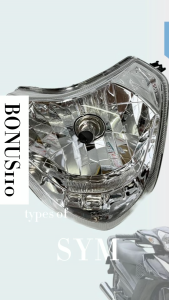
Headlight Assy SYM Bonus110
Auzak 1Pc LED Brake Light Bulb Universal for Motorcycle Tail Lights Flasher Moto Accessories
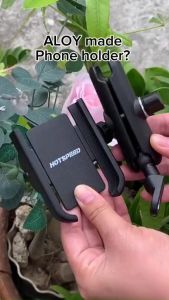
HOTSPEED Cellphone Holder for Motorcycle Aluminum 360° Rotatable Phone Holder Alloy Original V4 Cp Holder Side Mirror

BUY 1 GET 1 GPR Coolant Antifreeze 500ML | Ready-to-Use Motorcycle Radiator Coolant
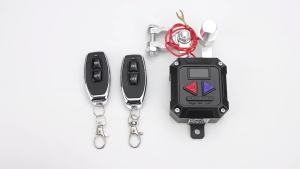
RYSJM | 12V 24V Car Intelligent Power Switch Smart Car Switch Battery Detection Remote Power Cutoff Universal Low Voltage Protection
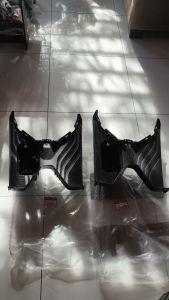
Footboard (board foot rest) compatible for HONDA Click 125i V2 V3

QUEEN BEE 32x154mm Spring Pin for Fuso Truck Front 1 Lock MC-362016 14554-24800
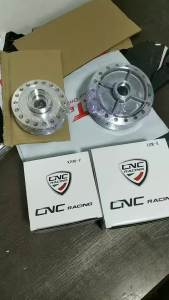
TTGR REGULATOR RUSI 5 WireMotorcycle parts wholesale same day delivery

UNIVERSAL TOYOTA TAMARAW FX WIPER LINKAGE 85160-90P50
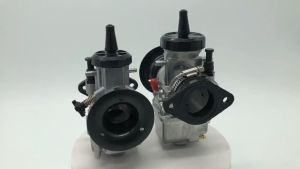
KSR EVO KOSO Motorcycle 28MM 30MM 32MM 34MM Carburetor Motorcycle Modified Carburetors Competition Air FilterRaider 150 PWK KSR NSR OKO Evolution Kit EVO for HONDA KTM