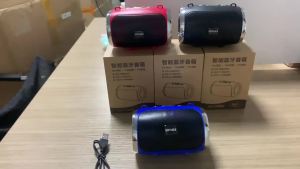
DISOUR Bluetooth 5.2 Sports Wireless Headphones: A Comprehensive Guide
DISOUR Bluetooth 5.2 Sports Wireless Headphones: A Comprehensive Guide
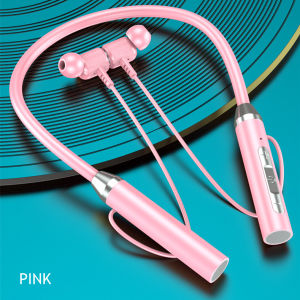
DISOUR Bluetooth 5.2 Sports Wireless Headphones are the perfect choice for active users looking for a reliable, high-quality audio experience. Compatible with all smartphones, these wireless headsets offer enhanced sound quality, water-resistant design, and a built-in mic for calls and voice commands. This comprehensive guide will walk you through the key features, product specifications, and setup & usage instructions for the DISOUR Bluetooth 5.2 Sports Wireless Headphones.
Key Features & Benefits
Wireless Compatibility with All Smartphones
DISOUR Bluetooth 5.2 Sports Wireless Headphones are compatible with all smartphones, making them an ideal choice for users who want a seamless audio experience across various devices. The headphones connect easily via Bluetooth 5.2, ensuring a stable connection and minimal latency.
Enhanced Sound Quality with 12D Stereo Surround HIFI
Experience immersive sound with the DISOUR Bluetooth 5.2 Sports Wireless Headphones' 12D stereo surround HIFI technology. This advanced audio feature delivers rich, clear sound with deep bass and crisp highs, providing an unparalleled listening experience.
Water-resistant Design for Active Users
Designed for active users, the DISOUR Bluetooth 5.2 Sports Wireless Headphones feature a water-resistant design that allows you to enjoy your music during workouts, rain, or other outdoor activities without worrying about damage. The earphones are IPX7 rated, meaning they can withstand immersion in up to 1 meter of water for up to 30 minutes.
Product Specifications & Components
Wireless Headphones & USB Charging Cable
The DISOUR Bluetooth 5.2 Sports Wireless Headphones come with a pair of wireless earphones and a USB charging cable. The earphones are lightweight and comfortable, featuring a magnetic design that keeps them securely connected when not in use. The USB charging cable ensures easy and convenient charging of the headphones.
User Manual & Warranty Information
Included with the DISOUR Bluetooth 5.2 Sports Wireless Headphones is a user manual that provides detailed setup and usage instructions. Additionally, the headphones come with a warranty that covers any manufacturing defects or malfunctions.
Setup & Usage Guide
Pairing with Bluetooth 5.2
To pair the DISOUR Bluetooth 5.2 Sports Wireless Headphones with your smartphone, turn on the headphones and ensure your device's Bluetooth is enabled. Select the headphones from the list of available devices and follow the on-screen instructions to complete the pairing process.
Using the Built-in Mic for Calls & Voice Commands
The DISOUR Bluetooth 5.2 Sports Wireless Headphones feature a built-in mic that allows you to take calls and use voice commands without needing to touch your device. The mic provides clear audio, ensuring that you can communicate effectively even in noisy environments.
Proper Storage & Maintenance
To ensure the longevity of your DISOUR Bluetooth 5.2 Sports Wireless Headphones, store them in a cool, dry place away from direct sunlight. Clean the earphones regularly with a soft, dry cloth to maintain their appearance and functionality. Additionally, avoid exposing the headphones to extreme temperatures or humidity, as this may affect their performance.
In conclusion, the DISOUR Bluetooth 5.2 Sports Wireless Headphones offer a perfect blend of style, comfort, and functionality. With their wireless compatibility, enhanced sound quality, water-resistant design, and built-in mic, these headphones are an excellent choice for active users who want a reliable audio experience. Follow the setup and usage instructions provided in this guide to get the most out of your DISOUR Bluetooth 5.2 Sports Wireless Headphones.

DISOUR 3C Store
You May Also Like
Original TWS T09 Wireless Headphones: Bluetooth 5.4 Sports Earbuds & Sleeping Earphones
NDR-X920 10X2 inch Karaoke Party Bluetooth Speaker Stereo HIFI Sound Trolley wireless Speakers with 2 Wireless mic
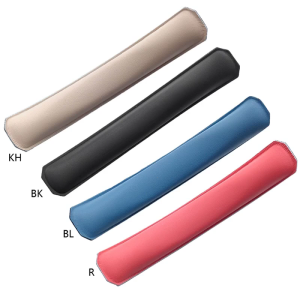
Headband Cushion Pad Cover Head Band Protector Headband Cover Cushion Protector Pad for Edifier W820NB
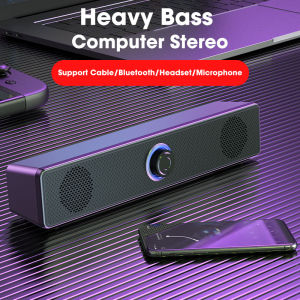
Portable Wired Bluetooth Soundbar Stereo Speaker 3.5MM Audio Cable For SmartPhones Laptop TV Gaming Home Theater Speakers
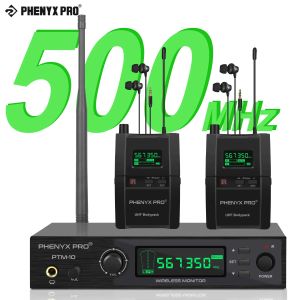
Phenyx Pro PTM-10B Wireless in Ear Monitor System True Stereo UHF IEM in Ear Monitors for Musicians Metal Stage Monitor 89 Frequencies Rack Mount for Studio/Band

VAORLO Winter Sports Bluetooth Music Hat Bluetooth Sleeping Headphones Eye Mask Sleep Headphones Bluetooth Headband Soft Elastic Comfortable Wireless Music Earphones
![[DELIVER IN 3 DAYS] MACHENIKE TH60 Pro AI Wireless Earphones Bluetooth 5.4 TWS Earbuds 0.04s Low Latency Gaming Headset Quad Mic EMC Noise Reducting Dual Core Sound Real Time Translator In Ear Sports Earbuds White](https://img.lazcdn.com/g/ff/kf/Sc0d9f64c89214ac8904f6275d941dc93E.png_300x300q80.png)
[DELIVER IN 3 DAYS] MACHENIKE TH60 Pro AI Wireless Earphones Bluetooth 5.4 TWS Earbuds 0.04s Low Latency Gaming Headset Quad Mic EMC Noise Reducting Dual Core Sound Real Time Translator In Ear Sports Earbuds White
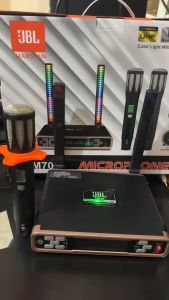
Newest JBL Harman VM700 Chargerable UHF Bluetooth Wireless Microphone With LED Breathing Light For Professional KTV Entertainment, Stage Performance, and Family Entertainment
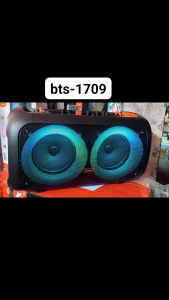
BRODU BTS-1709 BLUETOOTH SPEAKER KARAOKE WIRELESS MIC
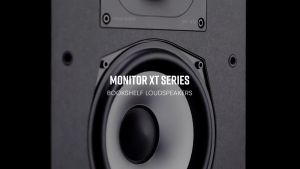
Polk Audio Monitor XT20 High-Resolution Bookshelf Speakers - sold as a pair - Polk MXT20
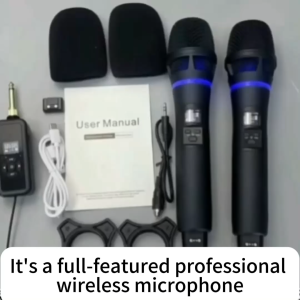
Wireless Microphone UHF Metal Dual Dynamic System with Rechargeable Receiver 12 Hour Use Handheld Karaoke Mic IR Linking Auto Connect for Karaoke Meeting Party Church DJ Wedding Home KTV