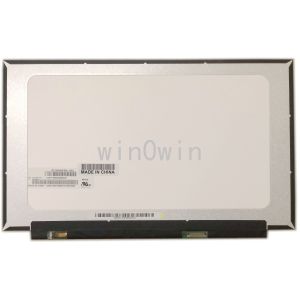
NT156FHM-N61 & FHD 1920x1080 Slim Laptop LCD Panels
NT156FHM-N61 & FHD 1920x1080 Slim Laptop LCD Panels
Introduction to Slim Laptop LCD Panels
Slim laptop LCD panels have become increasingly popular among users due to their lightweight design, improved battery life, and enhanced visual quality. In this article, we will focus on the NT156FHM-N61, a top-of-the-line slim laptop LCD panel, along with its compatible models.
Key Features of NT156FHM-N61
The NT156FHM-N61 is a high-quality slim laptop LCD panel that supports FHD 1920x1080 resolution and has a 15.6 inch screen size. It features an EDP 30 pin connection, ensuring seamless integration with compatible laptops. The NT156FHM-N61 is compatible with several models, including NT156FHM-N43, N62, B156HTN06.1, B156HTN06.2, and N156HGA-EA3.
Comparison with Other Models
Compared to other slim laptop LCD panels, the NT156FHM-N61 stands out for its superior resolution and screen size. For instance, the NT156WHM-N45 and B156XTN07.0 offer a slightly lower resolution of 1366x768, but still provide excellent visual quality. However, the NT156FHM-N61 offers a higher resolution, making it ideal for users who prioritize image clarity and detail.
Installation & Replacement Guide
Tools Required for Installation
Before beginning the installation process, ensure you have the following tools:
- Screwdriver
- Spudger
- Plastic pry tool
Step-by-Step Installation Process
- Power off your laptop and unplug any external devices.
- Remove the battery and any screws securing the back cover.
- Carefully separate the back cover from the laptop using a plastic pry tool.
- Disconnect the old LCD panel from the motherboard.
- Connect the new NT156FHM-N61 LCD panel to the motherboard.
- Reassemble the laptop, ensuring all screws and components are securely in place.
- Power on the laptop and test the new LCD panel.
Troubleshooting Common Issues
If you encounter any issues during the installation process, try the following troubleshooting tips:
- Double-check the connections between the LCD panel and motherboard.
- Verify that all screws and components are securely in place.
- Ensure the laptop is properly powered on and functioning correctly.
Compatibility & Performance
Supported Resolutions & Screen Sizes
The NT156FHM-N61 supports FHD 1920x1080 resolution and has a 15.6 inch screen size. Other compatible models, such as the NT156WHM-N45 and B156XTN07.0, offer a slightly lower resolution of 1366x768.
Power Consumption & Battery Life
The NT156FHM-N61 slim laptop LCD panel is designed to minimize power consumption, resulting in extended battery life. However, the actual battery life may vary depending on the specific laptop model and usage patterns.
Impact on Overall Laptop Performance
Upgrading to the NT156FHM-N61 slim laptop LCD panel can improve overall laptop performance by providing a higher resolution and improved visual quality. This upgrade may also enhance user experience and satisfaction.
Conclusion & Next Steps
In conclusion, the NT156FHM-N61 slim laptop LCD panel offers superior resolution and screen size compared to other compatible models. By following the installation and replacement guide, users can easily upgrade their laptop's display and enjoy improved visual quality. Remember to troubleshoot any issues that may arise during the process, and consider the impact on overall laptop performance when making the decision to upgrade.

win0win
You May Also Like
Adjustable Duty Cycle Pulse Frequency Signal Generator Module for Steppers Motor Driver Board PWM Control
for 3D Printer Hot End Extruder 5015 Brushless Radial Blower High Speed 12V for DC Centrifugal Fan for DC 5V 12 24V Cool
Extension Adapters Memory Reader Extender /RSMMC for Mini 3D Printer
220-240V Blower Fan Circulation Exhaust Fan for Egg Incubator Parts and Accessories
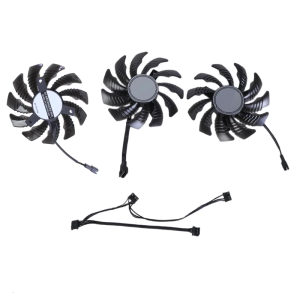
3pcs 77mm 4Pin Graphics Fan for RTX3050 3060 3060TI Efficient Cooling and Enhances GPU Service PLD08010S12HH Model

High Borosilicate Glass Espresso Mug with Handle Transparent Coffee Cup Heat Resistant Beverage Drinkware for Home
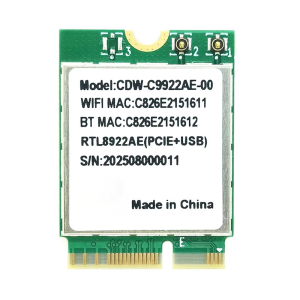
WiFi Adapter RTL8922AE Bluetooth-compatible 5.4 Networking 2.4G/5G/6G Triple Band Gigabit Wireless Adapter For PC
i9 Voice Changer With Earphone With Microphone Mini Sound Card Audio Effect Bluetooth-Compatible Live Sound Cards Voice Tool
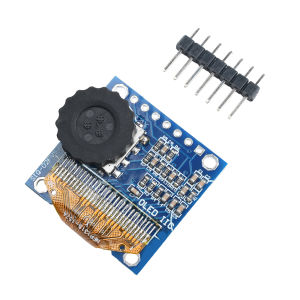
0.96 Inch OLED Display SSD1315 Combo Module With Rotary Encoder/Three-Position Toggle Switch Display Combination Module

Jonsbo X400 Dark Gray Sea View Room PC Case MINI-ITX M-ATX Game Case ATX Motherboard Supports 360 Water Cooling 13 Fan Positions
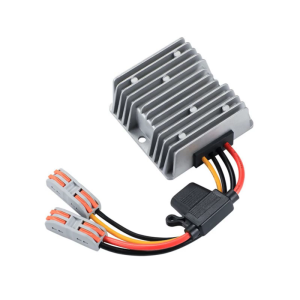
120W DC12V-24V 5A Boost Converter Voltages Regulator With IP67 Waterproof And AntiVibration Design Industrial Application