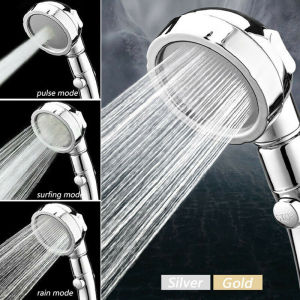
YJT WIFI Smart Door Lock: A Comprehensive Guide
YJT WIFI Smart Door Lock: A Comprehensive Guide
Introduction to YJT WIFI Smart Door Lock
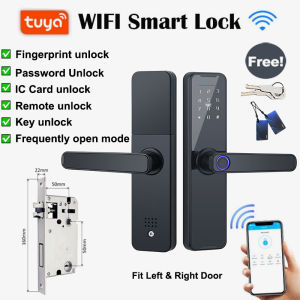
Welcome to the world of smart home security with the YJT WIFI Smart Door Lock. This advanced digital door lock offers remote unlocking capabilities and is compatible with the Tuya App. The YJT WIFI Smart Door Lock is a fingerprint door lock that provides six different unlocking methods, including fingerprint unlocking, password unlocking, IC card unlocking, mechanical key unlocking, temporary password unlocking, and Tuya App unlocking. With its anti-lock feature, this smart lock is perfect for both right and left open doors.
Key Features of YJT WIFI Smart Door Lock
- Fingerprint Unlocking: Save 1 administrator fingerprint and up to 99 regular users' fingerprints.
- Password Unlocking: Store 1 administrator password and up to 99 regular users' passwords.
- IC Card Unlocking: Includes 2 IC cards, but can save up to 100 IC cards (all 13.56MHZ IC cards fit).
- Mechanical Key Unlocking: Comes with 2 keys for backup when the battery runs out of power.
- Temporary Password Unlocking: Send a temporary password to friends and family for easy access.
- Tuya App Unlocking: Connect with your phone via the Tuya App to unlock the door remotely.
Compatibility with Tuya App
The YJT WIFI Smart Door Lock is compatible with the Tuya App, allowing you to control and monitor your smart lock from anywhere. With the Tuya App, you can easily set up the lock, manage user permissions, and receive notifications when someone unlocks the door.
Unlocking Methods for YJT WIFI Smart Door Lock
Fingerprint Unlocking
The YJT WIFI Smart Door Lock supports fingerprint unlocking, allowing you to store up to 100 fingerprints, including 1 administrator and 99 regular users. This convenient method ensures quick and secure access to your home.
Password Unlocking
With password unlocking, you can store up to 100 passwords, including 1 administrator and 99 regular users. This method offers an additional layer of security and convenience for accessing your home.
IC Card Unlocking
The YJT WIFI Smart Door Lock includes 2 IC cards, but can save up to 100 IC cards (all 13.56MHZ IC cards fit). This method allows you to grant access to guests or visitors using their own unique IC cards.
Mechanical Key Unlocking
In case of a power outage or other emergencies, the YJT WIFI Smart Door Lock comes with 2 mechanical keys for backup access. These keys ensure that you can always enter your home, even if the battery runs out of power.
Temporary Password Unlocking
With temporary password unlocking, you can send a one-time-use password to friends and family who need access to your home. This method eliminates the need to worry about sharing your regular password or losing a physical key.
Tuya App Unlocking
Connect your YJT WIFI Smart Door Lock with the Tuya App to unlock the door remotely from your smartphone. This method offers the ultimate in convenience and security, allowing you to grant access to trusted individuals from anywhere.
Installation and Setup Guide for YJT WIFI Smart Door Lock
Preparing for Installation
Before installing the YJT WIFI Smart Door Lock, make sure you have all the necessary tools and accessories, including the smart lock, screws, and mounting hardware. Additionally, ensure that your Wi-Fi network is stable and within range of the smart lock.
Installing the YJT WIFI Smart Door Lock
Follow these steps to install the YJT WIFI Smart Door Lock:
- Remove the old door knob and strike plate.
- Install the new strike plate and mounting bracket.
- Attach the smart lock to the mounting bracket.
- Secure the smart lock with the provided screws.
- Connect the smart lock to your Wi-Fi network using the Tuya App.
Setting Up the Tuya App
To set up the Tuya App, follow these steps:
- Download and install the Tuya App from the App Store or Google Play.
- Create an account or log in if you already have one.
- Connect your smartphone to the Wi-Fi network.
- Add the YJT WIFI Smart Door Lock to your Tuya App account.
- Follow the on-screen instructions to complete the setup process.
Troubleshooting Common Issues with YJT WIFI Smart Door Lock
Missing Accessories
If you notice missing accessories, please contact us immediately. We'll be happy to assist you with any missing parts or accessories needed for installation.
Setup Problems
If you encounter any setup problems, please refer to the user manual or contact us for further assistance. Our customer support team is here to help you troubleshoot and resolve any issues you may face during the setup process.
Contacting Customer Support
For any questions or concerns about the YJT WIFI Smart Door Lock, please don't hesitate to reach out to our customer support team. We're committed to providing excellent service and support to ensure a seamless experience with your smart lock.

YJT Home Decoration
Review
You May Also Like
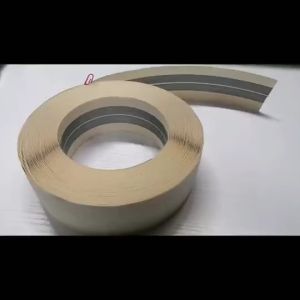
【High Quality】Flex Corner Tape / Drywall Tape / Paper Corner Tape 2" x 100ft
![[Vktech]LED Magnifying Headband Head Wearing Magnifier Glasses Loupes for Reading Repair](https://img.lazcdn.com/g/ff/kf/S9d9c41291a144a9bb8e4c9e8402de4b7x.jpg_300x300q80.jpg)
[Vktech]LED Magnifying Headband Head Wearing Magnifier Glasses Loupes for Reading Repair
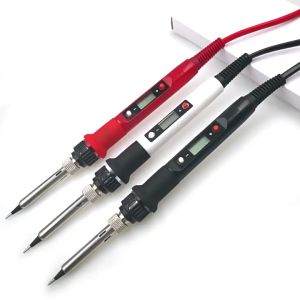
15 in 1 Soldering Iron Set 80W Electronic Iron Kit 180-480°C Adjustable LED Digital Display Welding Repair
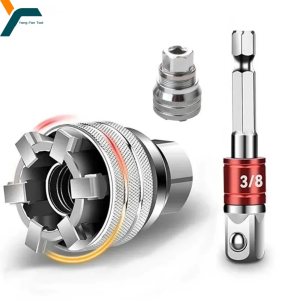
Adjustable Socket 3/8-3/4 Universal Electric Wrench Sleeve Converter 10-19mm Socket Multifunctional Maintenance Drive Tool
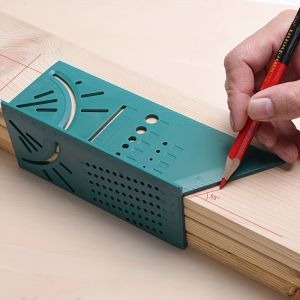
1pc Woodworking 3D Mitre Angle Measuring Tools Multi-Functional 90 Degree Line Ruler Perforated Positioning RulerMeasure Tool
Metal Welding Glue Waterproof Super Glue Waterproof Fast-drying Universal Glue Adhesive
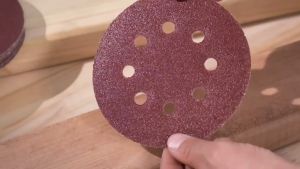
50pcs 5 Inch 125mm Round Sandpaper Eight Hole Disk Sand Sheets 60-400 Grit Sanding Polishing Guide
Stapler Staples For Plastic Welder Automotive Repair Machine Welding Wire Car Bumper Repair Welding
New Auto Darkening Welding Mask Helmet: Chameleon, Great Vision, True Color Solar Energy
Comprehensive Guide to Sandblasting Equipment & Painting Tools

🥳Big Discount 🥳Twoway Dusting Brush For Household Window Cleaning And Glass Cleaning Double Sided Window Cleaner Brush For Pet Hair And Dust Removal Reusable Screen Glass Scrubber With Squeegee For Home Window Washing Pet Hair Remover Brush