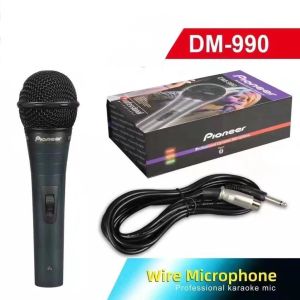
100% Original Jcam Pioneer DM-990 Professional Dynamic Microphone
100% Original Jcam Pioneer DM-990 Professional Dynamic Microphone
Overview & Key Features
Introduction to the Jcam Pioneer DM-990
The Jcam Pioneer DM-990 is a top-tier dynamic microphone designed to deliver high-quality audio recording capabilities. This professional-grade microphone is perfect for musicians, podcasters, and public speakers who demand superior sound quality.
High-Quality Audio Recording Capabilities
The Jcam Pioneer DM-990 provides exceptional audio recording capabilities, making it a perfect choice for any audio enthusiast. Its dynamic design ensures that every note and nuance is captured with crystal clarity, allowing you to create professional-grade recordings.
Dynamic Microphone Specifications
Some of the key specifications of the Jcam Pioneer DM-990 include:
- Frequency response: 50 Hz - 15 kHz
- Sensitivity: 1.8 mV/Pa
- Impedance: 200 ohms
- Maximum SPL: 130 dB
- Weight: 260 grams
These specifications make the Jcam Pioneer DM-990 an excellent choice for various audio applications, from live performances to studio recordings.
How to Use the Jcam Pioneer DM-990
Connecting the Microphone
To connect the Jcam Pioneer DM-990, align the hollow part of the output connector on the microphone body with the projected part of the connector on the cord. Push it in until you hear a CLICK sound. To disconnect, hold the tab on the cord connector depressed and pull it out of the connector.
Optimum Distance Between Microphone & Mouth
The optimal distance between the microphone and mouth is from 5 to 10 centimeters. Placing the microphone too close to the mouth can cause unclear sound due to enhanced bass (proximity effect) or uncomfortable pop noise when breathing in and out.
Proper Placement for Clear Sound
To achieve clear sound, make sure the microphone is positioned at the correct distance from your mouth and avoid placing it too close to any speakers. This will help prevent howling sounds and other unwanted noise.
Cautions & Troubleshooting
Preventing Howling Sound
If the microphone head is covered by hand or the microphone is approached to the speaker, a howling sound may be generated. To prevent this, first decrease the volume, don't place the microphone pointing to the speaker, and maintain a sufficient distance between the microphone and the speaker.
Dealing with Pop Noise
Pop noise occurs when air hits the microphone diaphragm, causing a popping sound. To minimize pop noise, maintain a proper distance between the microphone and your mouth, and avoid breathing directly into the microphone.
Tips for Maintaining Microphone Quality
To keep your Jcam Pioneer DM-990 in top condition, clean the microphone head regularly using a soft, lint-free cloth. Avoid touching the diaphragm directly, as oils from your skin can affect its performance. Store the microphone in a dry, cool place away from direct sunlight.
By following these guidelines, you can ensure that your Jcam Pioneer DM-990 remains a reliable and high-performing dynamic microphone for years to come." }

Jcam Shop
You May Also Like

Streamplify MIC TRIPOD RGB Microphone With Tripod Up to 48kHz/16bit Sample Rate for Crystal Clear Recordings
Butterfly Wireless Headphones Ear Clip Wearing Air Conductions IPX4 Waterproof ENC Call Noise Reductions Earphones Clip
Broadway BPA-158PRO: A Comprehensive Guide to the 15\" 800W PA Speaker

Boya BY-M1 Omni-Directional Lavalier Lapel Microphone for Smartphones Cameras Vlog Livestream Video Content ASMR M1

Portable Radio AM FM Goodes Transistor Radio with Loud Speaker Headphone Jack 2AA Battery Operated Radio for Long Range Reception Pocket Radio for Indoor Outdoor and Emergency Use
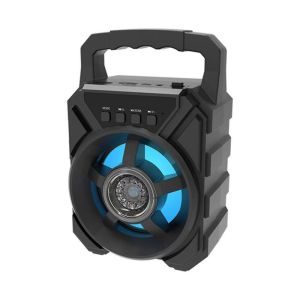
Portable Bluetooth Speaker with Handle Outdoor Waterproof Loudspeaker for K-Singing and Dancing
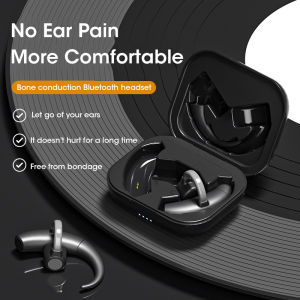
Niye TWS Bone Conduction Bluetooth Earphone Wireless HIFI Ear Clip Headset Bluetooth 5.3 Suitable for Game Sports Headphones

MOTOROLA GP338 Plus walkie talkie long range two way radio 15w high performance 6800mAh long battery life 5000km official store Outdoor IP54 protection level waterproof dust and shock avoidance can adapt to the urban environment
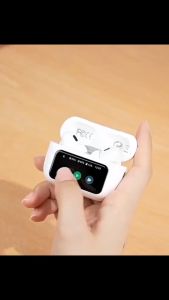
WIWU T22 ANC Wireless Earbuds with LCD Touch Screen: A Comprehensive Guide
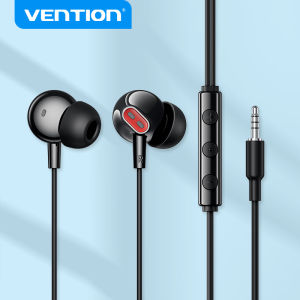
Vention 3.5mm in-ear Wired Earphones with Mic HiFi for Samsung HUAWEI Xiaomi Table Laptop Desktop MP3 MP4 Game Console Cellphones
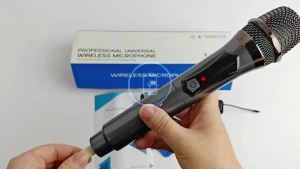
Professional Wireless Microphone X-108B-S Rechargeable UHF Dual Mic Set for Singing Karaoke