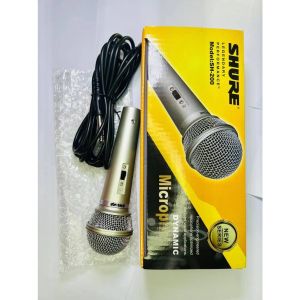
100% Original AMZ Hyundai Platinum DM-6000S Dynamic Microphone
100% Original AMZ Hyundai Platinum DM-6000S Dynamic Microphone
Introduction to AMZ Hyundai Platinum DM-6000S
The AMZ Hyundai Platinum DM-6000S dynamic microphone is a professional recording microphone that delivers exceptional sound quality and reliability. With its robust design and versatile performance, the DM-6000S is perfect for a wide range of applications, including live performances, studio recordings, and broadcasting.
Key Features of Professional Recording Microphone
The DM-6000S boasts several key features that make it stand out among other high-quality dynamic microphones:
-
Robust Design: Built to withstand the rigors of live performances and studio recordings, the DM-6000S features a durable construction that ensures long-lasting performance.
-
Superior Sound Quality: With its wide frequency response and low noise floor, the DM-6000S captures every nuance of your voice or instrument with unparalleled clarity and detail.
-
Flexible Polar Pattern: The DM-6000S offers a cardioid polar pattern, which effectively rejects unwanted sounds from the sides and rear while capturing the desired audio source directly in front of the microphone.
-
Ease of Use: The DM-6000S is easy to set up and use, making it perfect for both professional and amateur users alike.
Operational Instructions for Proper Use
To ensure optimal performance and longevity of your AMZ Hyundai Platinum DM-6000S dynamic microphone, please follow these operational instructions:
Plugging In & Out: Connector Alignment
To plug in the microphone, align the hollow part of the output connector on the microphone body with the projected part of the connector on the cord, and push in until a CLICK sound is heard. To plug out, hold the tab on the cord connector depressed, and pull it out of the connector.
Optimal Distance Between Microphone & Mouth
For the best sound quality, maintain an optimal distance between the microphone and mouth, which is typically between 5 to 10 centimeters. Placing the microphone too close to the mouth can result in unclear sound with enhanced bass (proximity effect) or uncomfortable pop noise generated when breathing in and out.
Cautions & Troubleshooting Tips
To avoid common issues and maintain the performance of your DM-6000S dynamic microphone, please keep the following cautions and troubleshooting tips in mind:
Preventing Howling Sound
If the microphone head is covered by hand or the microphone is approached to the speaker, a howling sound may be generated. This phenomenon of howling is caused by the microphone picking up the sound output from the speaker. To prevent this, first decrease the volume, don't place the microphone pointing to the speaker, and ensure there is sufficient distance between the microphone and the speaker.
Minimizing Pop Noise & Proximity Effect
To minimize pop noise and proximity effect, maintain the optimal distance between the microphone and mouth, which is typically between 5 to 10 centimeters. Additionally, using a pop filter can help reduce unwanted noise caused by plosive sounds.
By following these operational instructions and cautions, you can enjoy the exceptional sound quality and reliability of the AMZ Hyundai Platinum DM-6000S dynamic microphone for years to come." }

Amz shop
You May Also Like
Wireless Lavalier Microphone 2 in 1 Noise Cancelling Portable Audio Recorder for Video and Podcast Recording
Replacement Foam Earpads for H800 Headphone Ear Cushions Foam Ear pads Earcups Headphone Lightweight Earmuff Cover

Panda | Portable Wireless Bluetooth Speaker Panda T-58 Retro Integrated Audio Player Card Insertion Small Size Home Use Speaker
Multiple Device Silicone Dusts Caps For Headphone Jacks Phones PC AntiPollution Protective Cover
VR Headsets Support System With Expandable Clip 3D Adjustable Headbands For Enhanceds Comfort Stability
♥100%Original Product+FREE Shipping♥X55 Sleep Earbuds Bluetooth Wireless Headphones Earbuds Over-Ear Bluetooth Headphones Bass Noise Canceling Earbuds Hi-Fi Stereo Headphones Sweatproof and Waterproof Headphones
Headset Headband Cushion for K52-K72 K92 K77 K511 Headphone HeadBeam Sleeves Headband Cushion Pad Thick Ear Pads
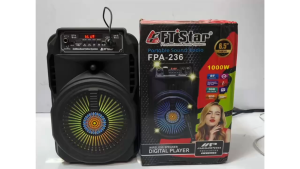
FT-Star FPA-236 6.5\" Inches Trolley Speaker
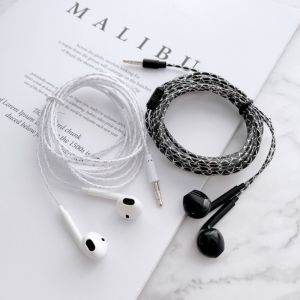
X SHOW 1Pcs Monitoring Recording Wired Headset Black White 2m/3m Cable Length Computer Game Live Headphone Anchor Bass Earplugs
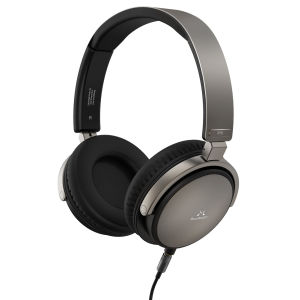
SoundMAGIC Vento P55 Wired Headset On Ear Headphones Powerful Bass HiFi Stereo Audiophile Headphone Noise Isolating with Detachable Cables
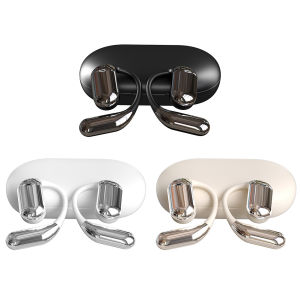
Bluetooth Wireless Earbuds with Language Translation and Noise Reduction for Clear Listening