EKLEVA Dash Cam 4K GPS Car DVR: A Comprehensive Guide
EKLEVA Dash Cam 4K GPS Car DVR: A Comprehensive Guide
What is the EKLEVA Dash Cam 4K GPS Car DVR?
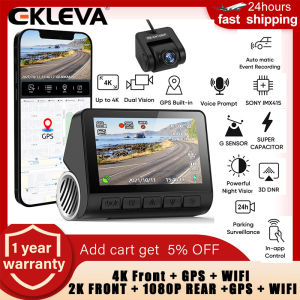
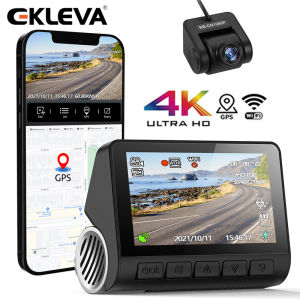
The EKLEVA Dash Cam 4K GPS Car DVR is a state-of-the-art device designed to provide high-quality video recording capabilities while driving. This compact and sleek dash cam comes equipped with a built-in GPS and Wi-Fi module, making it easy to install and use. The 2160P Rear Cam Recorder offers crystal-clear footage during both day and night, ensuring you have a reliable record of any incidents on the road.
Key Features & Specifications
- Resolution: 4K Ultra HD (2160P)
- GPS: Built-in GPS module
- Wi-Fi: Integrated Wi-Fi connectivity
- Night Vision: Advanced night vision technology
- WDR Driving Cam: Wide Dynamic Range (WDR) camera
- Parking Guard: 24-hour parking mode
Benefits of Choosing EKLEVA
Investing in the EKLEVA Dash Cam 4K GPS Car DVR offers numerous advantages. With its advanced features and easy-to-use design, this dash cam provides peace of mind while driving. In addition to capturing high-quality video footage, the built-in GPS module allows for accurate location tracking, making it easier to share incidents with authorities or insurance companies.
How to Install & Set Up the EKLEVA Dash Cam
Installing and setting up the EKLEVA Dash Cam 4K GPS Car DVR is a straightforward process. Follow these steps to get started:
Step-by-Step Installation Guide
- Choose a suitable mounting location for the dash cam.
- Connect the power cable to the car's cigarette lighter or directly to the battery.
- Attach the dash cam to the windshield using the included suction cup mount.
- Connect the rear camera (if applicable) and secure it to the license plate or rear window.
- Turn on the dash cam and follow the on-screen instructions to set up Wi-Fi connectivity.
Connecting Rear Cam & Interior Cam
To connect the rear camera, simply plug the included cable into the dash cam's rear camera port. For interior cameras, connect them to the dash cam's USB port. Refer to the user manual for specific instructions on connecting additional cameras.
How to Use the EKLEVA Dash Cam Effectively
Maximizing the capabilities of the EKLEVA Dash Cam 4K GPS Car DVR requires proper usage and understanding of its features. Here are some tips to help you make the most out of your dash cam:
Maximizing Night Vision & WDR Driving Cam
The EKLEVA Dash Cam 4K GPS Car DVR comes equipped with advanced night vision technology and a Wide Dynamic Range (WDR) camera. To ensure optimal performance, position the dash cam in a way that minimizes glare from headlights or other light sources. Adjust the camera's settings according to the lighting conditions to achieve the best possible image quality.
Leveraging 24H Parking Guard & GPS Features
The 24-hour parking guard feature allows the dash cam to continue recording even when the vehicle is parked. This feature is particularly useful for detecting any suspicious activity or potential accidents. Additionally, the built-in GPS module enables accurate location tracking, making it easier to share incident details with authorities or insurance companies.
Troubleshooting Common Issues
Like any electronic device, the EKLEVA Dash Cam 4K GPS Car DVR may encounter issues from time to time. Here are some common problems and their solutions:
Dealing with Connectivity Problems
If you're experiencing connectivity issues with the dash cam, try restarting the device and resetting the Wi-Fi connection. If the problem persists, check the user manual for troubleshooting tips or contact EKLEVA's customer support team for assistance.
Addressing Image Quality Concerns
If you notice issues with image quality, such as blurriness or poor lighting, adjust the camera's settings according to the lighting conditions. Additionally, ensure that the dash cam is securely mounted and positioned correctly to avoid any vibrations or movement during recording.
In conclusion, the EKLEVA Dash Cam 4K GPS Car DVR is a reliable and versatile device that offers numerous benefits for drivers. With its advanced features and easy-to-use design, this dash cam provides peace of mind while driving and helps protect you in case of accidents or incidents on the road.

ekleva
You May Also Like
New LED Motorcycle Fog Light & Owl Design Headlight: Auxiliary Spot Lights & Mini Driving Light
TDD Original Pair Giant Eye 45W Headlight 3 LED Cree Far & Near White and Yellow Alloy material
2pcs Dynamic Blinker For Ford Focus MK3 Mondeo MK4 LED Turn Signal Mirror light 2011 2012 2014 2015 2016 2017 2018
23 New Style Geely Boyue L Shift Lever Cover Interior Modification Gearstick Boot Protection Cover Gear Position Cover
Fuel Pump Inlet Metering Valve 28297640 28269520 1351979270 A6460740484 33115-4X400 6460740384 9422A000A A6510700701 7190188A
4PCS 52933C1100 52933-C1100 433MHz TPMS Tire Pressure Sensor For Hyundai Creta IX25 Tucson I40 IX35 Sonata 2015-2024 52933-J5000
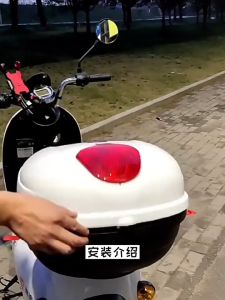
Motorcycle Rear Locks and Key for Tail Box Lock of Electric Car Scooter Trunk
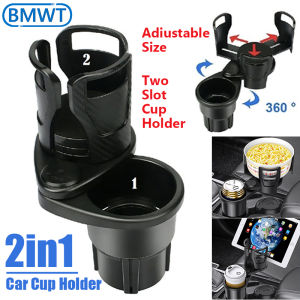
2-in-1 Multifunctional Car Cup Holder: A Universal Beverage Solution
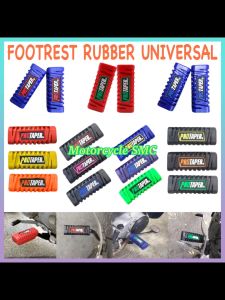
Universal 2Pcs Motorcycle Protaper Tapered Rubber Footrest High Quality
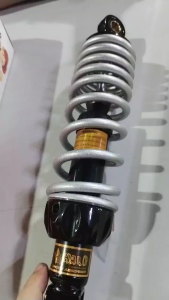
New High-Quality 300mm Motorcycle Rear Shock Absorber for All MIO Models - Durable Suspension Upgrade
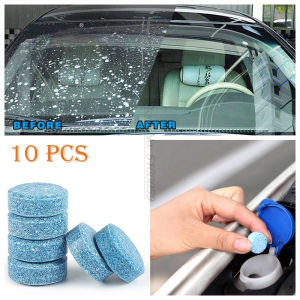
D-93 10pcs Car Windshield Glass Cleaner Solid Wiper Window for Any Glass