Sony Ericsson Vivaz U5i: Unlocked Kurara Mobile Phone U5
Sony Ericsson Vivaz U5i: Unlocked Kurara Mobile Phone U5
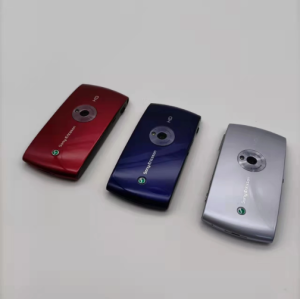
The Sony Ericsson Vivaz U5i is a compact and versatile 3G WIFI GPS phone that offers users a unique blend of features and performance. This unlocked Kurara mobile phone is equipped with an 8MP touchscreen display, making it an excellent choice for those who want a reliable and affordable smartphone. In this article, we will explore the key features and specifications, compatibility and languages, unlocking and setup process, camera and display capabilities, battery life optimization, and troubleshooting tips.
Overview of the Sony Ericsson Vivaz U5i
The Sony Ericsson Vivaz U5i is a sleek and lightweight 3G WIFI GPS phone that boasts a 3.2-inch touchscreen display and an 8MP rear camera. With a battery capacity of 1200mAh, this smartphone is capable of providing extended battery life for everyday use. It runs on the Android operating system and supports multiple languages, including German, Polish, French, Norwegian, Turkish, Italian, Spanish, Portuguese, and English.
Key Features & Specifications
- Brand Name: Sony Ericsson
- Battery Type: Detachable
- ROM: ≤512MB
- Charging Power: Other
- Origin: CN(Origin)
- Operation System: Android
- Biometrics Technology: No
- Front Camera Quantity: NONE
- Rear Camera Pixel: 8MP
- Battery Capacity(mAh): 1200mah
- Touch Screen: Yes
- Fast Charging: Nonsupport
- Language: Multiple languages supported
- Display Resolution: 640x360
- RAM: ≤512M
- Rear Camera Quantity: 1
- Certification: NONE
- Charging Interface Type: Other
- Front Camera Pixel: None
- Front Camera Wireless Charging: No
- Design: BAR
- SIM Card Quantity: 1 SIM Card
- Display Size: ≤4.0"
- 3.5mm Headphone Port: Yes
- Screen Type: Normal Screen
- Cellular: GSM
- Standby Time: Other
- Optical Zoom: No
- Screen Material: TFT
- Model: U5i
Compatibility & Languages
The Sony Ericsson Vivaz U5i supports multiple languages, including German, Polish, French, Norwegian, Turkish, Italian, Spanish, Portuguese, and English. This makes it an ideal choice for users who require a smartphone that caters to their language preferences. Additionally, the device is compatible with GSM cellular networks, ensuring seamless connectivity for voice calls and data usage.
How to Unlock & Set Up Your Sony Ericsson Vivaz U5i
Unlocking and setting up your Sony Ericsson Vivaz U5i is a straightforward process. Follow these steps to get started:
- Connect your phone to Wi-Fi and GPS.
- Insert a SIM card and set up your cellular network.
- Configure your preferred language settings.
- Explore the user interface and touchscreen display.
Connecting to Wi-Fi & GPS
To connect your Sony Ericsson Vivaz U5i to Wi-Fi and GPS, follow these steps:
- Go to Settings > Wi-Fi and enable Wi-Fi.
- Select your preferred Wi-Fi network and enter the password if required.
- To enable GPS, go to Settings > Location and toggle on the GPS option.
Setting Up SIM Card & Cellular Network
To set up your SIM card and cellular network, follow these steps:
- Insert a compatible SIM card into the designated slot.
- Go to Settings > SIM card and select your preferred cellular network.
- Configure any additional settings, such as APN and roaming, if necessary.
Using the 8MP Rear Camera & Touchscreen Display
The Sony Ericsson Vivaz U5i features an 8MP rear camera and a 3.2-inch touchscreen display, allowing users to capture high-quality photos and enjoy a seamless user experience.
Capturing High-Quality Photos
To capture high-quality photos using the Sony Ericsson Vivaz U5i, follow these steps:
- Open the camera app from the home screen.
- Adjust the camera settings, such as resolution and flash mode, according to your preferences.
- Frame your subject and press the shutter button to take a photo.
Exploring the User Interface & Screen Type
The Sony Ericsson Vivaz U5i features a normal screen type and supports a resolution of 640x360 pixels. To explore the user interface, simply navigate through the various apps and settings using the touchscreen display.
Enhancing Battery Life & Charging Options
The Sony Ericsson Vivaz U5i offers several options for enhancing battery life and charging methods.
Optimizing Battery Usage
To optimize battery usage on your Sony Ericsson Vivaz U5i, consider the following tips:
- Turn off Wi-Fi and GPS when not in use.
- Adjust screen brightness to a comfortable level.
- Close unnecessary apps and processes.
Fast Charging & Other Charging Methods
Although the Sony Ericsson Vivaz U5i does not support fast charging, it offers various charging methods, including using a compatible charger and connecting to a power outlet.
Troubleshooting & Support
If you encounter any issues with your Sony Ericsson Vivaz U5i, refer to the common issues and solutions listed below. If you require further assistance, contact Sony Ericsson customer support for additional guidance.
Common Issues & Solutions
- Phone won't turn on: Ensure the battery is properly charged and inserted.
- Wi-Fi connection issues: Restart the phone and reconnect to the Wi-Fi network.
- Camera not working: Restart the phone and check if the camera app is functioning correctly.
Contacting Customer Support
For further assistance, contact Sony Ericsson customer support by visiting their website or calling their support hotline." }

XiaXiaYouMI Mobile Phone Store
Review

You May Also Like

2025 Suitable for students Global Version Pad 6 Pro Snapdragon 888 Tablet PC Android 13 RAM 16GB ROM 1TB 5G HD 4K Screen WIFI Tab PC

World Premiere: Ulefone Armor Mini 20T Pro 5G - A Rugged Smartphone with 6200mAh Battery & 33W Fast Charging
Sony Ericsson Xperia Mini ST15: A Comprehensive Guide
Upgrades Impact Resistant Shield Case Smartphone Protector Offering Magnetic Car Mount And Build In Stand for phone 16E
SOYES XS12 pro Super Mini Phone 4G LTE 4GB 64GB Android 10.0 Octa Core 3.0 Inch Metal Material 5M /13MP Camera Small Smartphone

🔥Christmas Promo🔥 Lenovo Tab Pro 10.5” Tablet │ 16GB RAM + 512GB ROM │ WiFi + LTE Connectivity │ 10000mAh Long Battery │ Fast Legit & Powerful │ Best for Study Work & Entertainment │ 5-Year Warranty
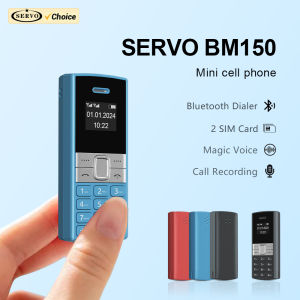
SERVO BM150 Dual SIM Mini Mobile Phone Magic Voice Bluetooth Dialer Speed Dial Call Recording Little Mobile Cellphone for Backup
Motorola L6 V280 Original Unlocked 0.3MP with MP3 Cheap Mobile Phones
Adjustable Ergonomic Reusable Phone Finger Strap Holder Lanyard Band for All Smartphone Model Everyday Carry Convenience
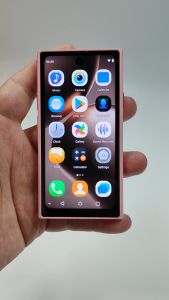
AIEK S25 PRO 3G Mini Smartphone 4.0Inches 2GB RAM 16GB ROM 5MP Rear Camera WIFI Bluetooth GPS FM Radio Dual SIM Android 10.0 Face Recognition Mobile phone
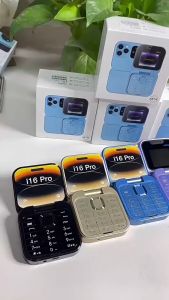
【Fast Deliver】JOBQEHS Original i16 Pro Flip Feature Phone Mobile Phone Keypad Cellphone Dual SIM Card Basic Phone COD