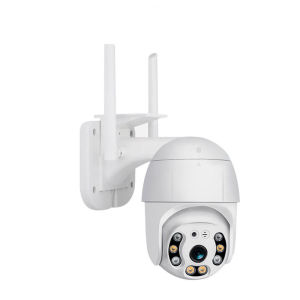
V380-Q5s Wireless Security Camera: Features & Benefits
V380-Q5s Wireless Security Camera: Features & Benefits
Introduction to V380-Q5s Wireless Security Camera
The V380-Q5s wireless security camera by MIDORI is a top-of-the-line IP camera designed to provide high-quality video surveillance for your home or business. This camera offers a range of features and benefits, including easy installation, real-time remote viewing, two-way audio, and motion detection alerts.
Key Features & Benefits
Easy Plug & Play Installation
One of the standout features of the V380-Q5s is its easy plug-and-play installation process. Simply connect the camera to your Wi-Fi network, and you're ready to start monitoring your home or business.
Real-Time Remote Viewing & Two-Way Intercom
The V380-Q5s supports real-time remote viewing, allowing you to monitor your property from anywhere in the world using your smartphone or tablet. Additionally, the camera features a two-way intercom system, enabling you to communicate with family members or visitors.
Motion Detection & Alerts
The V380-Q5s includes motion detection capabilities, which trigger alerts on your mobile device when movement is detected. The camera can capture pictures and send them to your email, so you'll always know what's happening at home.
Storage Options & Multi-User View
The V380-Q5s supports microSD card storage up to 64GB, allowing you to record video footage directly to the camera. Additionally, the camera supports multi-user viewing, enabling multiple users to access the live feed simultaneously.
How to Purchase & Get Free Gift
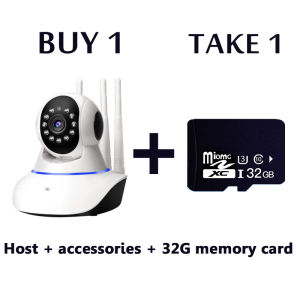
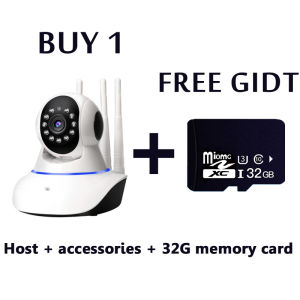
To purchase the V380-Q5s wireless security camera, visit our website or authorized retailers. When you buy one V380-Q5s camera, you'll receive a free gift, making it an even better value!
Installation & Setup
Easy Plug & Play Installation
To install the V380-Q5s, simply connect the camera to your Wi-Fi network using the included power adapter. The camera will automatically detect and connect to your network, and you'll be ready to start monitoring your property.
Connecting to Mobile Devices
Once the camera is connected to your Wi-Fi network, download the MIDORI app from the App Store or Google Play Store. Follow the on-screen instructions to connect your smartphone or tablet to the camera, and you'll be able to access live video feeds and control the camera remotely.
Advanced Features & Capabilities
Real-Time Remote Viewing & Two-Way Intercom
With the V380-Q5s, you can monitor your home or business from anywhere in the world using your smartphone or tablet. The camera supports real-time remote viewing, so you can see what's happening at home no matter where you are. Additionally, the two-way intercom system allows you to communicate with family members or visitors, making it easy to stay in touch.
Motion Detection & Alerts
The V380-Q5s includes motion detection capabilities, which trigger alerts on your mobile device when movement is detected. The camera can capture pictures and send them to your email, so you'll always know what's happening at home.
Storage Options & Multi-User View
The V380-Q5s supports microSD card storage up to 64GB, allowing you to record video footage directly to the camera. Additionally, the camera supports multi-user viewing, enabling multiple users to access the live feed simultaneously.
Conclusion & Final Thoughts
The V380-Q5s wireless security camera by MIDORI is a top-of-the-line IP camera that offers a range of features and benefits, including easy installation, real-time remote viewing, two-way audio, and motion detection alerts. With its 3 antenna signal enhanced version, HD 1920 x 1080 resolution, and support for both iPhone and Android devices, the V380-Q5s is the perfect choice for anyone looking to protect their home or business.

Midori Beauty
You May Also Like
Waterproof Outdoor escope Binoculars 30X60 Binocular Night Vision escope High Power
V380 K6 WIFI CCTV: A Comprehensive Guide to Wireless Waterproof Cameras

Kids Creative Duo: Portable Instant Camera/Printer with HD Video & Photo Functionality
TP-Link VIGI C440-W: A Comprehensive Guide to 4MP Full-Color Wi-Fi Turret Home Security Network CCTV
Alston E-CAM A7 PRO Dual Screen sports camera Outdoor 2.0 inch full HD 4K wireless WIFI riding anti-shake camera for vlogging
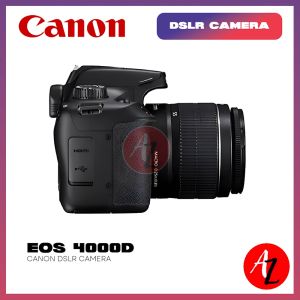
Canon EOS 4000D DSLR Camera
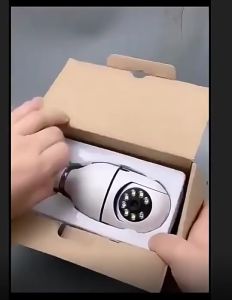
V380 Pro Bulb CCTV Camera No Wifi Needed Connect Cellphone Auto Tracking Night Vision CCTV Security IP Camera 1080P HD Smart Wireless PTZ Panoramic Remote Viewing

Upgraded Ultra-Invisible Wireless Security Camera for Indoor Home Safety Portable Surveillance Car Dashcam Shop Anti-Theft Monitor
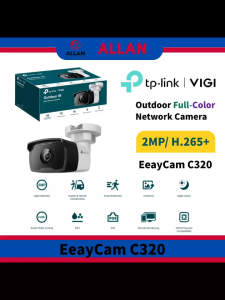
TP-Link VIGI EasyCam C320 4mm 2MP Outdoor Full-Color Bullet Network Camera with 2MP Resolution H.265+ Smart Video Coding & IP67 Rating
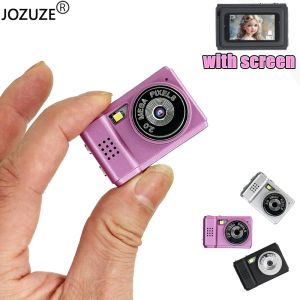
JOZUZE S5 Retro Mini Camera With Screen CMOS Indoor Home Outdoor HD 1080p Sports Portable Very Small Mini Camera Video Recorder
Dahua Network Camera 2MP/5MP HD Starlight With audio Bullet Wired Outdoor Intelligent IP Camera