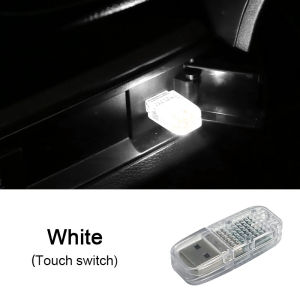
USB Interface Automotive Environment LED Micro-lights Touch Switches & Voice Control Plug
USB Interface Automotive Environment LED Micro-lights Touch Switches & Voice Control Plug
Introduction to USB Interface Automotive Environment LED Lights
The seametal USB Interface Automotive Environment LED Micro-lights are a unique and innovative product designed to enhance the aesthetics and ambiance of any vehicle. These touch switch decorative lights come in a compact size of 4cm x 4cm and are compatible with various devices through their USB interface.
Understanding the Product
These plug-in touch switches feature a sleek design made from high-quality ABS material and electronic components. They operate at a voltage of 5V and are available in three beautiful colors: pink, ice blue, and white. With seven color options for sound control, these automotive environment LED lights offer a wide range of customization possibilities.
Key Features & Benefits
- Compact size (4cm x 4cm) for easy installation and portability
- High-quality ABS material and electronic components ensure durability and reliability
- Compatible with various devices via USB interface
- Three beautiful color options: pink, ice blue, and white
- Seven color options for sound control
- Touch switch and voice control functionality
Installation & Setup Guide
Installing these automotive environment LED lights is simple and straightforward. Follow these steps to connect them to your device and set up the touch switches and voice control.
Connecting to USB Interface
- Locate a USB port on your device, such as a car stereo or power adapter.
- Plug the USB Interface Automotive Environment LED Micro-lights into the port.
- Ensure the lights turn on, indicating a successful connection.
Setting Up Touch Switches & Voice Control
- Press the touch switch to cycle through the seven color options.
- To activate voice control, press and hold the touch switch for three seconds.
- Speak a command to change the color or turn off the lights.
Customization & Personalization Options
The seametal USB Interface Automotive Environment LED Micro-lights offer various customization and personalization options to suit your preferences.
Color Selection & Sound Control
Choose from three beautiful colors: pink, ice blue, and white. Additionally, the seven color options for sound control allow you to create a unique ambiance in your vehicle.
Compatibility with Other Devices
These automotive environment LED lights are compatible with various devices through their USB interface. Connect them to your car stereo, power adapter, or any other device with a USB port.
Troubleshooting Common Issues
If you encounter any issues with your seametal USB Interface Automotive Environment LED Micro-lights, refer to these troubleshooting tips.
Resolving Connectivity Problems
- Ensure the lights are properly connected to a USB port.
- Check if the USB port is functioning correctly.
- Try connecting the lights to a different USB port.
Fixing Touch Switch & Voice Control Malfunctions
- Press the touch switch firmly to cycle through the color options.
- To activate voice control, press and hold the touch switch for three seconds.
- Speak clearly and at a moderate volume when using voice control.

SEAMETAL
You May Also Like
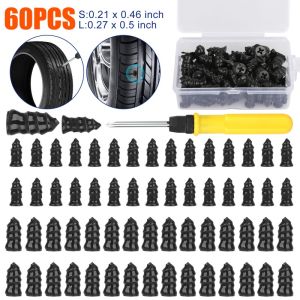
60pcs Vacuum Tyre Screws Kit For Car Motorcycle Rubber Plug Nai Glue Free Repair Tire Screwdriver Tool Set with Box
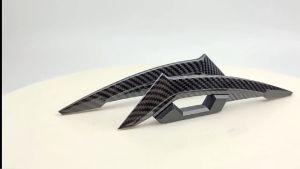
1set Motorcycle Carbon Fiber Pattern Middle Wing Decorative Sticker Aerodynamic Wing Universal Motorcycle Decorative Accessories
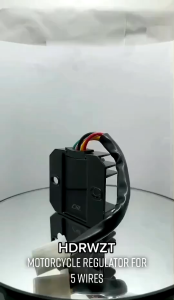
Rectifier/Regulator for HD3/CT100/BAJAJ/MIO/GY6/TMX125/C100/DREAM/XRM/TMX ETC: A Comprehensive Guide
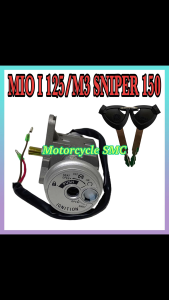
Motorcycle Anti-Theft Ignition Switch :MIO I 125 / MIO M3 / Sniper 150 / nouvo z / msi 115 / msi 125 / mxi 125
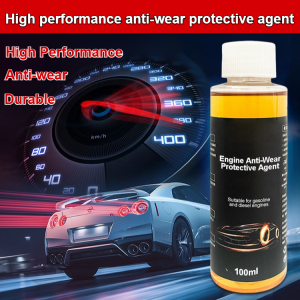
Upgrade to high performance⚡ Automobile engine protectant Reduce friction and extend life Performance-enhancing protectant Engine anti-wear protectant Automobile engine repair Long-lasting anti-wear and noise reduction mainte
The Wonderlube Additive Oil (2pcs 60ml): A Fuel-Saving Engine Protector
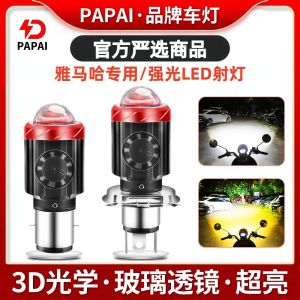
Yamaha Ybr GT125 Motorcycle LED Headlight Lens Modification Parts Integrated Far And near Light Bulb Waterproof IP68

HUSKY 150 Crash Guard: Enhancing Safety & Durability
AUXITO 2PCS H4 Led Headlight Bulb Hi And Low H4 9003 HB2 Led Fanless Headlamp Bulb For Car Motorcycle White
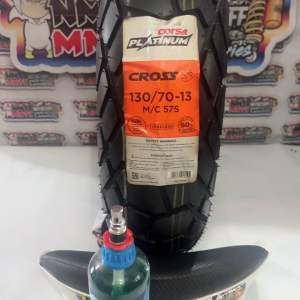
CORSA CROSS S PLATINUM 130 70 13 TL with SEALANT and TIRE VALVE
Multifunctional Car Mop Car wash mop Adjustable telescopic microfiber automobile mop Special Removable cleaning mop for automobile dust removal and washing