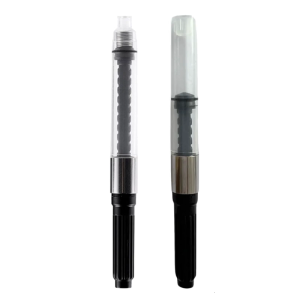
Multi-Model Ink Refill Kit: A Comprehensive Guide
Multi-Model Ink Refill Kit: A Comprehensive Guide
What is a Multi-Model Ink Refill Kit?
A multi-model ink refill kit is a versatile solution designed to refill ink cartridges for multiple printer models from different manufacturers, including HP and Canon. These kits come with a variety of tools and components necessary for refilling ink cartridges, ensuring a cost-effective and eco-friendly alternative to purchasing new cartridges.
How Does It Work?
Multi-model ink refill kits consist of several components, including syringes, needles, ink bottles, and cleaning supplies. The process of refilling ink cartridges involves carefully injecting ink into the cartridge reservoirs through designated injection points. By following a step-by-step guide, users can easily refill their ink cartridges and extend their lifespan.
Benefits of Using a Multi-Model Ink Refill Kit
Using a multi-model ink refill kit offers numerous advantages:
- Cost savings: Refilling ink cartridges can significantly reduce printing costs compared to purchasing new cartridges.
- Eco-friendliness: Refilling ink cartridges helps reduce waste and environmental impact by extending the life of existing cartridges.
- Compatibility: Multi-model ink refill kits are compatible with a wide range of printer models, making them a versatile solution for various printing needs.
Compatible Ink Cartridges for HP & Canon Printers
Multi-model ink refill kits are compatible with a wide range of ink cartridges for both HP and Canon printers. Some popular compatible cartridges include:
- Canon PG 245, 445, 645, 47, CL57, PG88, CL98, PG40, CL41, PG740, CL741, PG745, CL746, PG810, and CL811
- HP 123, 305, 122, 60, 61, 62, 63, 65, 67, 678, 680, 682, 901, 652, and 301
Choosing the Right Refill Kit for Your Printer
Selecting the appropriate multi-model ink refill kit requires considering several factors:
- Printer model compatibility: Ensure the refill kit is compatible with your specific printer model.
- Ink cartridge type: Choose a refill kit compatible with the ink cartridge type used in your printer.
- Refill kit quality: Opt for a reputable brand known for producing high-quality refill kits.
Factors to Consider When Selecting a Refill Kit
When choosing a multi-model ink refill kit, consider the following factors:
- Compatibility: Verify that the refill kit is compatible with your printer model and ink cartridge type.
- Quality: Opt for a reputable brand known for producing high-quality refill kits.
- Cost: Compare prices and consider long-term cost savings when selecting a refill kit.
Comparing Multi-Model Ink Refill Kits for HP & Canon Printers
Comparing multi-model ink refill kits for HP and Canon printers involves evaluating several aspects:
- Printer model compatibility: Ensure the refill kit is compatible with your specific printer model.
- Ink cartridge type: Choose a refill kit compatible with the ink cartridge type used in your printer.
- Refill kit quality: Opt for a reputable brand known for producing high-quality refill kits.
Long-Term Cost Savings With a Refill Kit
Using a multi-model ink refill kit can result in significant long-term cost savings compared to purchasing new ink cartridges. Refilling ink cartridges extends their lifespan, reducing the frequency of cartridge replacements and lowering overall printing costs.
How to Use a Multi-Model Ink Refill Kit
Refilling ink cartridges with a multi-model ink refill kit is a straightforward process. Follow these steps to successfully refill your ink cartridges:
- Step 1: Gather all necessary components from the refill kit.
- Step 2: Prepare the ink cartridges by cleaning them and removing any existing ink.
- Step 3: Carefully inject ink into the cartridge reservoirs using the provided syringes and needles.
- Step 4: Seal the injection points and allow the ink to settle before reinserting the cartridges into the printer.
Step-by-Step Guide to Refilling Your Ink Cartridges
Refilling ink cartridges with a multi-model ink refill kit involves the following steps:
- Gather all necessary components from the refill kit.
- Prepare the ink cartridges by cleaning them and removing any existing ink.
- Carefully inject ink into the cartridge reservoirs using the provided syringes and needles.
- Seal the injection points and allow the ink to settle before reinserting the cartridges into the printer.
Tips for a Smooth Refill Process
To ensure a smooth refill process, follow these tips:
- Read the instructions carefully before starting.
- Work in a clean, well-lit area to avoid contamination.
- Use caution when handling ink bottles and syringes to prevent spills.
- Allow sufficient time for ink to settle before reinserting cartridges into the printer.
Troubleshooting Common Issues With Refilling Ink Cartridges
Common issues that may arise during the refill process include:
- Clogged injection points: Clean injection points thoroughly before refilling.
- Leaking ink: Ensure proper sealing of injection points after refilling.
- Poor print quality: Verify correct ink cartridge installation and alignment.
Conclusion
In conclusion, multi-model ink refill kits offer a cost-effective and eco-friendly solution for refilling ink cartridges for various printer models. By carefully selecting the appropriate refill kit and following a step-by-step guide, users can extend the lifespan of their ink cartridges and reduce printing costs. With proper care and maintenance, multi-model ink refill kits provide a reliable alternative to purchasing new ink cartridges.

ink.print
You May Also Like
6pcs Nozzle Cleaning Brushes for Lab Mini 3D Printers with High Temperature Resistant Silicone Brush Set
In Stock Dx11 Xp600 Printhead Cap Top Capping for Eco Solvent Printer Machine

005 ink bottled with box compatible to printers: Monochrome M1100 Monochrome M1120
664 Ink Premium Quality Compatible for printer L360 L120 L121 L565 Black cyan yellow magenta
Niimbot D110 Wireless Mini Portable Printer Smart Label Printer Mobile Phone For Thermal Adhesive Sticker Labeling Maker Machine
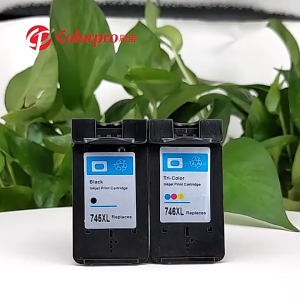
PG 745 CL 746 ink PG745XL CL746XL refillable ink cartridge compairtible for Canon MG2470 MG2570 MG2570S MG2970 MG3070 MG3070S MG3077 IP2870 IP2870 IP2870S MX497 TS207 MG2570S TR4570S TS307

Phomemo T02 Bluetooth Thermal Label Printer: A Portable Inkless Photo Printer & DIY Sticker Machine
SURF Original 3D Pen Full Set: A Comprehensive Guide
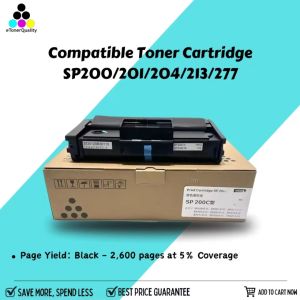
ETQ SP200 SP201 SP202 SP203 SP204 SP213 SP210 SP220 SP221 SP277 Compatible Toner Cartridge For Ricoh

【TOP SALE】Canon ink PG 40 Black Ink Cartridge PIXMA MP450 All-in-One Printer/PIXMA iP1200 Bubble Jet Printer PIXMA iP1700 Bubble Jet Printer/PIXMA MP160 All-in-One Printer
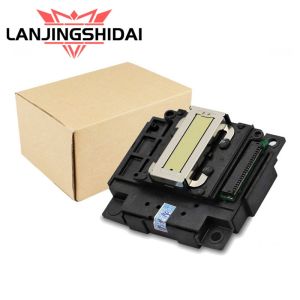
Printhead Replacement Guide: Epson L-Series Printers