Type C Hub Converter & 4 Port USB Splitter: A Comprehensive Guide
Type C Hub Converter & 4 Port USB Splitter: A Comprehensive Guide
What is a Type C Hub Converter?
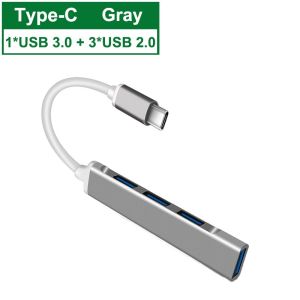
A Type C Hub Converter, also known as a USB Type-C Hub, is a versatile device that allows users to connect multiple peripherals to their laptop or PC through a single USB-C port. This converter expands the functionality of your device by providing additional ports, such as USB-A, HDMI, Ethernet, and audio jacks. In this article, we will explore the key features, compatibility, and benefits of using a Type C Hub Converter.
Key Features of Type C Hub Converters
Type C Hub Converters come equipped with several essential features that enhance the user experience. Some notable features include:
- Multiple Ports: A typical Type C Hub Converter offers multiple ports, such as USB-A, HDMI, Ethernet, and audio jacks, enabling users to connect various peripherals effortlessly.
- High-Speed Data Transfer: Most Type C Hub Converters support USB 3.0, which allows for high-speed data transfer rates, ensuring efficient file transfers and smoother performance.
- Power Delivery: Some Type C Hub Converters support Power Delivery (PD), enabling users to charge their devices through the hub itself.
How Does a Type C Hub Converter Work?
A Type C Hub Converter works by connecting to a USB-C port on your laptop or PC. Once connected, it provides multiple ports for peripheral devices, allowing them to communicate with your computer through the hub. This process simplifies cable management and enhances overall productivity.
Understanding Printer Compatibility with Type C Hub Converters
Printer compatibility is a crucial aspect to consider when using a Type C Hub Converter. To ensure seamless connectivity, it is essential to understand the printer's requirements and the hub's capabilities.
How to Ensure Printer Compatibility
To ensure printer compatibility with a Type C Hub Converter, follow these steps:
- Check the printer's specifications and determine if it supports USB 3.0.
- Verify that the Type C Hub Converter supports USB 3.0 and has at least one available USB-A port.
- Connect the printer to the hub using a compatible USB cable.
Common Issues & Solutions
Some common issues that may arise when connecting a printer to a Type C Hub Converter include slow data transfer rates, connectivity problems, and driver conflicts. To resolve these issues, try the following solutions:
- Ensure that the printer and hub support USB 3.0.
- Update the printer drivers to the latest version.
- Disconnect any unnecessary peripherals to improve data transfer rates.
Maximizing Your Laptop & PC Experience with Type C Hub Converters
Type C Hub Converters can significantly enhance your laptop and PC experience by providing additional functionality and convenience.
Enhancing Data Charging Capabilities
Type C Hub Converters that support Power Delivery (PD) enable users to charge their devices through the hub itself. This feature is particularly useful for those who frequently travel or work remotely, as it reduces the need for multiple chargers and cables.
Utilizing Multiple Ports Efficiently
By connecting multiple peripherals to a Type C Hub Converter, users can streamline their workflow and improve productivity. This setup eliminates the need for multiple cables and simplifies cable management.
Choosing the Right Type C Hub Converter for Your Needs
Selecting the right Type C Hub Converter depends on your specific requirements and preferences. Consider the following factors when choosing a hub:
- Number of Ports: Determine the number of ports required for your peripherals.
- Speed: Choose a hub that supports USB 3.0 for faster data transfer rates.
- Compatibility: Ensure that the hub is compatible with your laptop or PC's USB-C port.
- Power Delivery: Consider a hub that supports Power Delivery if you need to charge your devices through the hub.
Comparing Top Brands & Models
Several brands offer high-quality Type C Hub Converters, including Anker, Belkin, and AmazonBasics. When comparing models, consider factors such as port configuration, speed, compatibility, and price to find the best fit for your needs.
In conclusion, a Type C Hub Converter is an essential accessory for anyone looking to expand the functionality of their laptop or PC. By understanding the key features, compatibility, and benefits of using a Type C Hub Converter, users can maximize their experience and improve productivity.

Lemon Age
You May Also Like
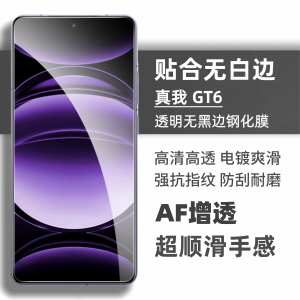
Realme GT6 High Definition Clear Coating Film No Border Anti-Fingerprint Full Screen Protection for Realme Mobile Phones
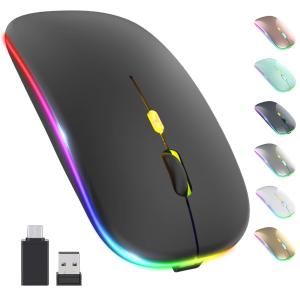
MD LED Wireless Mouse Rechargeable Slim Silent Mouse 2.4G Portable Mobile Optical Office Mouse with USB & Type-c Receiver 3 Adjustable DPI for Notebook PC Laptop Computer Desktop
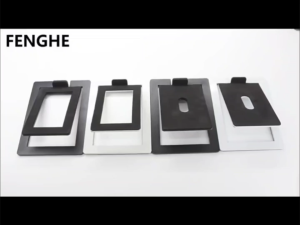
Hot-selling desktop computer audio stand new beautiful white desktop computer speaker bracket stand

Turntable for Case Replacement BP2ATC with Double Sided Red and Blue Diamond Tip for Vinyl for LP/for LP RPM Recorder

Small Waist Fan Cooling Fan Waist Clip Fan Rechargable Waist Fan ABS Texture Belt Fan for Indoor and Outdoor Use

Applicable to Huawei Nova8 Phone Case New Arrival Liquid Silicone Pure Color Nova8pro Protective Case Minimalist Drop-Resistant Lens All-Inclusive Novo8se Vitality Slim Frame Fancy All-Inclusive Couple Shell

Pink Christmas Tree Dog Phone Case: A Creative Personalized Acrylic Protective Cover
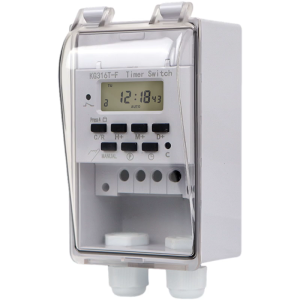
Weatherproof Digital Timer Controllers 110V 40A Timer Component for Indoor Outdoor Lighting Fountains Electrical Devices
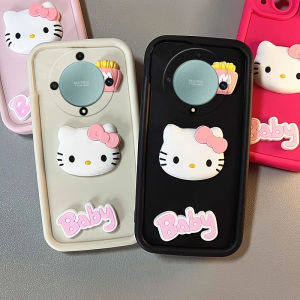
Casing Honor X9b X9a X9 X8 X7 Huawei Nova 10 Pro SE 5G 4G Phone Case Hot New Design Cute Cartoon 3D Cubic Hellokitty Doll Lens Protection Silicone Soft Back Cover

OnePlus 12 Phone Case Silicone Protective Cover with Lens Film Full Wrap Corner Airbag Anti-Fall Soft Shell for Men And Women
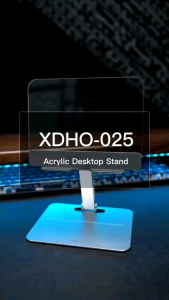
Xdho-024 Transparent Phone And Tablet Holder