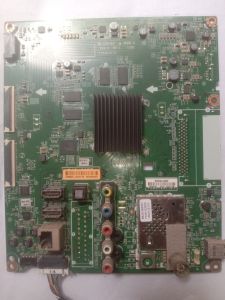
LG 43UF640T MAINBOARD
LG 43UF640T MAINBOARD
What is an LG 43UF640T Mainboard?
The LG 43UF640T mainboard, also known as the LCD mainboard or LCD display motherboard, is a crucial component responsible for controlling the functionality of the entire monitor. It houses various electronic components and connectors that allow the monitor to display images, process inputs from external devices, and communicate with other hardware.
Key Components of the Mainboard
The mainboard of the LG 43UF640T includes several important components:
- Power Supply Unit: Converts AC power to DC power required by the monitor's internal components.
- Video Processor: Handles image processing tasks, such as scaling, color correction, and de-interlacing.
- Memory: Stores temporary data required for image processing and display.
- Connectors: Allow the monitor to connect to external devices, such as computers, gaming consoles, and video players.
Importance of the Mainboard
The mainboard plays a vital role in the overall performance and functionality of the LG 43UF640T monitor. A faulty or damaged mainboard can result in various issues, including display problems, input/output connectivity issues, and even complete failure of the monitor. Therefore, it is essential to ensure that the mainboard is in good condition and regularly maintained.
How to Replace an LCD Mainboard
Replacing the mainboard of the LG 43UF640T monitor requires careful attention to detail and proper tools. Follow these steps to successfully replace the mainboard:
Tools & Materials Needed
Before starting the replacement process, gather the following tools and materials:
- Replacement LCD Mainboard: Ensure that the replacement mainboard is compatible with the LG 43UF640T monitor.
- Screwdrivers: A set of precision screwdrivers for removing screws from the monitor casing.
- Anti-static wrist strap: To prevent static electricity from damaging sensitive components.
- Torx screwdriver: For removing screws securing the mainboard to the monitor frame.
Step-by-Step Replacement Process
- Power Off: Unplug the monitor from the power source and any external devices connected to it.
- Remove Screws: Use the screwdrivers to remove all screws securing the monitor casing.
- Disconnect Cables: Carefully disconnect all cables and connectors from the mainboard.
- Remove Mainboard: Gently lift the old mainboard out of the monitor frame.
- Install New Mainboard: Place the replacement mainboard into the monitor frame, ensuring that all connectors and cables are properly aligned.
- Reconnect Cables: Reconnect all cables and connectors to the new mainboard.
- Secure Mainboard: Secure the new mainboard to the monitor frame using the Torx screwdriver.
- Reassemble Monitor: Reattach the monitor casing and secure it with screws.
- Power On: Plug the monitor back into the power source and test its functionality.
Finding Quality 43 Inch Monitor Parts
When searching for replacement parts for the LG 43UF640T monitor, it is crucial to find high-quality components that will ensure optimal performance and longevity. Here are some tips for finding quality 43 inch monitor parts:
Online Marketplaces for Monitor Parts
Several online marketplaces specialize in selling replacement monitor parts, such as eBay, Amazon, and Alibaba. When shopping on these platforms, look for reputable sellers with positive reviews and a history of delivering high-quality products.
Tips for Buying High-Quality Monitor Parts
To ensure that you purchase high-quality monitor parts, consider the following tips:
- Research: Conduct thorough research on the specific part you need, including its compatibility with your monitor model and the reputation of the seller.
- Read Reviews: Read reviews from other customers who have purchased the same part to gauge its quality and performance.
- Check Warranty: Look for parts with a warranty or return policy, which can provide peace of mind if the part turns out to be defective.
Troubleshooting Common Issues with the LG 43UF640T Mainboard
If you encounter issues with the mainboard of the LG 43UF640T monitor, it is important to identify the problem and take appropriate action to resolve it. Here are some common problems and their solutions:
Common Problems & Solutions
- Display Issues: If the monitor displays distorted images or no image at all, try resetting the monitor settings or replacing the mainboard.
- Input/Output Connectivity Issues: If the monitor fails to connect to external devices, check the connectors and cables for damage or loose connections.
- Complete Failure: If the monitor does not turn on or display any image, it may be due to a faulty mainboard. Replace the mainboard with a new one.
Preventative Maintenance Tips
To prevent issues with the mainboard of the LG 43UF640T monitor, follow these preventative maintenance tips:
- Keep the Monitor Clean: Regularly clean the monitor and its components to prevent dust buildup and damage.
- Avoid Overheating: Ensure that the monitor has proper ventilation and avoid placing it in direct sunlight or near heat sources.
- Use Quality Parts: When replacing parts, always choose high-quality components that are compatible with your monitor model.

2nd hand LED TV parts
Review

You May Also Like
14 Inch Laptop LCD Screen TL140ADXP21 TL140ADXP21-01 Display Matrix Panel Replacement 2880x1800 eDP 40 Pins Non-Touch

Laptop LCD Screen 14.0 Inch 30 Pins Thin Bezel Top And Bottom Full HD 1920 x 1080 NT140FHM-N44 V8.1
Single Stepper Motor Controllers Module with Preset Type Stepper Motor Distance/Speed Control for Indsutrial Use
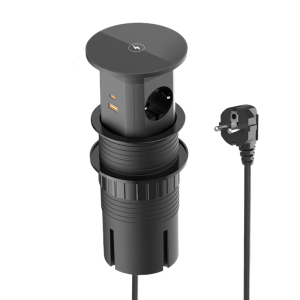
Automatic Lift Power Outlet Stations With 15W Charging 4 Outlets 2 PD20W USB C for Kitchen Office Desktop Installation
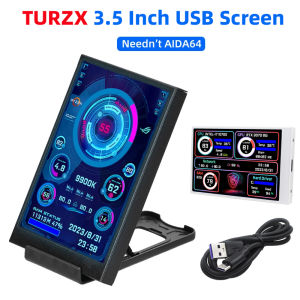
3.5 Inch IPS Type C Secondary Screen for Computer CPU GPU RAM HDD Display 320*480 USB LCD Monitor Freely AIDA64 Windows 10 11
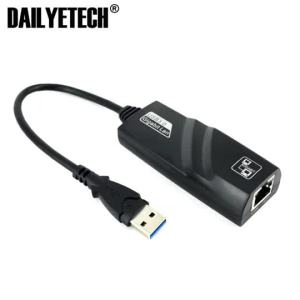
USB 3.0 Rj45 Gigabit Ethernet Adapter Network Lan Card
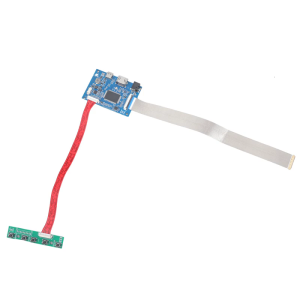
40pin EDP LCD Display Driver Board Supports 2560x1440 Resolution HDTV-compatible Upgradeable
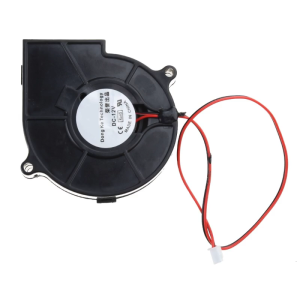
75mmx30mm CPU Cooling Fan 12V 2pin Silent Cooling Fan CPU Cooler Chassis Radiator for Desktop Computer 2700RPM Fan
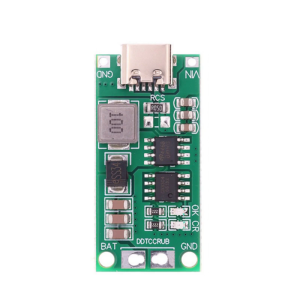
DC3-5V Input Boost Charging Steps Up Charging Module For 4s Batteries Featuring Overcurrent Short Circuits Protections
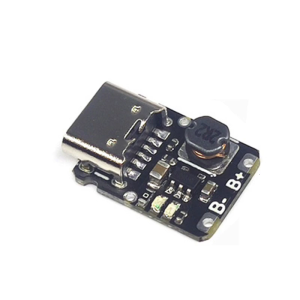
TP4057 Type C USB 5V 1A 18650 Cell Charging Module Small Size and Reliable for Various 3.7V Batteries
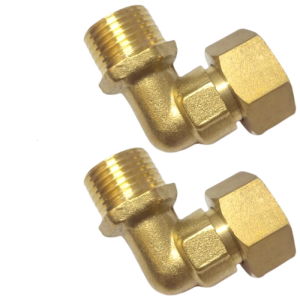
Strong Brass 90° Pipe Elbow 1/2" Adjustable Connection Elbow Fitting Tool for Residential Plumbing & Cooling Systems